Floor performance
The screen shows how the floor did over a period: how much was taken at the tables, how much a table and a guest leave on average, who served and how long the guests waited for their dishes.
It is not the company's sales report. Only receipts paid at a table go in here; the bar and takeaway without a table do not show, so the total is lower than the one in Sales overview.
Where to find it: Sidebar → HoReCa → Performance tab
Where the figures come from
The money comes from the same fiscal receipts as the sales report, so each receipt from a table has exactly the same amount here; the total is lower only because the bar and takeaway without a table are not included. The rest — the kitchen times, the voids, the guest feedback and the busy hours — is sent by the floor: the main register uploads it once an hour.
That is why, until the floor is working, the screen is empty and says why:
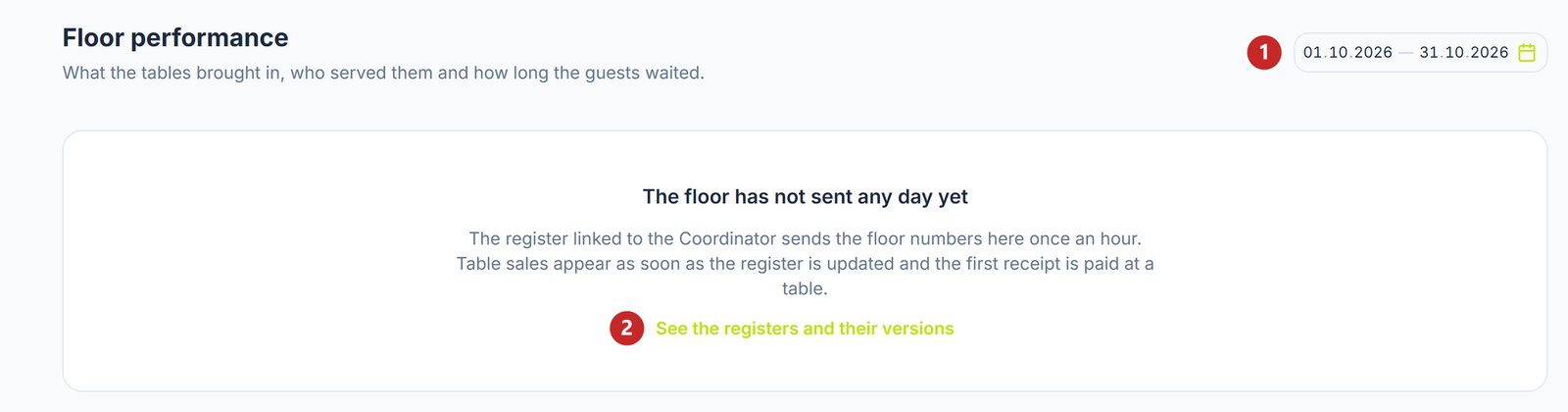
1 the period · 2 the list of registers, with each one's version
- "The floor has not sent any day yet" — the main register has uploaded nothing so far. Sales at the tables show up as soon as the register has the new version and the first receipt at a table is paid.
- "Nothing from the tables in this period" — the floor has sent days, but not between the chosen dates. Pick another period in the top right corner.
Where the floor sent no days for the chosen period, its figures show "—" with the explanation, not zero: a zero would mean nothing was voided, when in fact it is not known.
What you see once the floor is working
Six figures sit at the top:
- Taken at tables — the money from the tables, with the number of receipts and tables.
- Average per table — how much a table leaves on average, even if it paid in parts.
- Per guest — counted only on the tables where the waiter wrote how many guests there are.
- Kitchen time — from sending the dish to "ready", on average per dish.
- Voided after sending — how many dishes were removed after the kitchen had received them, with their value.
- Guest feedback — the average of the stars left through the QR code on the table.
Below them:
- By waiter — each table, with all its money, belongs to the waiter who held it at payment.
- When it gets busy — the dishes sent to the kitchen by day and hour. A darker cell means a busier hour.
- Most ordered — the dishes with the most servings.
- Why dishes were voided — the reasons the waiter chose: wrong order, guest changed their mind, kitchen problem.
The voids
A void is only what was removed after the kitchen had received the dish. What the waiter deleted before sending the order is not a void and does not show here.
The reason matters more than the number: a guest who changed their mind before the dish was cooked costs nothing, while a kitchen problem is a real loss. The By waiter table also shows how many dishes each waiter voided, and the reasons block names the waiter with the most.
What can confuse you
The total does not match "Sales overview" — only receipts from the tables go in here. The bar and takeaway without a table are only in the sales report.
"Per guest" shows "—" — the waiters did not write how many guests are at the table, so there is nothing to divide by.
"You do not have the right to see floor performance." — the company owner grants the right in Settings → Role permissions.
Related pages
- Floor and settings — the rooms, tables and stations the venue uses
- Sales overview — all the company's sales, not only the ones at the tables