What the customer sees
The customer screen shows the receipt you are making, line by line, with the amounts exactly as on the register. It calculates nothing on its own: everything on it comes from the register, so the customer sees the same figures as you.
Where to find it: on the second monitor, facing the customer. It opens by itself when you start the register.
Between receipts
While the register waits for the next customer, the screen shows your ads, one after another. Until you add ads, the default POSfix picture is shown.

How to add your pictures — in Ads on the customer screen.
During the sale
As soon as you add the first product to the receipt, the screen switches to the receipt. It changes with every product added, every changed quantity and every discount.
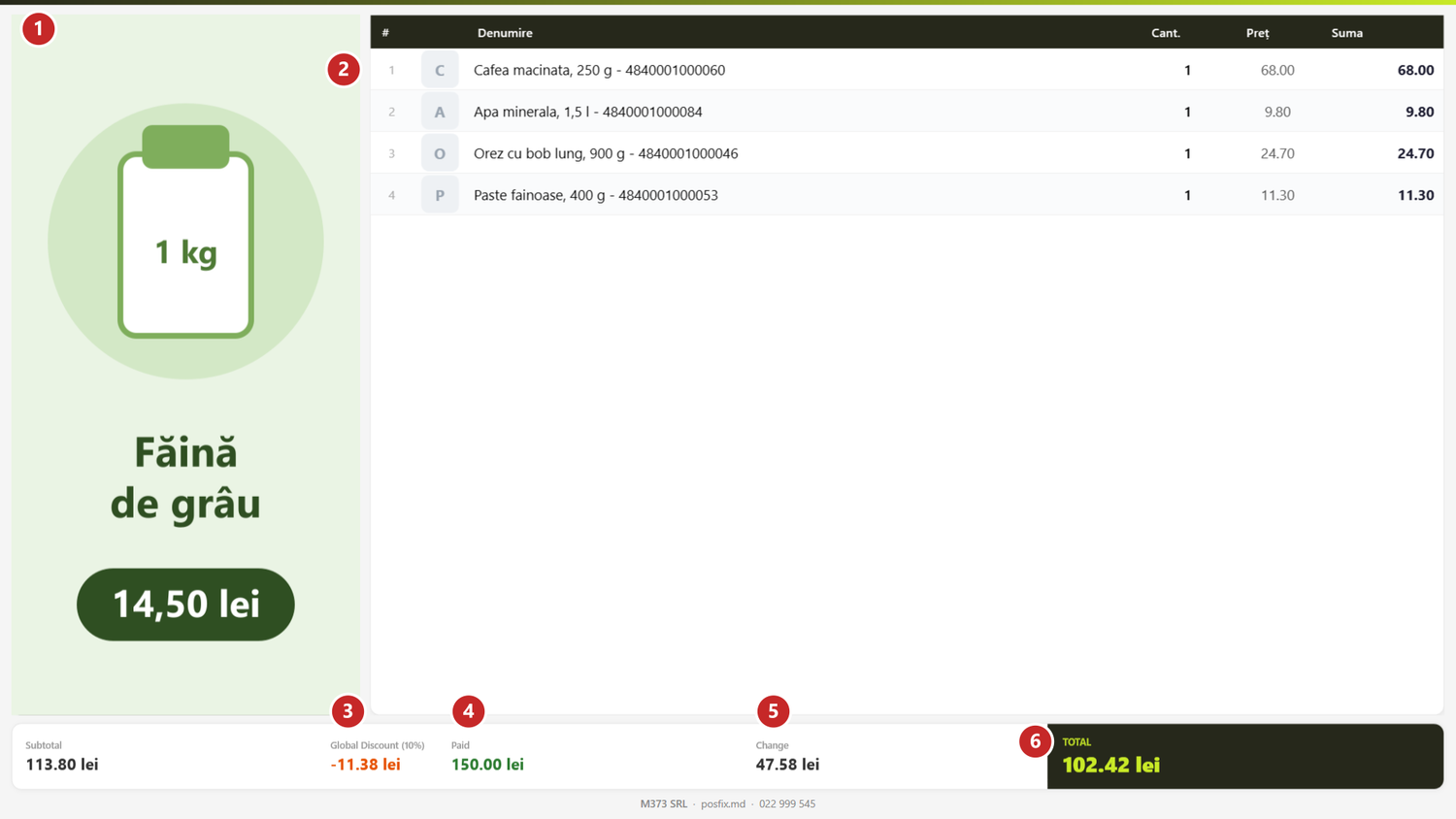
1 the ads band · 2 the receipt lines · 3 the discount on the whole receipt · 4 what the customer handed over · 5 the change · 6 the total to pay
Each line shows the number, the product photo (or its initial, when the product has no photo), the name, the quantity, the price and the amount. When an item has a discount, the customer sees the old amount crossed out above the new one, and the reason for the discount below it.
The totals sit underneath. A discount or markup on the whole receipt appears only when there is one. Paid fills in while you take the payment: as you type the amount received in the payment window, the customer sees it on the screen.
Left to pay and change
The field next to Paid changes its name depending on what the customer handed over. While something is still due, it says Left to pay and shows the missing amount. When the customer gave more than the total, it says Change and shows what you hand back — exactly the amount in your payment window.
What can trip you up
The screen says “DEMO”, and some names appear as “Demo version”. The screen's licence has not arrived yet. It comes by itself — see Demo mode.
Related pages
- Customer screen — what you need and how to install it.
- Ads on the customer screen — the pictures between receipts and on the band.