Trips
A trip is one run: a truck, a driver and the orders they carry. The costs picked up along the way gather here too — diesel, tolls, parking, customs.
A trip is never invoiced. Each order in it has its own invoice and act; the trip is where you see what the run cost you.
Where to find it: Sidebar → Cargo → the Trips tab
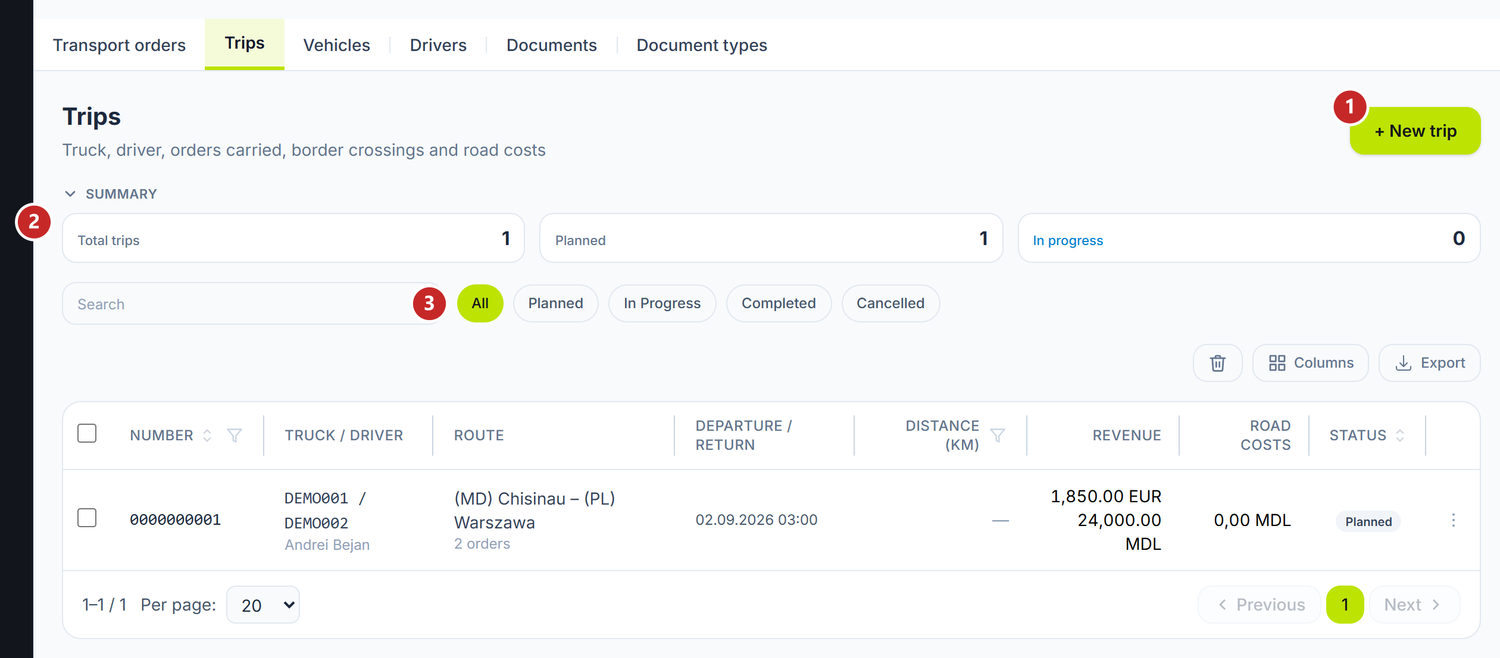
1 new trip · 2 how many are in progress · 3 the status filter
To plan a trip
- Cargo → the Trips tab → New trip.
- Pick the Vehicle and the Driver. Trailer and second driver are optional.
- Set the planned departure date.
- Save.
- In the Trip orders section, press Add order and click the order it carries. The window closes after each pick — reopen it for the second order.
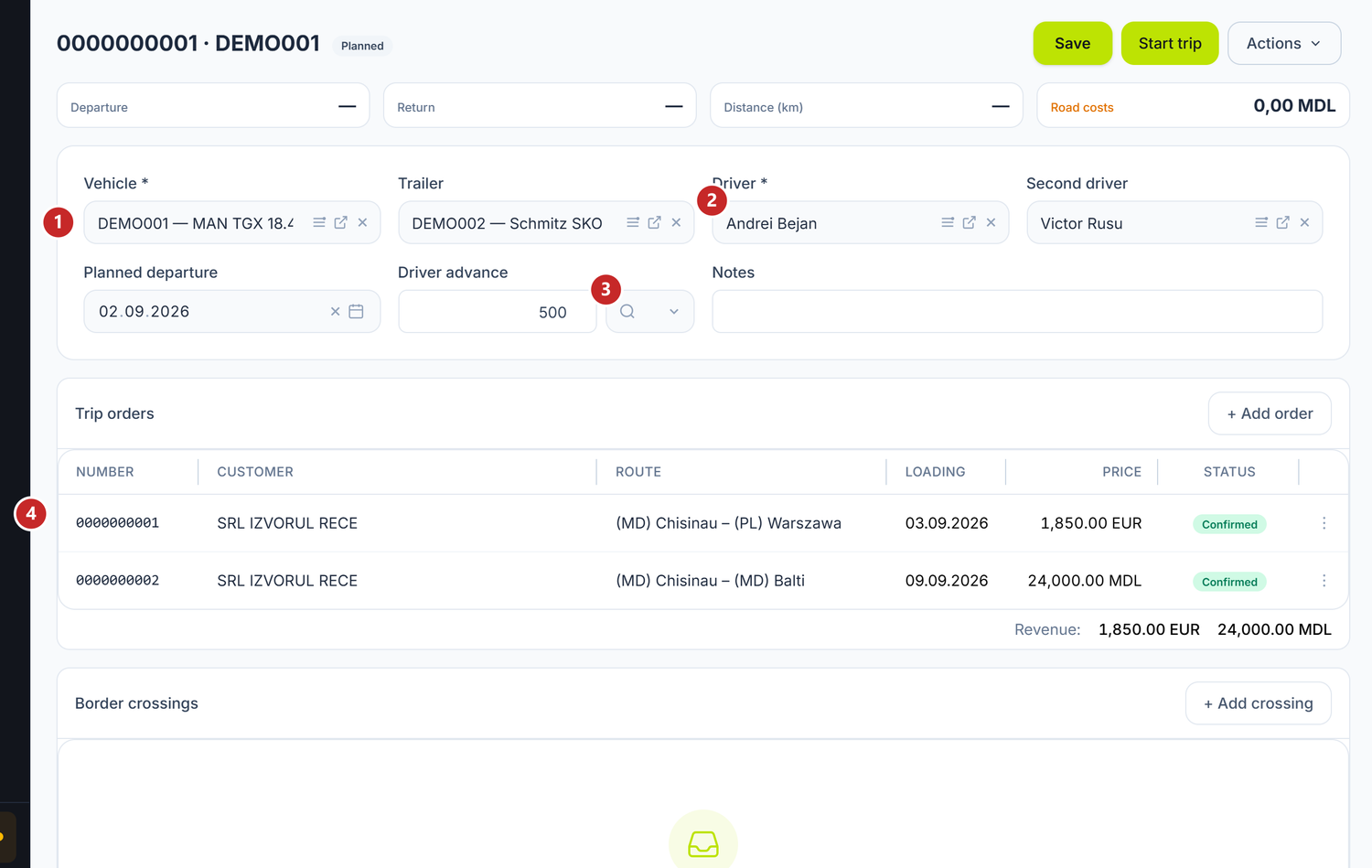
1 truck and trailer · 2 the driver, plus a second one if they travel in pairs · 3 the advance given to the driver · 4 the orders carried, with their revenue per currency
Below the order table sit the Border crossings and Road costs sections.
The trip is where truck and driver are decided: when you attach an order that hasn't picked one yet, the trip gives it its own. Orders that already chose a truck keep it.
You cannot put a cancelled order, a subcontracted one, or one already on another trip onto a trip. The panel tells you why, every time.
The driver advance is written with its amount and currency, so you know what the man left with.
The trip's journey
Start trip moves it from Planned to In progress and asks for the departure moment plus the odometer. Complete trip does the same on return.
From the start, the truck and the driver no longer change. The rest — orders, crossings, costs — stays open until completion.
The odometer is asked twice, at departure and at return, and both push the vehicle's counter up, but only upwards: a figure lower than the counter is kept on the trip and leaves the counter untouched. The only refusal is a different one: the return cannot be below the departure, on the same trip.
Cancelling detaches the orders, which are free for another trip. Deleting only works on Planned or Cancelled trips.
Border crossings
Each crossing is written with date and hour, the country you leave, the country you enter and the crossing point. The hour matters: the days spent in each country are computed from it.
Road costs
Each cost has a kind — Fuel, Toll, Parking, Ferry, Customs / broker, Per diem, Fine, Repair or Other — a date, a description, the country and, if you like, the order it concerns.
The amount is written in the currency you paid in. When that isn't the base currency, fill in the Exchange rate too — the neighbouring column comes from it, with the amount in your base currency; left empty, the panel understands the amount is already in base currency. On fuel it is worth filling in Qty as well, so you can compare with the consumption norm on the truck's card.
The total appears on the Road costs card at the top, next to the kilometres.
The trip keeps them as a record of the run. Posting them happens through the usual documents — the driver's expense report, the fuel station invoice, the bank statement.
What can trip you up
The order isn't in the list to add — most often because it is still a Draft: only Confirmed or Loaded orders can be added. The other reasons: it is subcontracted, or already on another trip. The panel spells them out in the empty state of the list.
I can't change the truck — the trip has already started. The truck changes only while it is Planned.
"The return odometer cannot be lower than the departure one." — check the figure from the trip start. If that one is wrong, correct it there.
Related pages
- Transport orders — the orders that go onto a trip
- Vehicles — the truck and its odometer
- Drivers — the driver, the licence and the tachograph card