Documents with a deadline
The screen answers one question, every morning: what expires and when. It gathers the documents of vehicles and drivers in one place, the most urgent at the top.
It sends no notification. It is a list you open, not an alarm that comes looking for you.
Where to find it: Sidebar → Cargo → the Documents tab
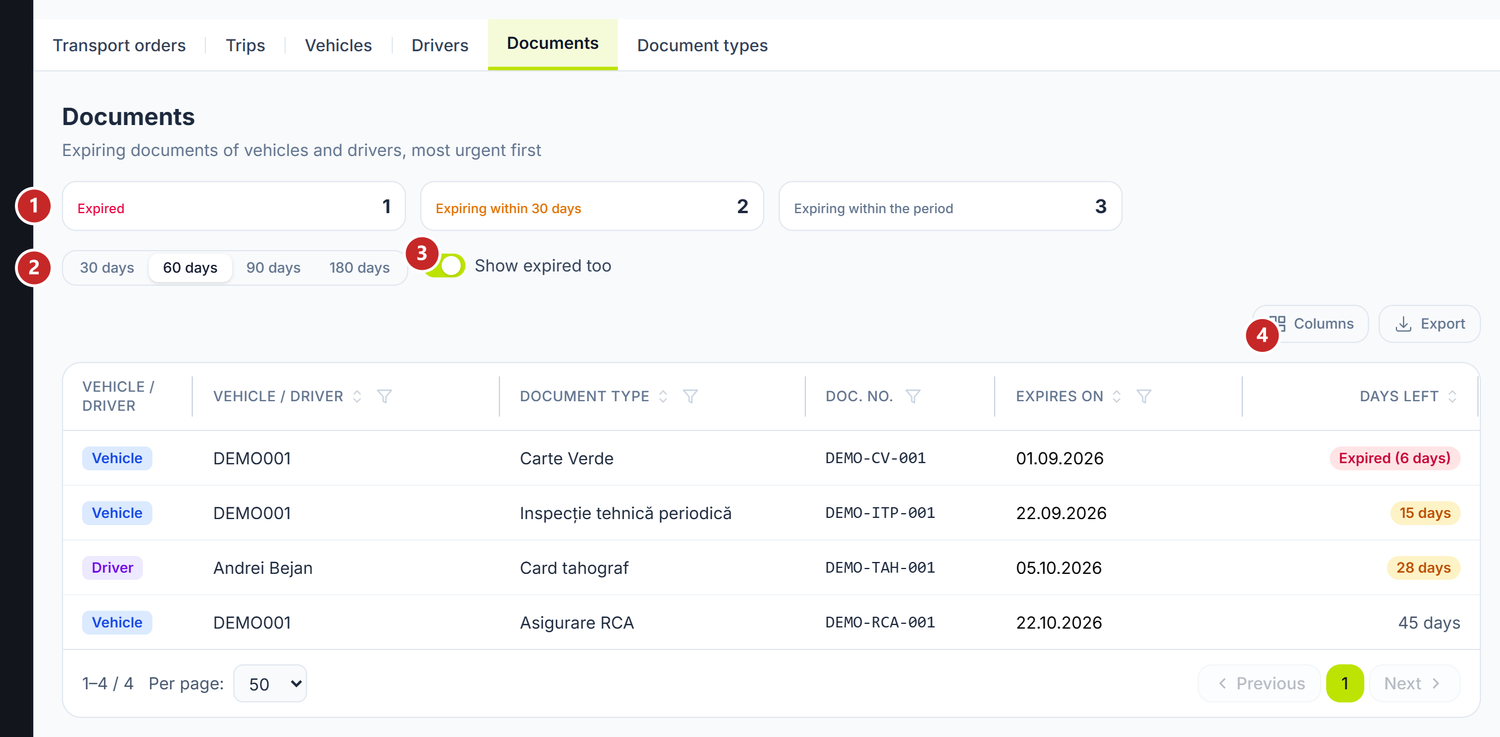
1 how many have already expired · 2 the horizon in days · 3 shows the expired ones too · 4 the days left
The three cards count Expired documents, those expiring within 30 days and the rest that fall inside the chosen horizon.
The 30 · 60 · 90 · 180 days buttons cut the list to how far ahead you want to look. The Show expired too switch brings back the ones whose deadline has passed — turn it off when you only want what is coming.
The days left column is written short: 12 d for what is coming, Expired (5 d) for what has passed. A click on the row takes you to the vehicle's or the driver's card, where you can update the document.
Document types
The catalog you pick from when adding a document on a vehicle or a driver.
Where to find it: Sidebar → Cargo → the Document types tab
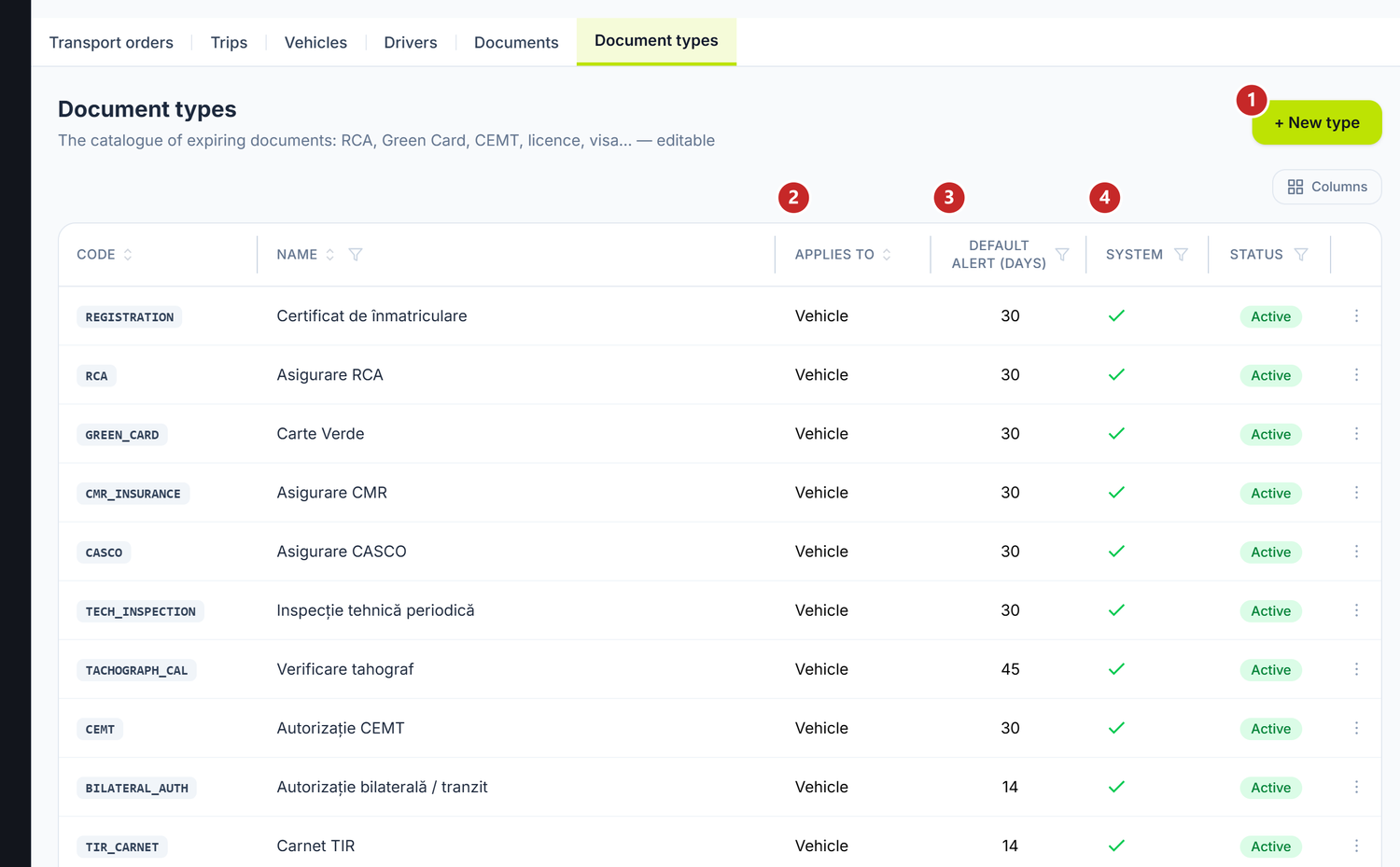
1 new type · 2 what it applies to · 3 the default alert · 4 the system types
The list arrives pre-filled with what everyone uses — RCA insurance, Green Card, CMR insurance, periodic technical inspection, tachograph card, CEMT, TIR carnet, driving licence, visa, professional certificate. You can rename or deactivate them, but system types cannot be deleted: the documents already recorded rest on them.
To add a type
- Cargo → the Document types tab → New type.
- Set a short Code and a Name.
- Pick Applies to — vehicle, driver or both. That decides where the type shows up in the list.
- Set the Default alert (days) — how far ahead you want to see it in the list above.
- Save.
The alert days are only the default value. On each individual document you can set another.
What can trip you up
The list is empty, though I have documents — most often the horizon is too short or Show expired too is off. Try 180 days and turn the switch on.
A type doesn't appear when I add a document on a driver — under Applies to it is set to vehicle only. Open the type and change it.
I can't delete a type — either it is a system type, or documents already use it. In both cases deactivate it: it disappears from new documents, while the existing ones stay whole.
Related pages
- Vehicles — where you add a truck's documents
- Drivers — where you add a driver's documents
- Transport orders — the road documents, which are a different thing: CMR, TIR, T1