Vehicles
This is where the fleet lives: tractor units, trucks, trailers and vans, each with its technical data and the documents that run out. From this list you pick the truck on an order or on a trip.
The vehicle card does not keep the accounting record of the fixed asset. If the vehicle is on the balance sheet, you link it to its fixed-asset card and the depreciation stays there.
Where to find it: Sidebar → Cargo → the Vehicles tab
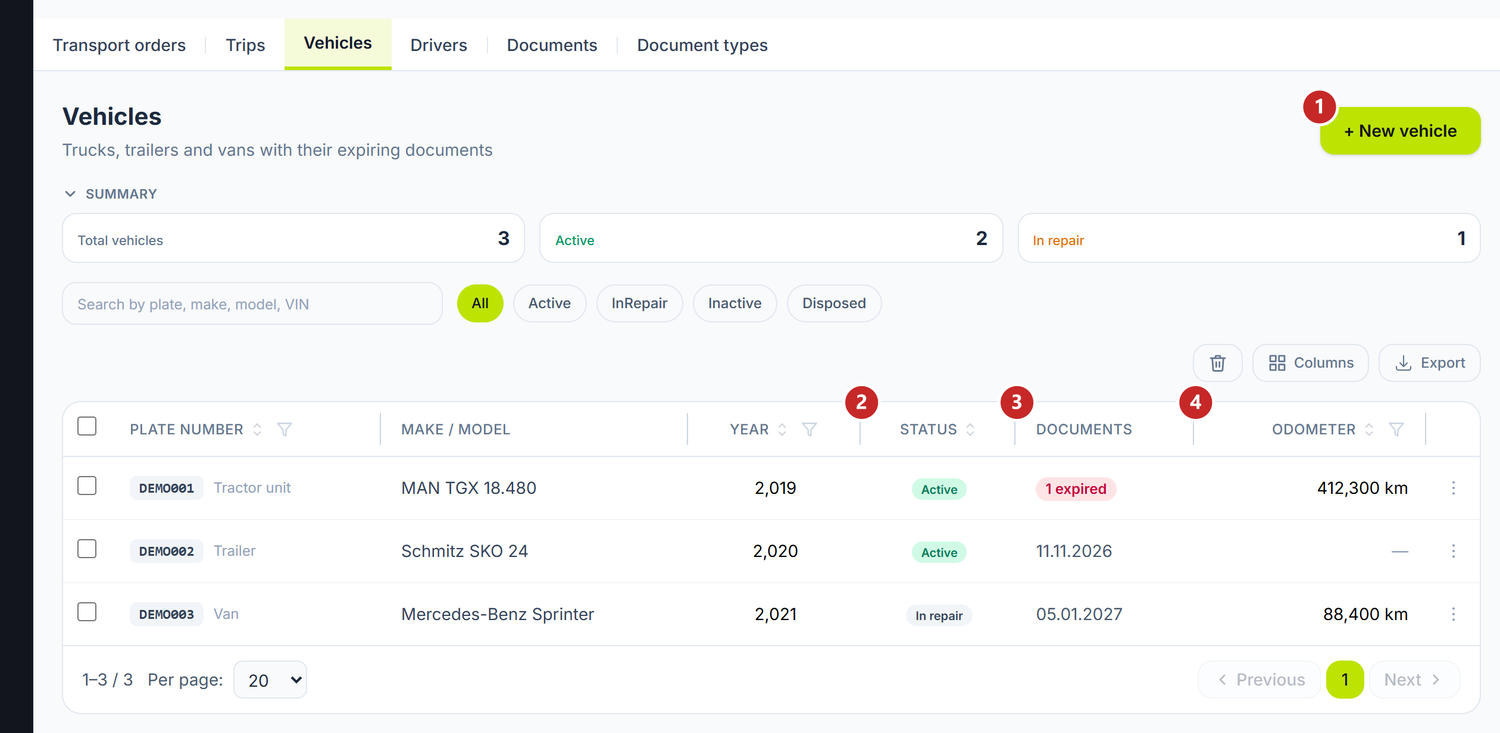
1 new vehicle · 2 the status · 3 documents with a near deadline · 4 the odometer
To add a vehicle
- Cargo → the Vehicles tab → New vehicle.
- Write the Plate number and pick the Kind — tractor unit, truck, trailer/semi-trailer, van or other.
- Fill in make, model, year and chassis number, if you have them at hand.
- Under Capacity and consumption, set the payload, the volume, the pallets and the odometer.
- Save.
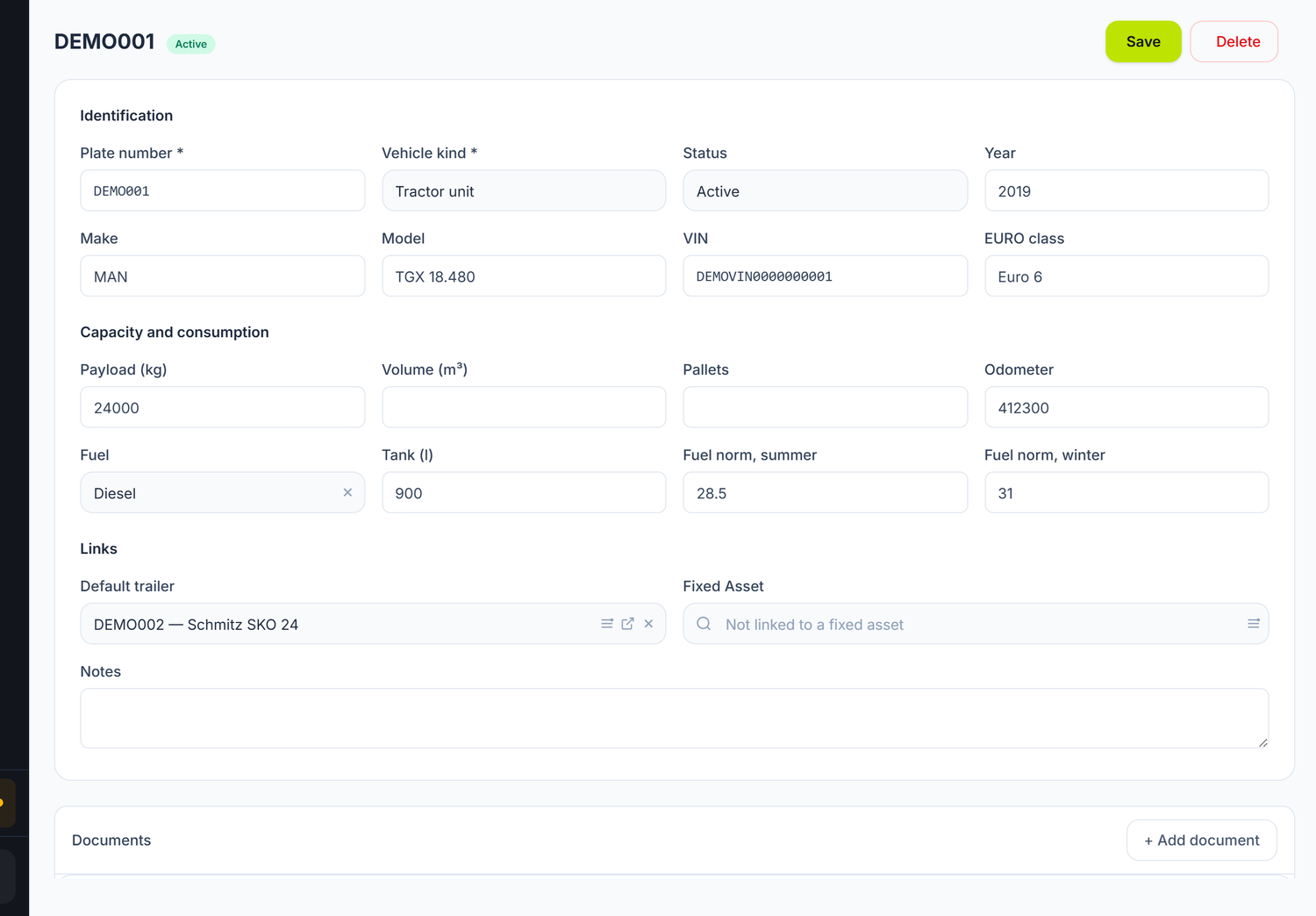
1 the plate number · 2 the kind · 3 the status · 4 the odometer · 5 the documents with a deadline
The status
The status decides whether the vehicle can still be assigned to an order or a trip:
| Status | What it means |
|---|---|
| Active | Can be assigned |
| In repair | Stays in the list, but is not assigned |
| Inactive | Temporarily out of service |
| Disposed / sold | Has left the fleet |
Consumption norms
On vehicles with an engine you fill in the fuel type, the tank capacity and the summer norm and winter norm. From them comes the expected consumption on a run, when you compare it with the diesel receipts.
Trailers don't have this section — they don't consume.
Links
The default trailer is proposed on its own when you pick the tractor unit on a trip. The Fixed asset links the vehicle to its accounting card, if it is on the balance sheet.
The vehicle's documents
Below the card sits the Documents panel: RCA insurance, Green Card, periodic technical inspection, tachograph, CEMT — each with its number, issuer, issue date and expiry date.
Add document opens the window. You pick the type from the catalog, set the dates and, if you like, how many days ahead it should appear in the list of expiring documents. Without that figure, the one from the document type is used.
A document with no expiry date is valid indefinitely and never enters the alerts.
What can trip you up
The plate number is already in use — an active vehicle already carries it. A deleted one does not hold the number.
The vehicle isn't offered for selection — only Disposed / sold vehicles are missing from the selectors. One In repair or Inactive can be picked, but the trip and the loading refuse it — which is why the status is changed on the card first.
Related pages
- Drivers — the other half of the assignment
- Documents with a deadline — every fleet document in one list
- Trips — where the vehicle is assigned to a run
- Fixed asset register — the accounting card of the vehicle