Drivers
The list of drivers you can assign to an order or a trip, with the licence, the tachograph card and the documents that run out.
This card does not replace the personnel file. If the driver is your employee, you link him to his record in Payroll, and the contract, the salary and the timesheet stay there.
Where to find it: Sidebar → Cargo → the Drivers tab
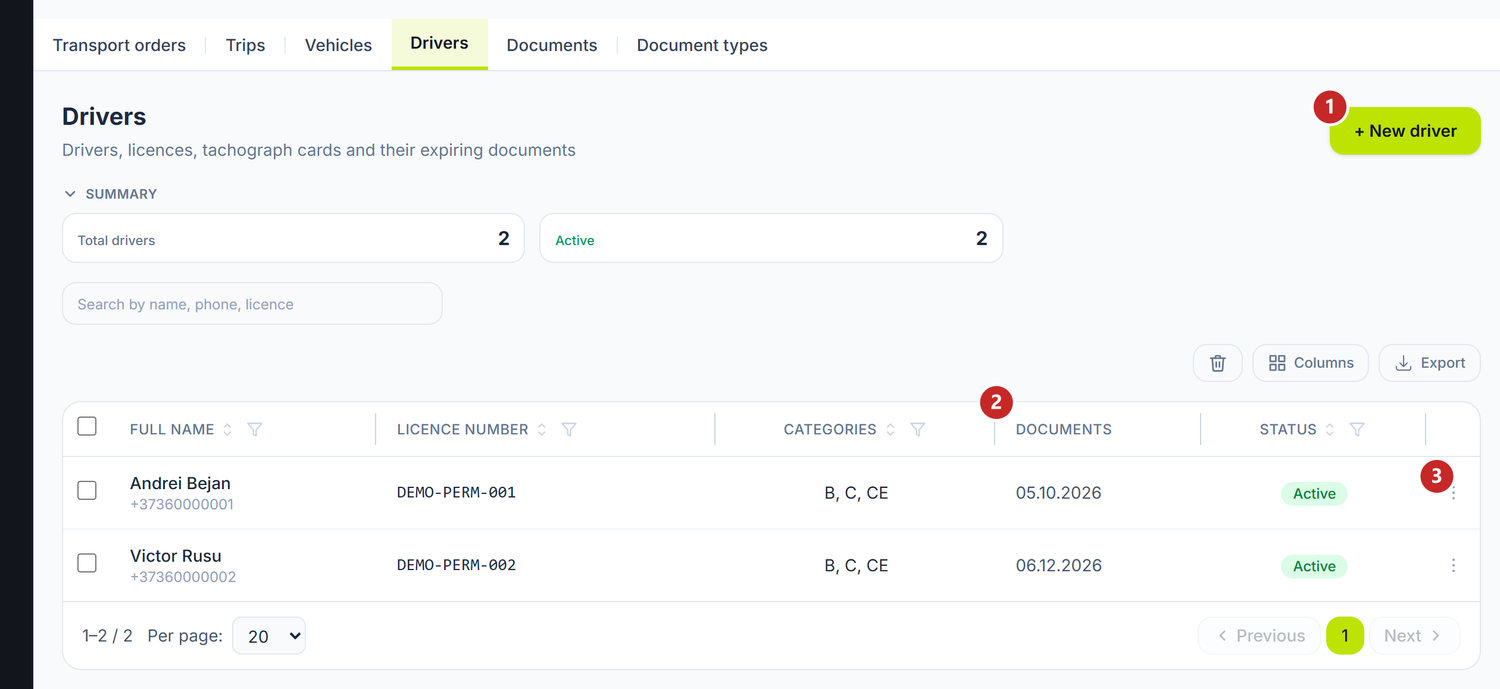
1 new driver · 2 documents with a near deadline · 3 the row menu
To add a driver
- Cargo → the Drivers tab → New driver.
- Write the Full name — it is the only mandatory field.
- If he is an employee, link him at Employee — the link keeps the personnel file one click away. The contact details you write here; they don't come across on their own.
- Under Licence and cards, set the licence number, the categories and the tachograph card number.
- Save.
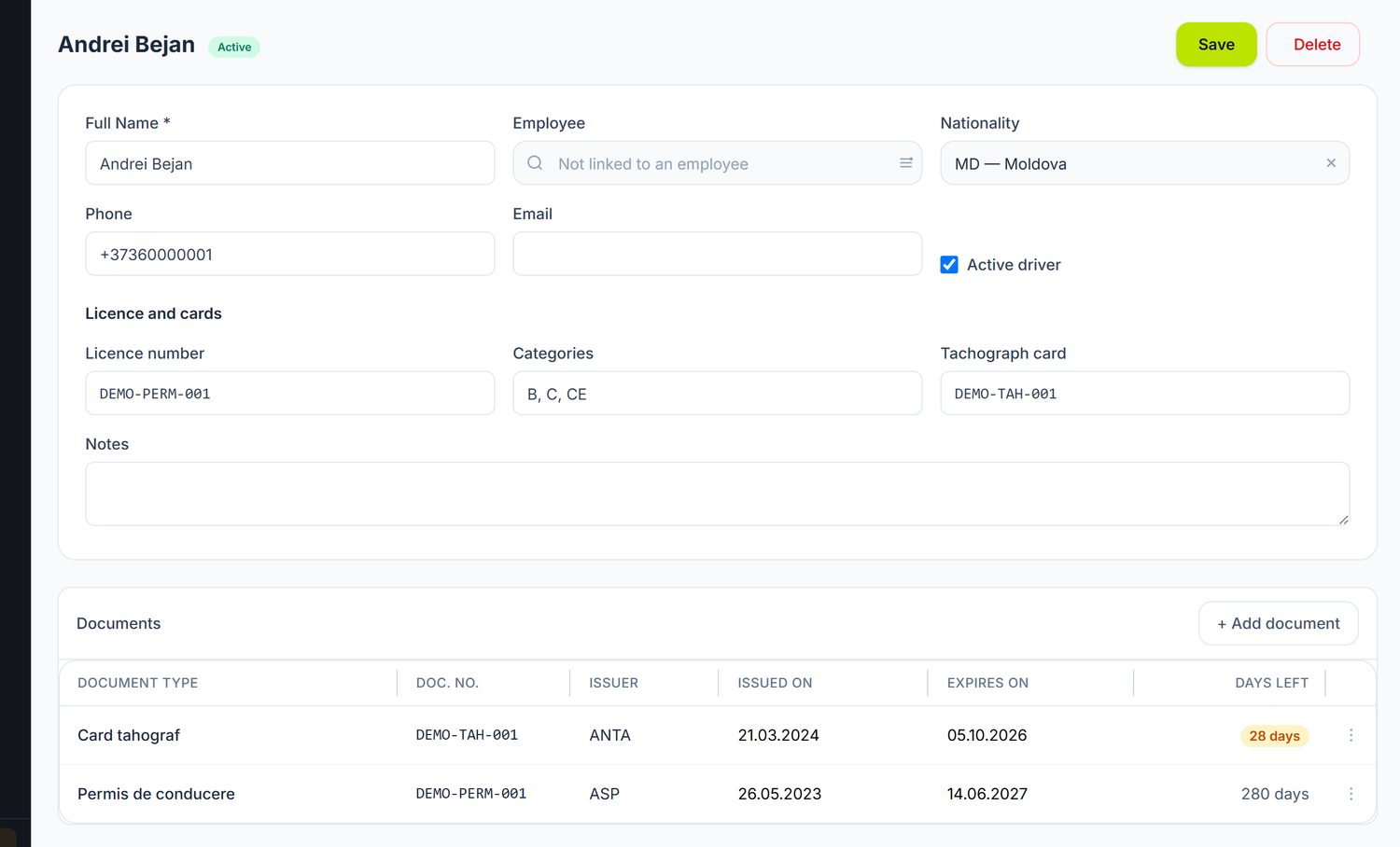
1 the name · 2 the link to the employee record · 3 the licence and its categories · 4 the tachograph card · 5 the documents with a deadline
Nationality and phone are not formalities: they matter at border crossings, and the dispatcher calls that number.
The driver's documents
The Active driver tick on the card decides whether you can still pick him: turned off, the driver disappears from the order and trip selectors, while his card and documents stay intact.
As with the vehicle, the Documents panel sits below the card: the licence, the tachograph card, the visa, the professional certificate, the medical certificate. Each with its number, issuer and expiry date.
An expired licence does not block the assignment, but it shows in red in the list of expiring documents. Checking it remains the dispatcher's job.
What can trip you up
"The driver's name is required." — it is the only validation on the form. The rest you can fill in as you go.
The driver isn't offered on a trip — his Active driver tick is off, or you deleted him. What you delete sits in the bin and can be brought back.
I put the same driver as both first and second — not possible: the second selector removes the one already chosen.
Related pages
- Vehicles — the other half of the assignment
- Documents with a deadline — every fleet document in one list
- Trips — where the driver is assigned to a run
- Employees — the personnel file of an employed driver