Notifications on the phone
POSfix Dashboard tells you on the phone when you receive an e-invoice or an order from a customer. It also tells you when someone answers you: on an e-invoice you issued or an order you sent. The notification arrives even when the app is closed.
You do not choose which notifications you get in the panel. You turn them on or off in the phone's settings, for the whole app.
Where to find it: the phone's settings → Apps → POSfix Dashboard → Notifications
What the phone tells you about
| Notification | When it comes | Where you see the details |
|---|---|---|
| New e-invoice | A supplier issued you an e-invoice that is waiting for your answer | Tap the notification and the invoice opens |
| e-Invoice status | The buyer accepted, rejected or signed an e-invoice, or the supplier cancelled it | Tap the notification and the invoice opens |
| Request for an invoice to pay | A customer who works in POSfix sent you an order through the platform | Purchases → Received Requests |
| Request accepted or declined | The supplier confirmed or declined the order you sent them | Tap the notification and the order opens |
e-Factura notifications only come if you have connected e-Factura in the panel. How to connect it and what to do with e-invoices — in e-Factura. About orders sent to suppliers — in Purchase orders.
To turn notifications on
After your first sign-in to the app, the phone asks whether POSfix Dashboard may send you notifications. Tap Allow.
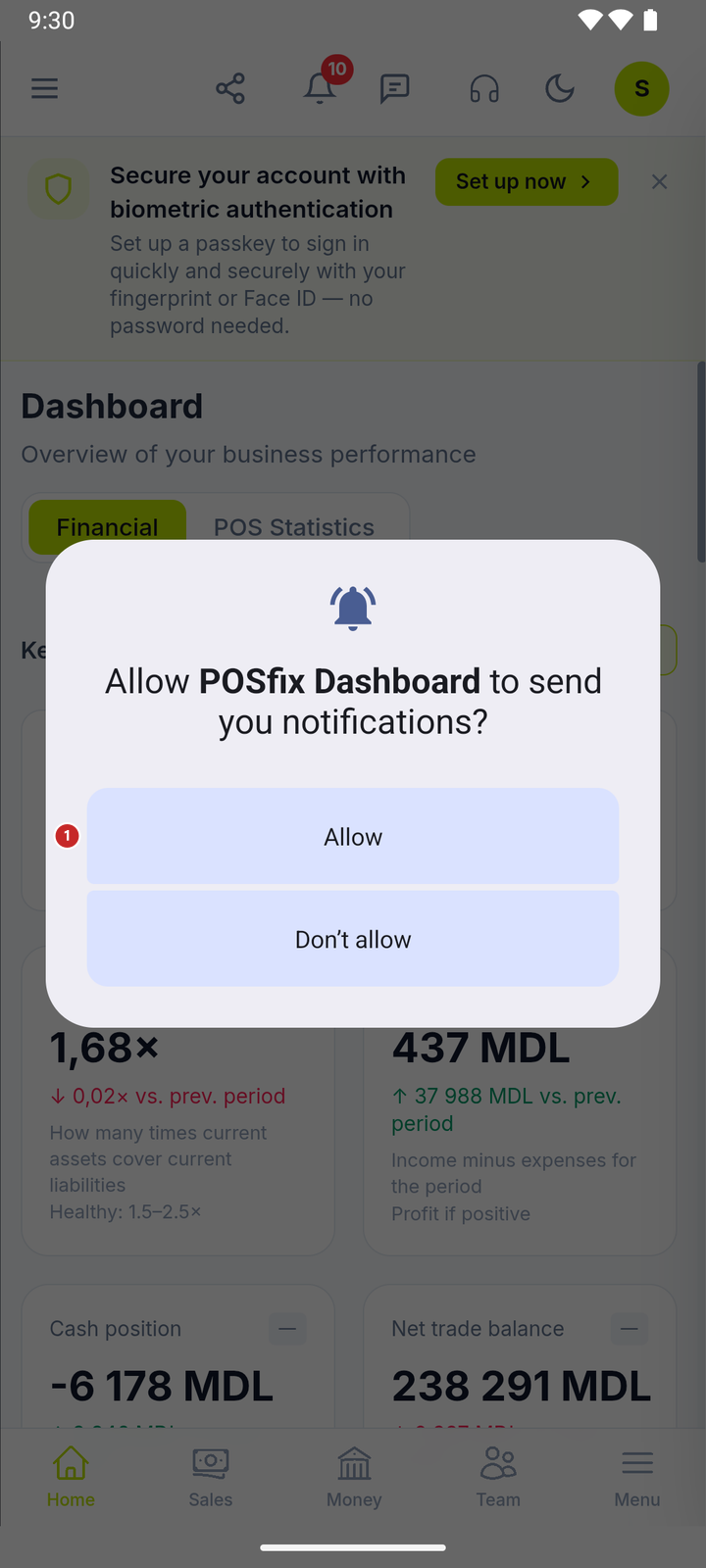
1 turns notifications on
On phones with Android 12 or older the question does not appear: there, notifications are on from the start.
To turn them off, or on later
If you tapped Don’t allow, or you no longer want notifications:
- Open the phone's Settings → Apps → POSfix Dashboard → Notifications.
- Flip the switch at the top. When it is off, you get nothing from the app.
- If you have just turned them on, close the app completely and open it again. On start, the phone signs up for notifications.
Menu names differ slightly from phone to phone, but the path is the same.
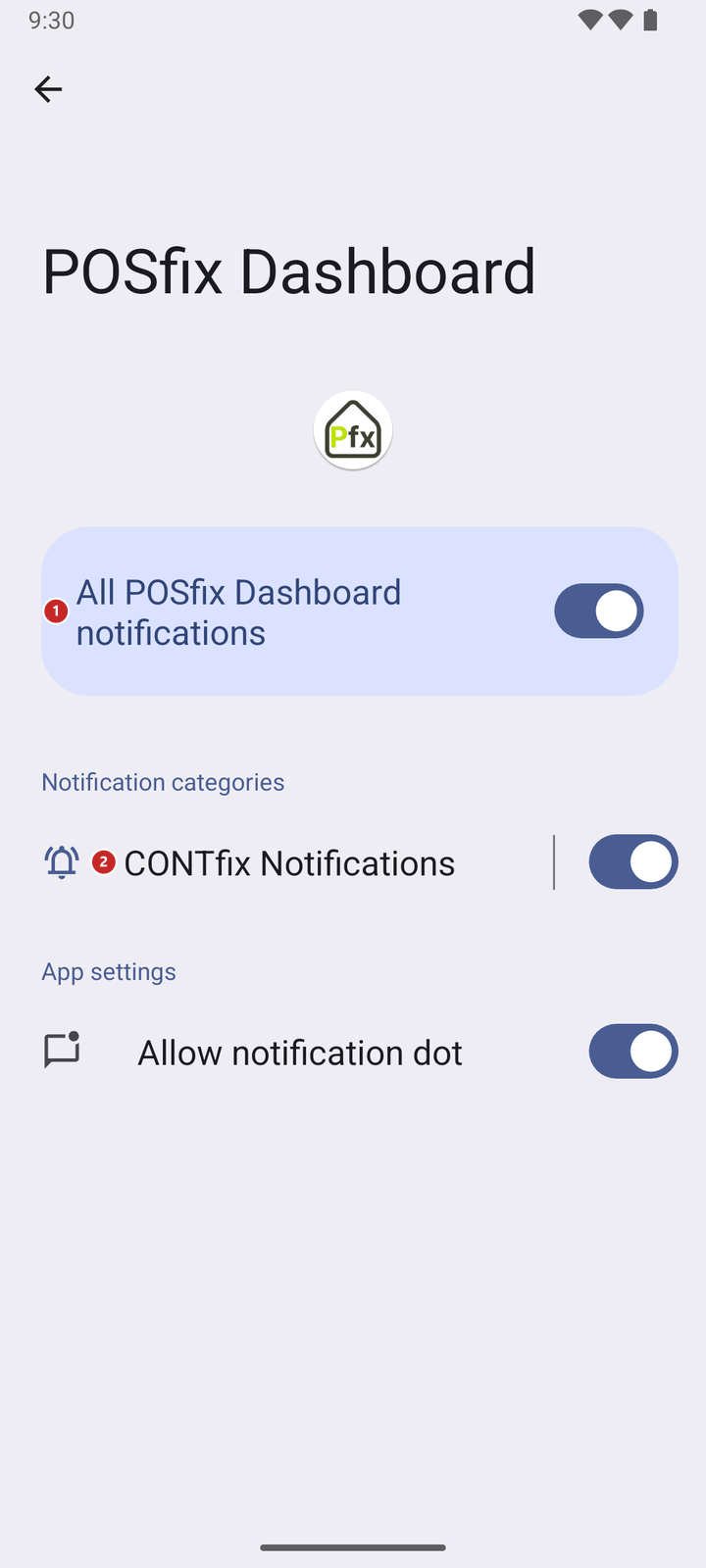
1 all of the app's notifications · 2 the category POSfix notifications arrive in
| Switch | On | Off |
|---|---|---|
| All POSfix Dashboard notifications | You get the notifications from the table above | Nothing comes from the app |
| CONTfix Notifications | Same effect as the one above: all of the app's notifications arrive in this category | Nothing comes from the app |
| Allow notification dot | A dot shows on the app icon while you have notifications in the phone's top bar | The icon stays without a dot; notifications still arrive |
The bell in the panel and the notifications on the phone
The bell in the panel's header gathers the panel's messages. You see them when you open the app, or the panel in the browser.

1 the bell with the panel's messages
Only the ones in the table above reach the phone as a notification. The other messages stay at the bell.
What can trip you up
- No notification has arrived. Check in the phone's settings that the app's notifications are on. If you have only just turned them on, close the app completely and open it again.
- You signed out. After Logout, the phone no longer gets notifications. Sign in again and they come back.
- You changed phones. On the new phone, sign in to the app once and allow notifications.
Related pages
- Installation and first sign-in — where to get the app and how to sign in the first time.
- e-Factura — what to do with an e-invoice you received.
- Purchase orders — the order sent to a supplier and their answer.