The kitchen screen
The kitchen screen shows the cook the dishes sent by the waiters, one card per ticket, and lets them say when they started and when it is ready. It works on the venue's network, even without internet.
The screen doesn't change the ticket and doesn't take payments. Dishes are added and voided by the waiter or at the register, and the screen shows them at once.
Where to find it: on the TV or tablet in the kitchen, at the screen link made in the console → Registers, tablets, screens → Screens and links
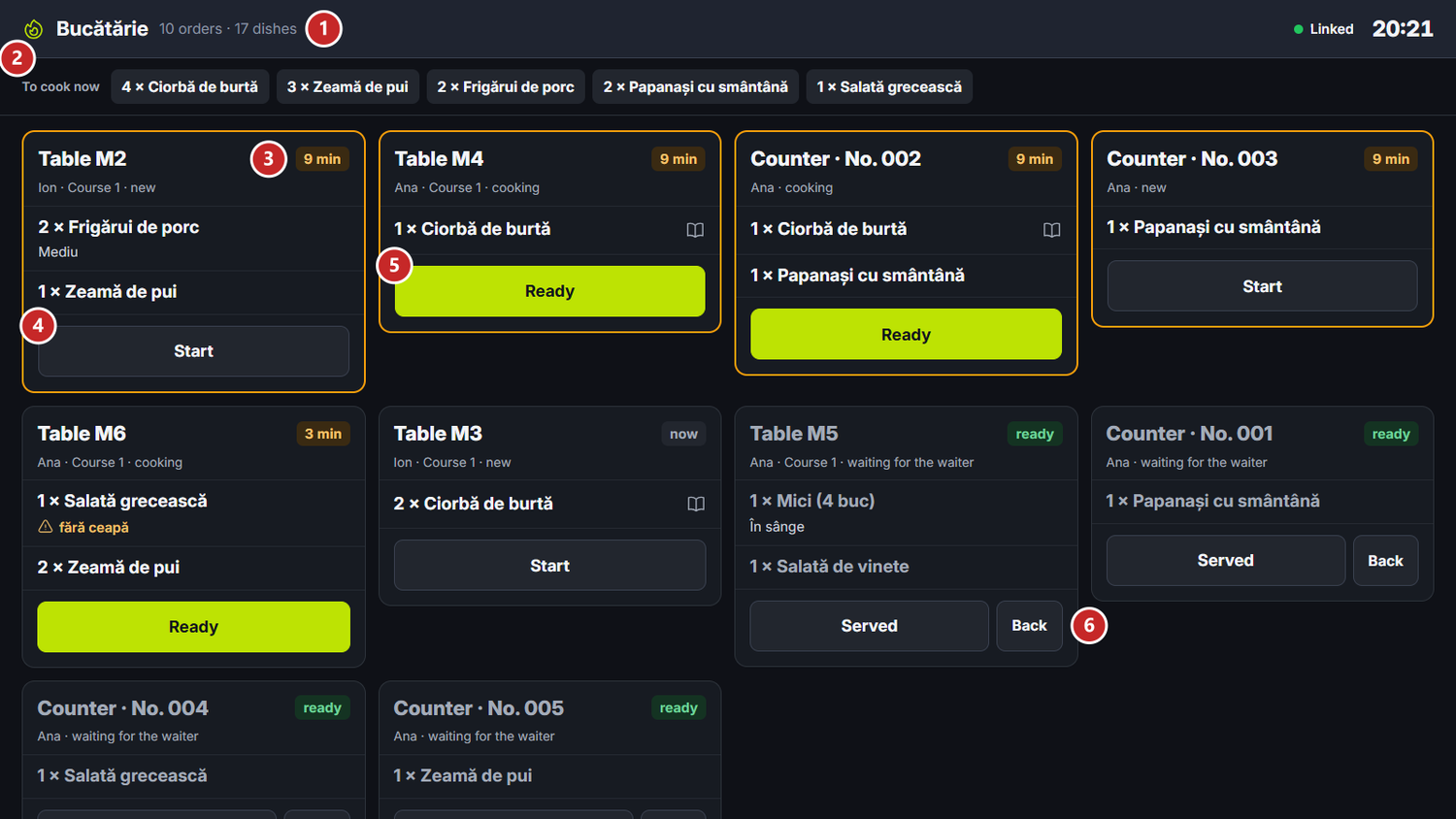
1 how many tickets and dishes are on the screen · 2 To cook now · 3 how many minutes the ticket has been waiting · 4 Start · 5 Ready · 6 Back
To put the screen on a TV
- In the console, make the screen's link for its station: Registers, tablets and screens.
- On the TV or tablet, open the link in the browser, preferably Chrome, on Android TV or Fire TV.
- The screen links to the Coordinator by itself. At the top right, next to the clock, it reads Linked.
Each station can have its own screen, for example one at the hot kitchen and one at the cold one. A screen made for All stations gathers everything, for the person at the pass.
While there is nothing to cook, the screen reads “No active orders” and “Dishes show up here as soon as the waiter sends them.”
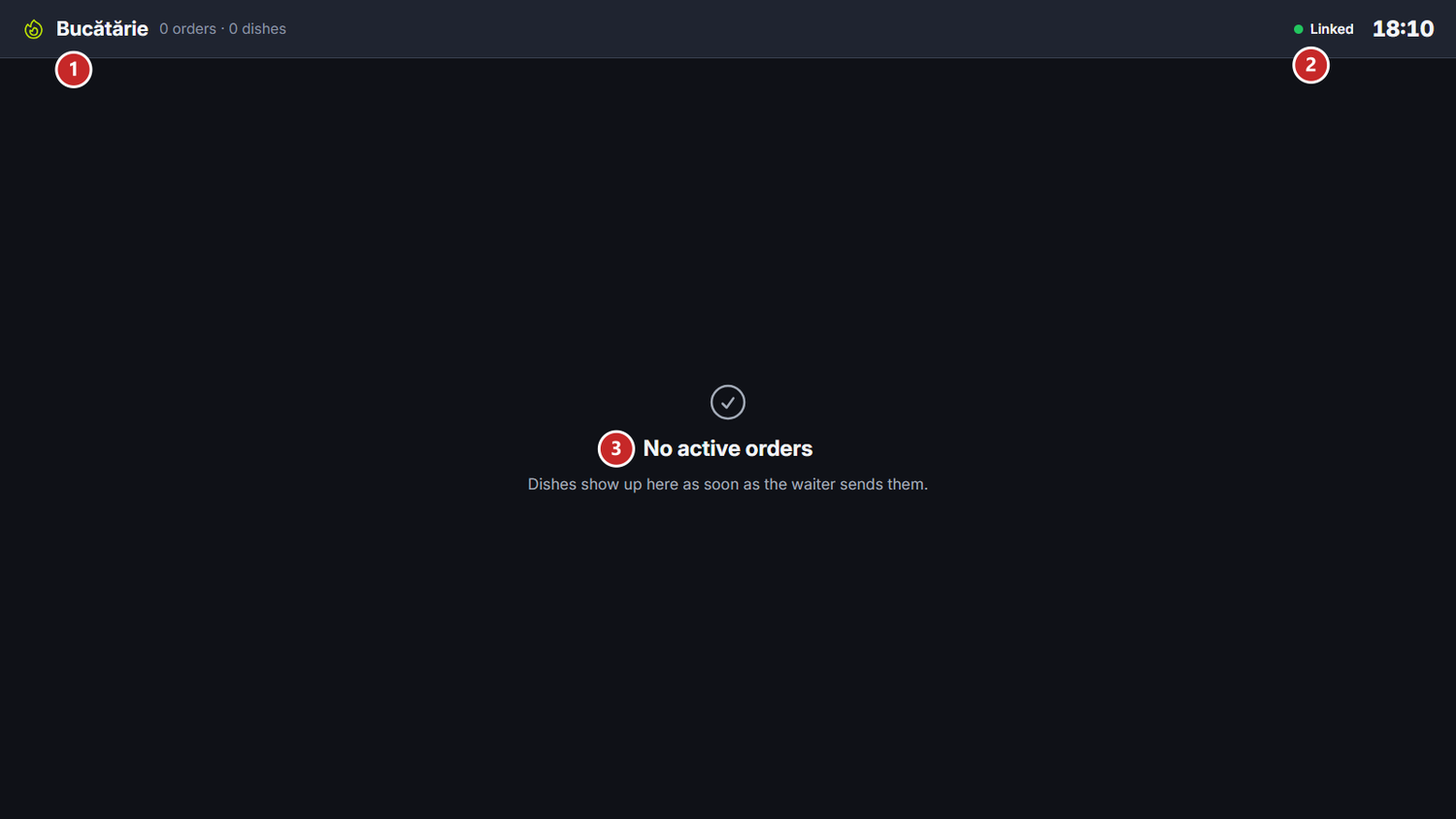
1 the screen's station · 2 the link with the Coordinator · 3 nothing to cook right now
To work an order
Each card is a ticket: “Table M2” or, for orders without a table, “Counter” with the number from the orders screen. Under the title you see the waiter, which course it is (Course 1, Course 2) and the state: new, cooking or waiting for the waiter. Each line holds one dish, with its options (for example “Mediu”) and with the waiter's note for the kitchen, marked with a warning sign.
The big button says the next step:
- Start — you started the dishes on the card. The state becomes “cooking”.
- Ready — the dishes are ready to take out. The state becomes “waiting for the waiter”, and a counter order moves to “Ready” on the orders screen once all its dishes are ready.
- Served — the dishes left the kitchen. The card disappears.
Back, next to Served, brings the dishes back to “new”, for example when Ready was pressed by mistake.
To cook now, under the screen title, adds up the dishes not cooked yet on all the cards: “4 × Ciorbă de burtă”, “2 × Frigărui de porc”. The cook sees at a glance how much is to go on the stove.
The minutes and the colours
The card's corner shows how many minutes ago the ticket reached the kitchen: “now”, “5 min”. After 3 minutes the figure turns amber, and after 7 minutes the whole card gets an amber border: the ticket is running late. A card with everything ready has the green “ready” label and a faded title.
The dish's recipe
A dish that has a tech card carries a book sign at the end of its line. The cook taps the line, and the recipe opens on the right, with everything the tech card says.
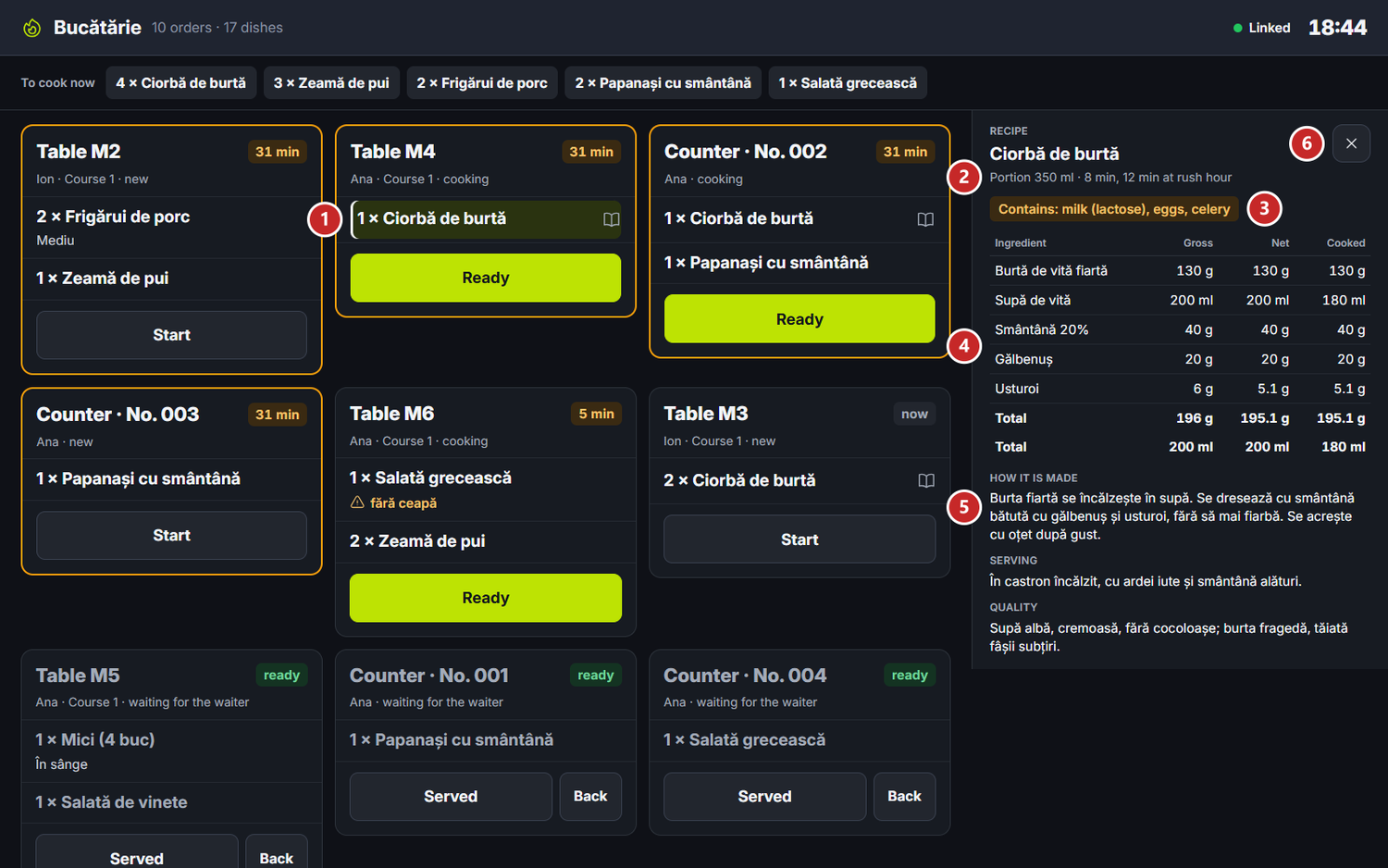
1 the dish with a recipe · 2 the portion and the time · 3 the allergens · 4 the ingredients · 5 how it is made · 6 close the recipe
The recipe comes from the dish's tech card, made in the panel under HoReCa → Recipes. Changed there, it reaches the screen through the main register.
The slips from the station printer
A station that receives the dishes On a printer or Both prints a slip at every send, with the table, the waiter, the course and the dishes to cook. Two more papers come out besides it:
- ANULAT — NU GĂTIȚI! (in Russian ОТМЕНА — НЕ ГОТОВИТЬ!) — a dish already sent was voided. The slip gives the reason and who approved the void.
- S-A SCHIMBAT MASA (in Russian СМЕНА СТОЛА) — the dishes in progress moved to another table. The slip shows the table before and the one now.
The slips are printed in the language chosen for the papers, Romanian or Russian.
What can confuse you
“This screen's link is no longer valid” — the screen was stopped in the console, and the link no longer connects. Make a new link in the console → Registers, tablets, screens → Screens and links.
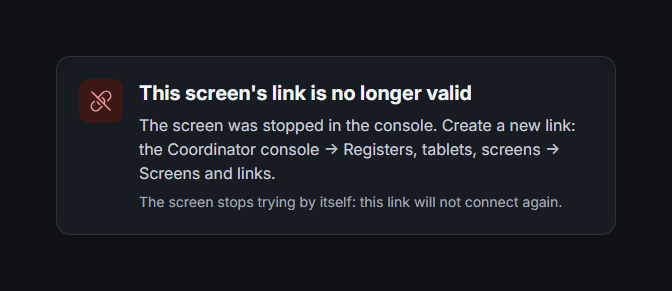
“This screen's station no longer exists” — the station was deleted. Make a new screen, for the station that replaces it.
“The link to the Coordinator was lost. The screen reconnects by itself.” — the main register's computer is off or the TV dropped off the network. The screen comes back by itself when the link is restored.
“The order changed meanwhile. The screen was refreshed.” — someone changed the dish while you were pressing it. The screen now shows the new version.
“This TV's browser is too old for the kitchen display.” — open the link in Chrome, on Android TV or Fire TV, or on another device with an up-to-date browser.
Related pages
- Registers, tablets and screens — how to make the screen's link
- The orders screen — the counter order numbers, for guests
- Floor and settings — the stations and the categories that go to each