Order sources
Sources are the short list you pick from, on an order, where the customer came from: the internet, Instagram, a phone call, a referral. It is optional and serves to filter orders, so that a month later you know which channel brought you work.
It does not influence the price, it enters no journal entry, and it appears on no printed document.
Where to find it: Sidebar → Sales → the Order sources tab
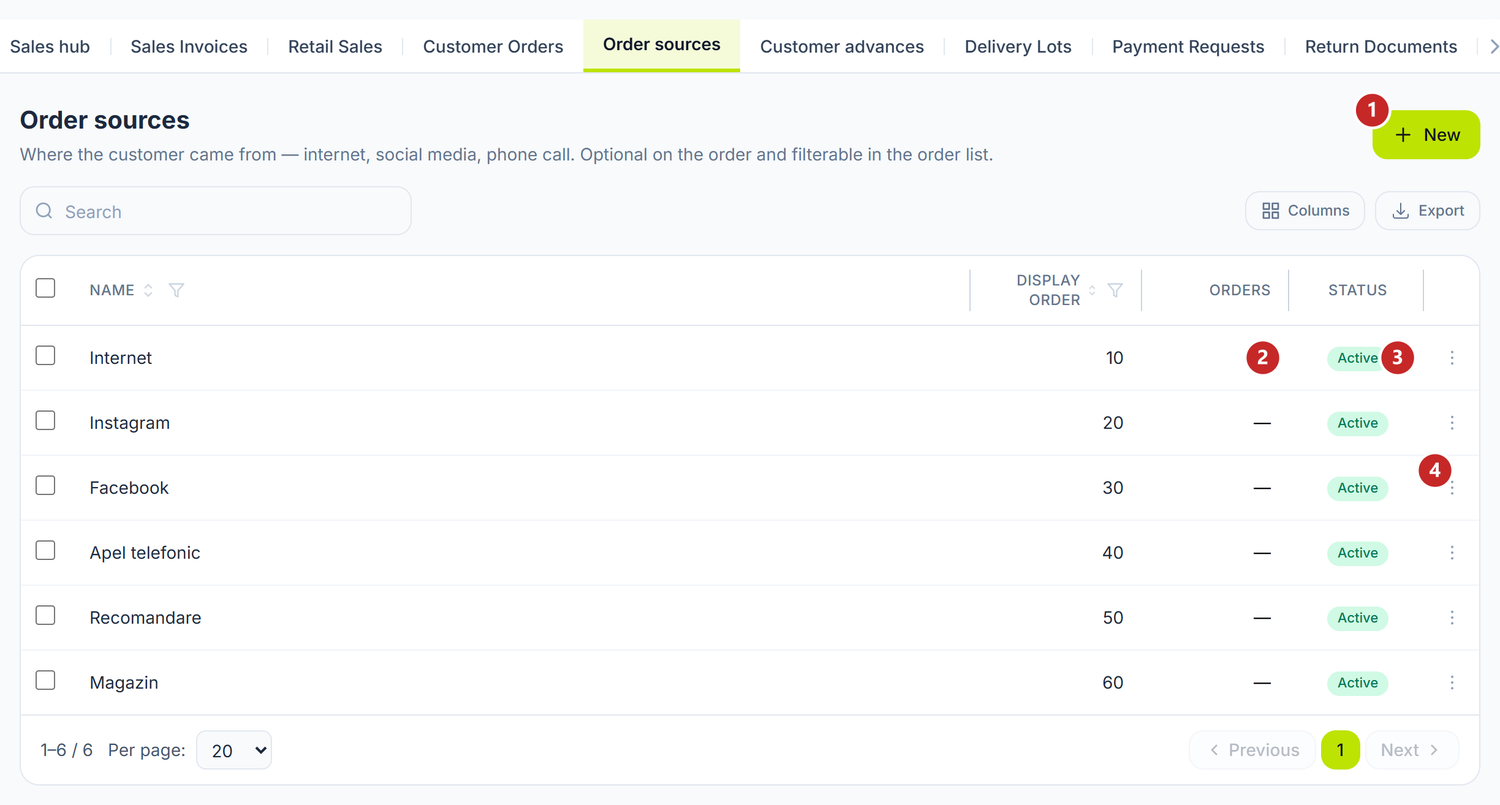
1 add a source · 2 how many orders carry the source · 3 active or deactivated · 4 the row menu
The list does not start empty. On first opening you get the usual values — Internet, Instagram, Facebook, Apel telefonic (phone call), Recomandare (referral), Magazin (shop) — which you rename or retire as it suits you. If you delete one, it does not come back the next time you open the list.
To add a source
- Sidebar → Sales → the Order sources tab.
- Press New.
- Write the Name — that is all that is required.
- Set the Display order if you want it to appear in a particular place in the list on the order. A smaller number moves it up.
- Save.
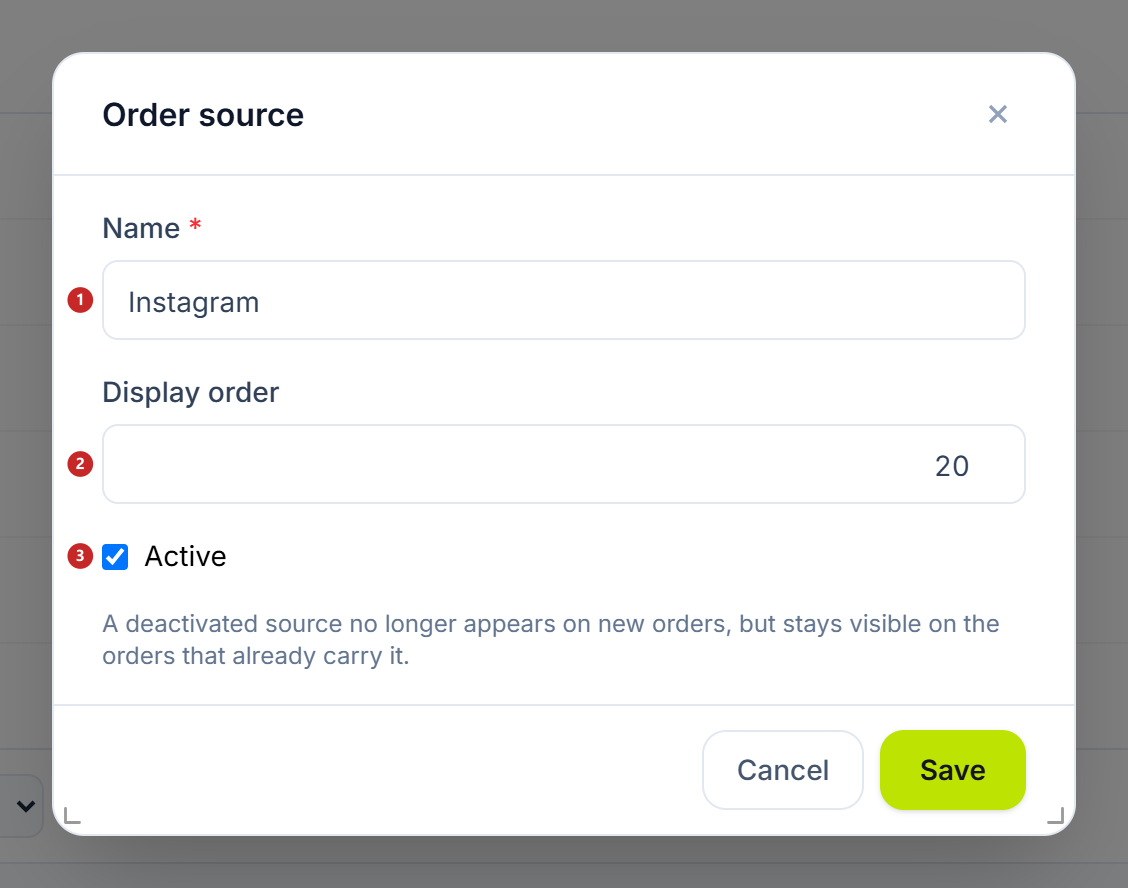
1 the name · 2 the position in the list · 3 the activation switch, only when editing
A new source is born active — the Active tick appears only when you open an existing row, so you cannot add a value straight away that you then fail to find in the order form.
You open an existing row from the ⋮ menu on it → Edit. If you close the window after typing something, you are asked what to do with the changes — they are not lost to a click on the background.
Deactivate, don't delete
That is this screen's rule, and it is worth understanding before you press the bin.
A source used on orders cannot be deleted. Its orders are exactly the report "how many orders came from Instagram" — if the source disappeared, the answer would disappear with it. That is why the Orders column is out in the open, and why delete greys itself out on rows that already have history.
What you do instead: you deactivate it, from the ⋮ menu on the row. A deactivated source no longer appears in the list on new orders, but it stays on the orders that already carry it, and those can still be edited and saved.
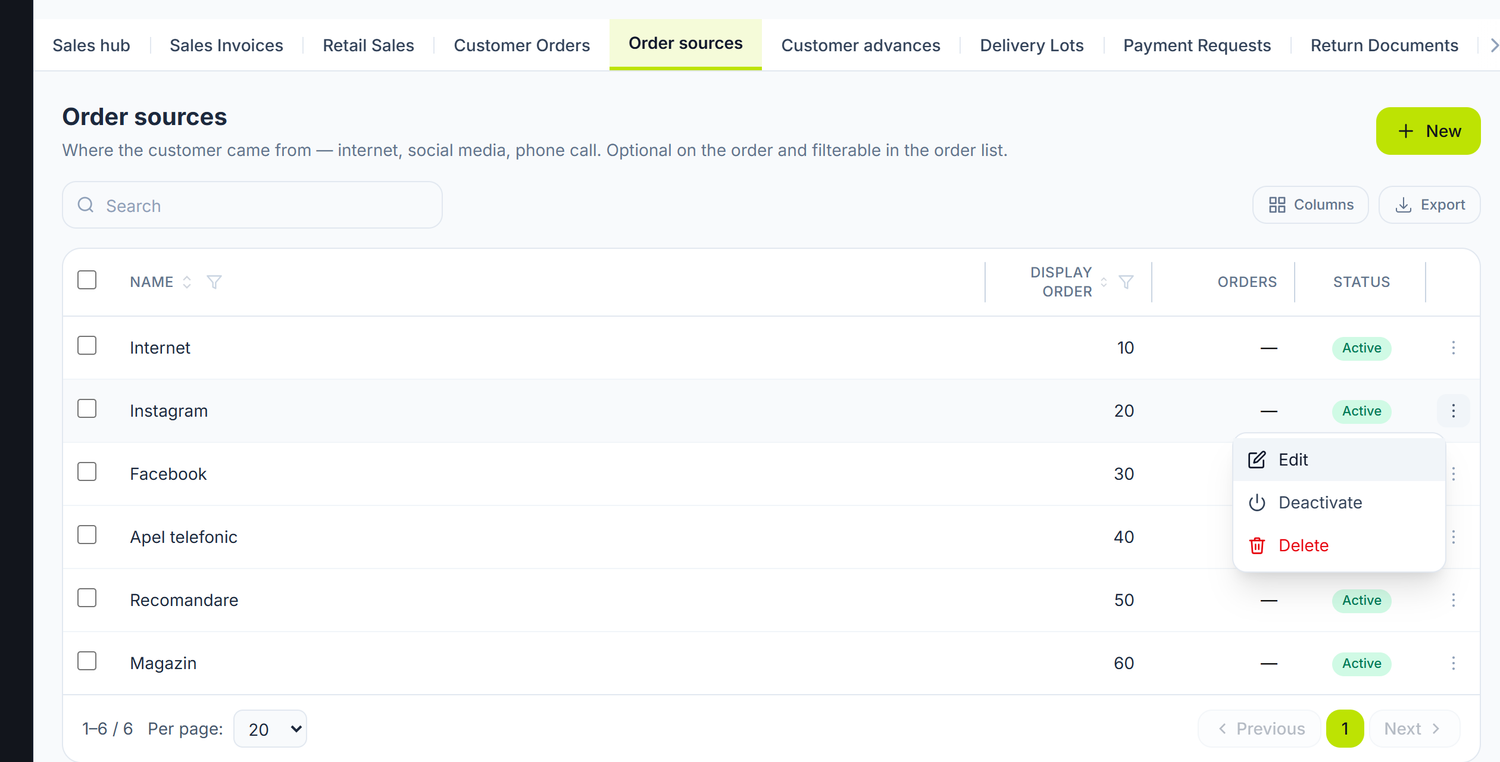
On a source with no orders at all, Delete is active. From the moment the first order carries it, the entry greys out and tells you why.
You can always Enable it again, from the same menu.
Where it is used
On the customer order form the field is called Order source and sits next to the customer's details. You fill it in while the order is still editable.
In the order list there is an Order source column, with a text filter — that is where you get how many orders each channel brought.
What may trip you up
"The source is used on orders and cannot be deleted. Deactivate it so it no longer appears on new orders." — it appears as the explanation on the greyed-out delete entry. Use Deactivate.
The source doesn't appear in the list on the order — most often it is deactivated. Open the source list and look at the state column.
"Sursa „…" este dezactivată și nu se mai poate alege." (the source is deactivated and can no longer be chosen) — you are trying to put a source on an order that has been retired in the meantime. Pick another one or reactivate it.
Related pages
- Customer advances — the money collected before delivery, on the same orders
- Partners — the card of the customer who sent the order
- Classifiers — the other short lists the organization keeps