Payroll orders
The payroll order groups a month's salary payments into a single document. From it the payment orders to the employees are generated automatically, or, if you pay through a salary project, a single transfer that you later tie to the line in the bank statement. It is the last step of the monthly cycle.
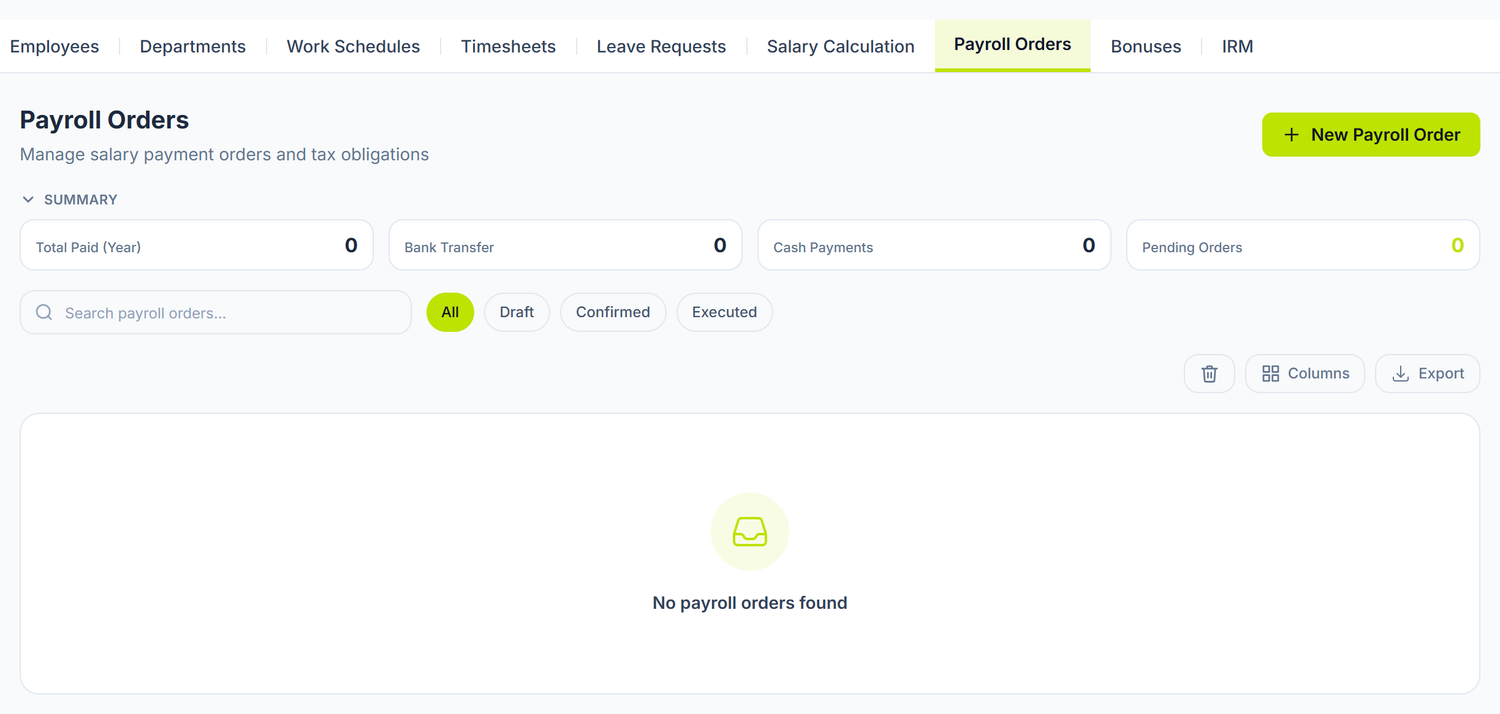
Where to find it: Sidebar → Team → the Payroll Orders tab
The full payroll flow
Departments → Employees → Timesheet (confirmed) → Salary calculation (posted) → Payroll order
You cannot create a payroll order without a posted salary calculation for that month. If you pick a month with no valid calculation, the screen tells you straight out: "There is no confirmed salary calculation for the selected period. Confirm the calculation first, then create the payroll order."
The shortcut from the salary calculation. After posting, the Salary calculation screen carries the Create Payroll Order action — it brings you straight here, with the period already chosen.
Creating the order
The creation screen has four fields: Year, Month, Payment Date and Payment method. Below them, the panel shows you at once what will go into the order — how many Employees and what amount to pay. If orange text shows up instead of the figures, the month you picked has no confirmed salary calculation.
The document number is assigned automatically on save. Only the calculation lines with a positive net salary that are not excluded are taken over.
The payment method
The selector has a helper text below it that changes with your choice. It isn't cosmetic — it decides whether documents are born in the Money records or not.
| Method | What happens when you pick it |
|---|---|
| One order per employee | On saving the payroll order, the panel asks for one payment order per line |
| Single transfer (salary project) | No individual order is created. The bank receives one transfer for the total, and the statement line is tied to this payroll order |
With a salary project, the breakdown per person stays on the payroll order. Dozens of individual orders would be documents nobody sends anywhere.
The open payroll order
The saved document has three zones. The line table — one row per employee, with the net amount, the line's payment method, the IBAN taken from their card and the status Pending or Paid; below the table, the totals by transfer and by cash. The summary side panel — the document number, the period, the number of employees, the bank transfer, the cash payments and the total amount. And below them, the Generated payment orders section, if there are any.
The payroll order is created for employees with no IBAN too, but the generated order stays without a beneficiary account. Fill in the IBAN on the employee's card before you create the payroll order.
The status of the payroll order
| Status | What you can do |
|---|---|
| Draft | You confirm it or delete it |
| Confirmed | You execute the payment; you can rerun the order generation |
| Executed | Nothing — all the lines have moved to "Paid" |
| Deleted (in the trash) | You restore it, and the document comes back to Draft |
The buttons follow the state: Confirm shows on a draft, Execute on a confirmed payroll order.
Deleting also withdraws the payment orders. A payroll order is deleted only while it is a draft, and the orders generated from it are pulled out of the cash and bank records automatically. If one of them has already left draft, the deletion is refused, with the list of documents blocking it — you cancel those there first.
Finding payroll orders
Above the list sit the search and a row of status pills — Draft, Confirmed, Executed. It is the only way to pull up the confirmed or already executed payroll orders quickly.
Deleted documents don't vanish. The list has a trash with their count next to it; you open it and see only the deleted payroll orders, each with the Restore action on the row. You can also tick several rows at once, to delete or restore them in bulk.
The payment orders
With the One order per employee method, on saving the payroll order the panel asks for one payment order per line, in the Money records. The order leaves with the organization's default bank account as source, the employee's IBAN as beneficiary, their IDNP for the tax field and the description Salariu YYYY/MM — Surname Firstname.
The documents show up in the Generated payment orders section of the payroll order, with number, amount and employee, and they open straight from there.
If the generation failed halfway — a temporary outage, for instance — you resume it with the Create payment orders action in the row menu. It is idempotent: it makes no duplicates for those who already have an order.
No cash orders are generated. The payroll order produces bank orders only. Paying salaries in cash is recorded separately, through cash payment orders in the cash records.
How the salary debt is settled
The payroll order settles nothing on its own. The settlement comes from the payment document you post in cash and bank: the amount is spread over the payroll order lines, in their order, taking only what is left unpaid on each. The covered lines move to Paid.
Reposting the same payment document rewrites the settlements, it doesn't double them. And if you pay in two instalments, the second continues where the first stopped.
Contributions and tax are paid separately
The payroll order moves the net salaries only. The contributions and the withheld tax do not enter it and are not declared from it — you pay them through payment documents created by hand, in the Money records, and the monthly return you generate from Reports → IPC.
The link with other documents
| Document | Its relation with the payroll order |
|---|---|
| Salary calculation | The source of the lines — the posted net salaries |
| Employees | The IBAN and the IDNP end up on the payment order |
| Payment orders | The documents generated from the payroll order |
| Bank operations | Paying the contributions and the tax |
| General Ledger | The entries settling the salary debt |
| Trial balance | Checking the salary debt left |
Frequently asked questions
Can I generate a payroll order for one department only?
Not from the screen. The payroll order takes over all the lines of the month's salary calculation. What you can do: exclude the lines you don't want in the salary calculation before you post it.
What happens if I change the salary calculation after creating the payroll order?
You delete the payroll order while it is a draft (the generated orders are withdrawn), unpost the calculation, correct it, recalculate, post again and create the payroll order from scratch.
Can I pay the salary in two instalments (advance + the rest)?
Yes, through two payment documents against the same payroll order: the settlement spreads the amount over the lines, in order, and the rest stays unpaid until the second payment.
How do I check whether all the salaries have been paid?
On the payroll order, each paid line moves to the Paid status. The control check you do on the balance of the salary debt, from the trial balance.
Does the payroll order generate the CAS, AOAM and tax payment automatically?
No. It covers the net salaries only. The contributions and the withheld tax you pay separately, with payment documents created by hand in the Money records.
What do I do if an employee changed their bank account after the payroll order was created?
You update the IBAN on the employee's card, then delete and recreate the payroll order — the payment orders are regenerated with the new account.
Can I exclude an employee from the payroll order?
Not from the payroll order itself. The exclusion is done on the line in the salary calculation, before posting.
How do I handle employees on maternity leave?
Only if you mark their days of the month with A in the timesheet. Then the calculated pay comes out 0, the line has a net of 0 and the payroll order skips it (only the lines with a positive amount are taken over).
Unmarked, they come out of the calculation with a full salary — approving a leave request does not touch the timesheet, and the calculation subtracts annual leave days only. Check them before you post the month.
Does the payroll order include the vacation pay too?
Yes, indirectly: the vacation pay is part of the month's gross income, so it is already included in the net salary reaching the employee's line.
Can I print the payroll order?
No. The screen has no formatted print or export.
What does "Executed" mean?
That the payment has been made: the document locks and all the lines move to the "Paid" status. It is a state marking, not a bank operation — the money leaves through the payment orders or through the aggregated transfer.
Related pages
- The salary calculation — the source of the data for the payroll order
- Employee card — the IBAN and the IDNP used on the payment order
- Payment orders — the documents generated from the payroll order
- Bank operations — paying the contributions
- General Ledger — where the accounting entries end up
- Trial balance — checking the salary debt left
- Guide: The full payroll flow — from the timesheet to paying the salaries, step by step