Suspended Orders
Suspending an Order
The suspend function allows putting the current transaction on hold to serve another customer, without losing the items already scanned.
When to Use?
- The customer forgot their wallet or is looking for cash
- The customer wants to go back to the store to add more items
- You need to serve another customer urgently
- Waiting for price or stock verification
Steps to Hold an Order:
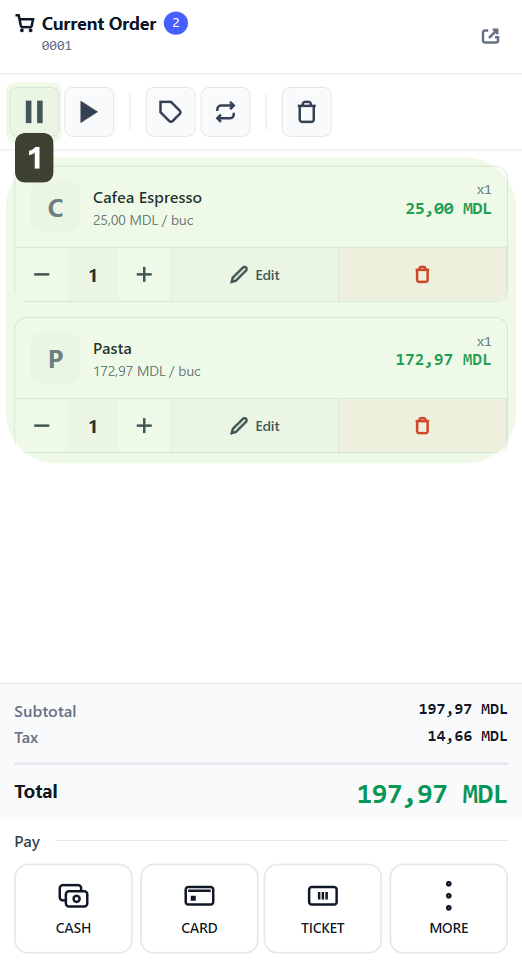
- With products in the cart, press the Hold Order button
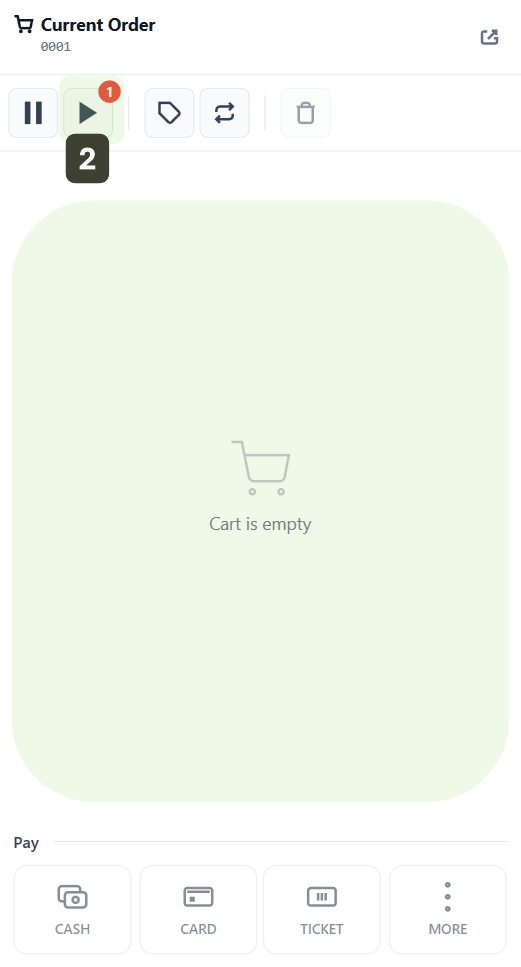
- The shopping cart will clear automatically, and the order is saved in Held Orders
The interface is immediately ready for a new sale.
Managing Suspended Orders
This function allows you to access the list of customers put on hold and bring their products back to the cart to complete the checkout.
Viewing Suspended Orders
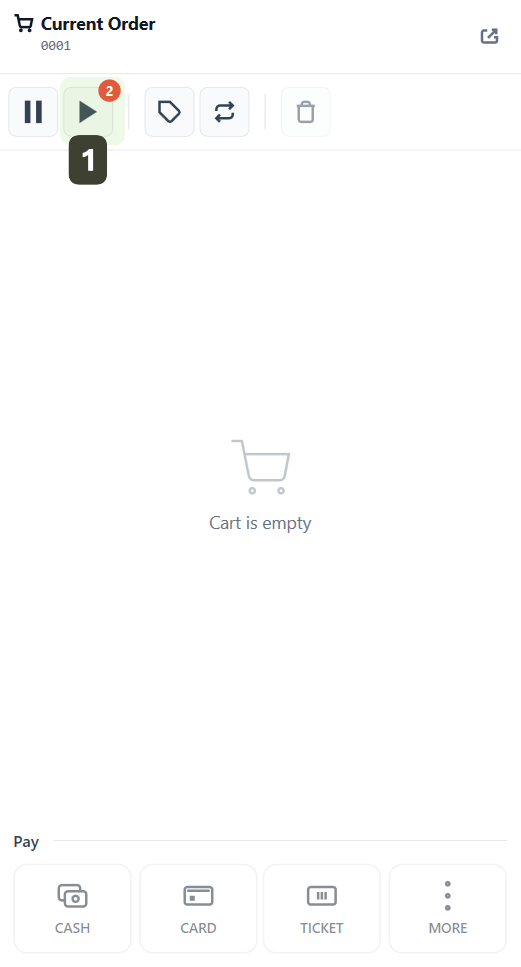
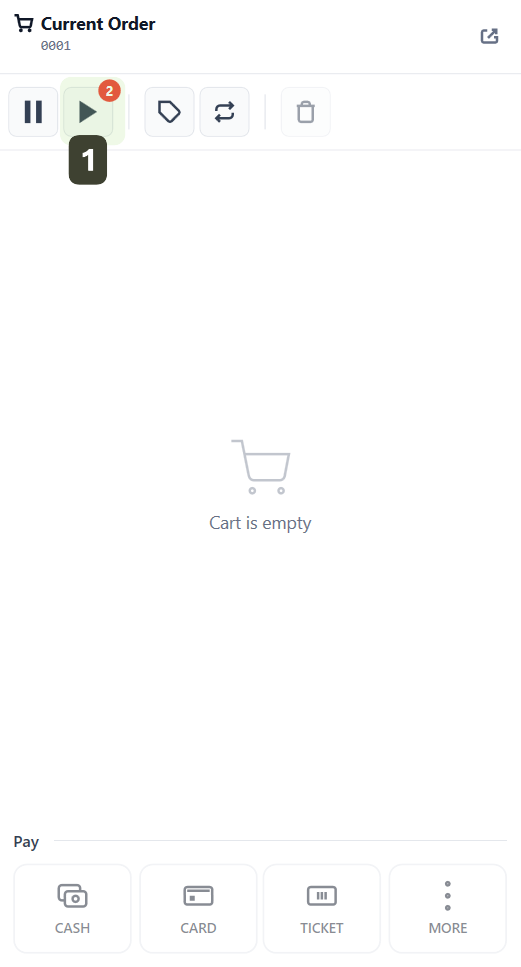
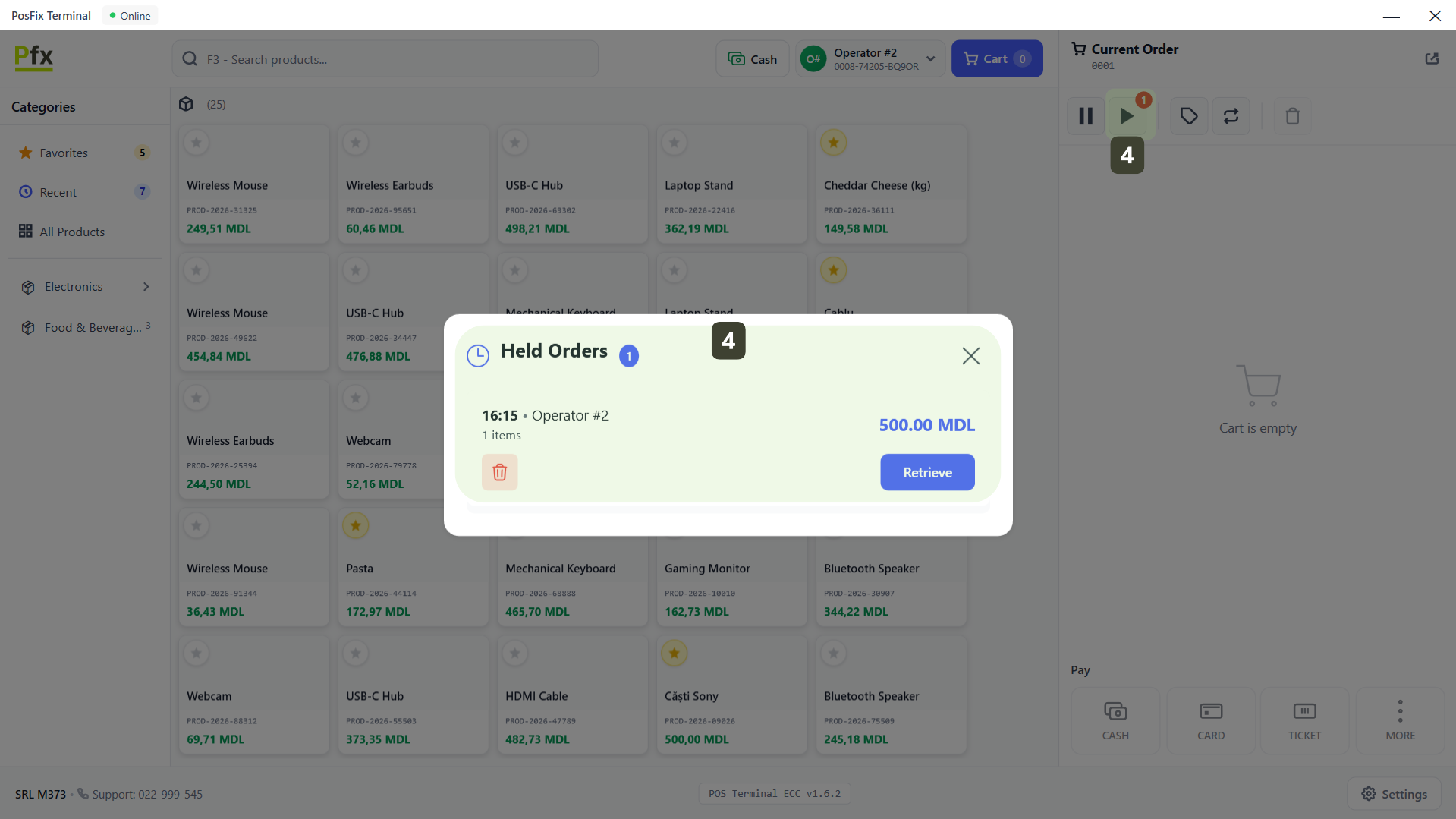
- Press the Held Orders button to open the list
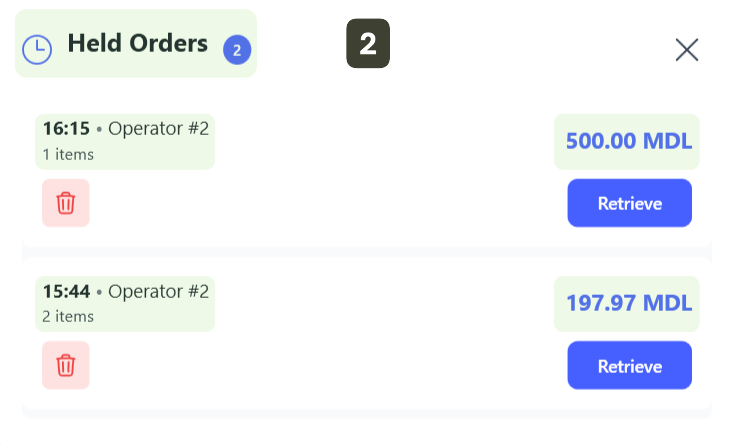
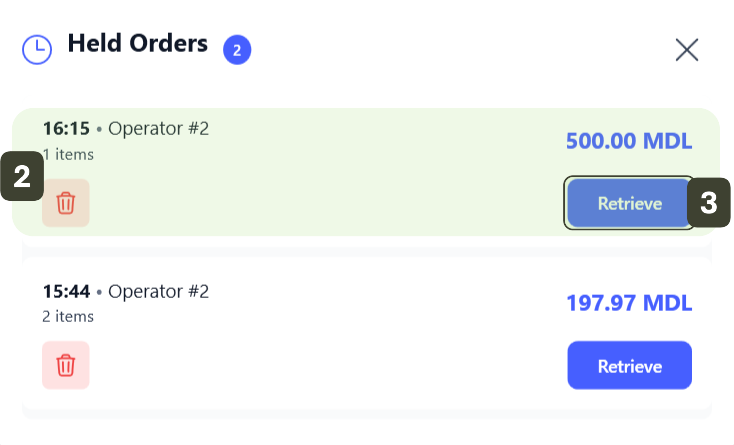
- The Held Orders window will open, where each order is displayed with essential details to recognize the customer:
- Number of held orders
- Time of suspension and who saved the order
- Number of items
- Total value
Resuming a Suspended Order
- Press the Held Orders button to open the list
- Locate the correct order in the list (check the time or amount to be sure)
- Press the Retrieve button
The window closes, and all items are automatically restored to the current cart. Now you can scan new products or proceed directly to payment.
Deleting a Suspended Order
Use this option only if the customer has canceled their purchase and will not return to the checkout.
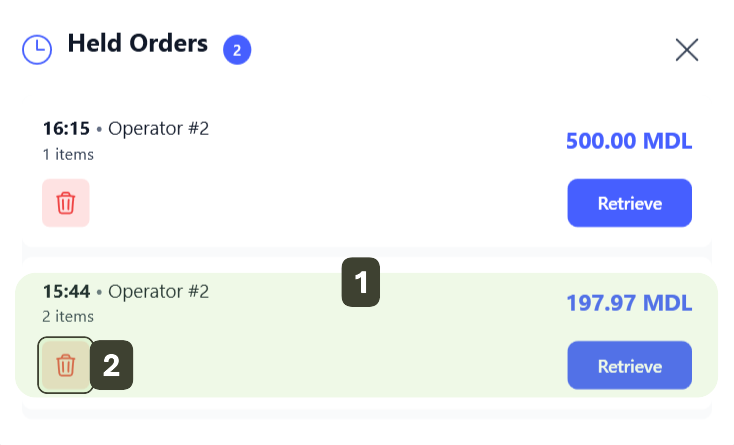
- In the Held Orders window, locate the order you want to delete (check the time or amount for safety)
- Press Delete (trash bin)
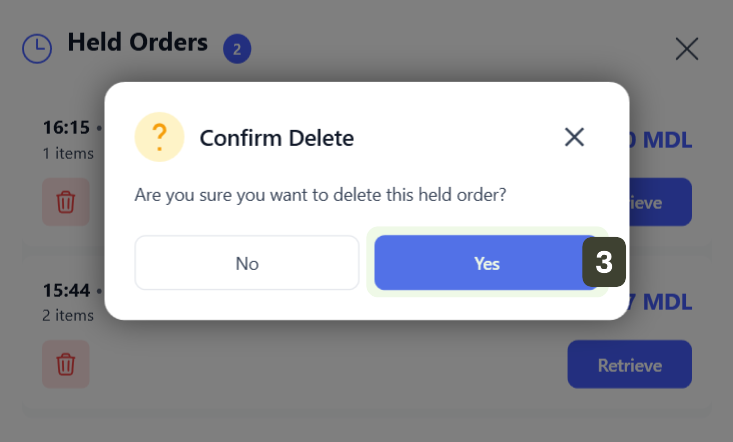
- A warning window will appear to validate the action. Press the Yes button to confirm
- The order will immediately disappear from the list
This action is irreversible. If you deleted the order by mistake, you will need to scan the products again.
Limits and Restrictions
| Parameter | Value |
|---|---|
| Maximum number of suspended orders | 20 orders simultaneously |
| Maximum retention period | 24 hours (then automatically deleted) |
If the limit is exceeded or the retention time (24h) expires, the oldest orders will be automatically deleted from memory and can no longer be recovered.
Practical Use Case
Retail Scenario
- Situation: The customer reaches the checkout, products are scanned, but they realize they forgot to weigh the vegetables or forgot their wallet in the car.
- Action: The cashier presses the Hold Order button. The cart clears, and the cashier can immediately serve the next customer waiting in line.
- Resolution: When the first customer returns, the cashier opens the list, presses Retrieve, adds any missing items, and completes the payment.
Monitoring
Suspended orders are not just "hidden", they are actively tracked to ensure financial security:
- Manager Dashboard - Allows real-time monitoring of unfinalized transactions
- Alert - The system will highlight orders that have been "forgotten" for more than 2 hours, to prevent stock errors