Records and Calculations
The system automatically maintains records of cash amounts for all types of operations performed. This ensures full transparency of the financial flow.
Cash Records
Monitored categories:
- Daily sales - Total sales made during a working day
- Cash collections - Total cash amounts received from customers
- Card collections - Total electronically processed payments
- Other collections - Amounts from alternative methods (vouchers, tickets, subscriptions)
This data is centralized and can be viewed in:
- Cash Management - Accessible from the More menu
- Fiscal Reports - X Report (verification) and Z Report (day closure)
Records of Goods and Services
The system maintains detailed records for each item or service transacted:
| Information | Description |
|---|---|
| Product name | The exact name of the item as it appears on the receipt |
| Category | The category to which the product belongs |
| Quantity sold | The total number of units sold |
| Unit price | The selling price per unit (piece, kg, etc.) |
| Applicable VAT | The associated VAT rate (e.g.: A=20%, B=8%, C=0%) |
| Total per item | The resulting value: Quantity × Unit Price |
Cost Calculation
The system automates the calculation process for each item added.
Calculation formula:
Total = Price × Quantity
This calculation updates in real time if the user modifies the unit price or product quantity.
Change Calculation
This function is active on the payment screen and allows the operator to instantly determine the amount to be returned to the customer, eliminating the risk of manual calculation errors.
Formula:
Change = Amount Received - Total to Pay
Steps for calculating the change:
- On the Payment screen, select the desired payment method (e.g.: Cash)
- Enter the amount received or use Quick amounts (they automatically adapt to the receipt total)
- The amount to be returned to the customer is automatically displayed in the Change field
- Press COLLECT
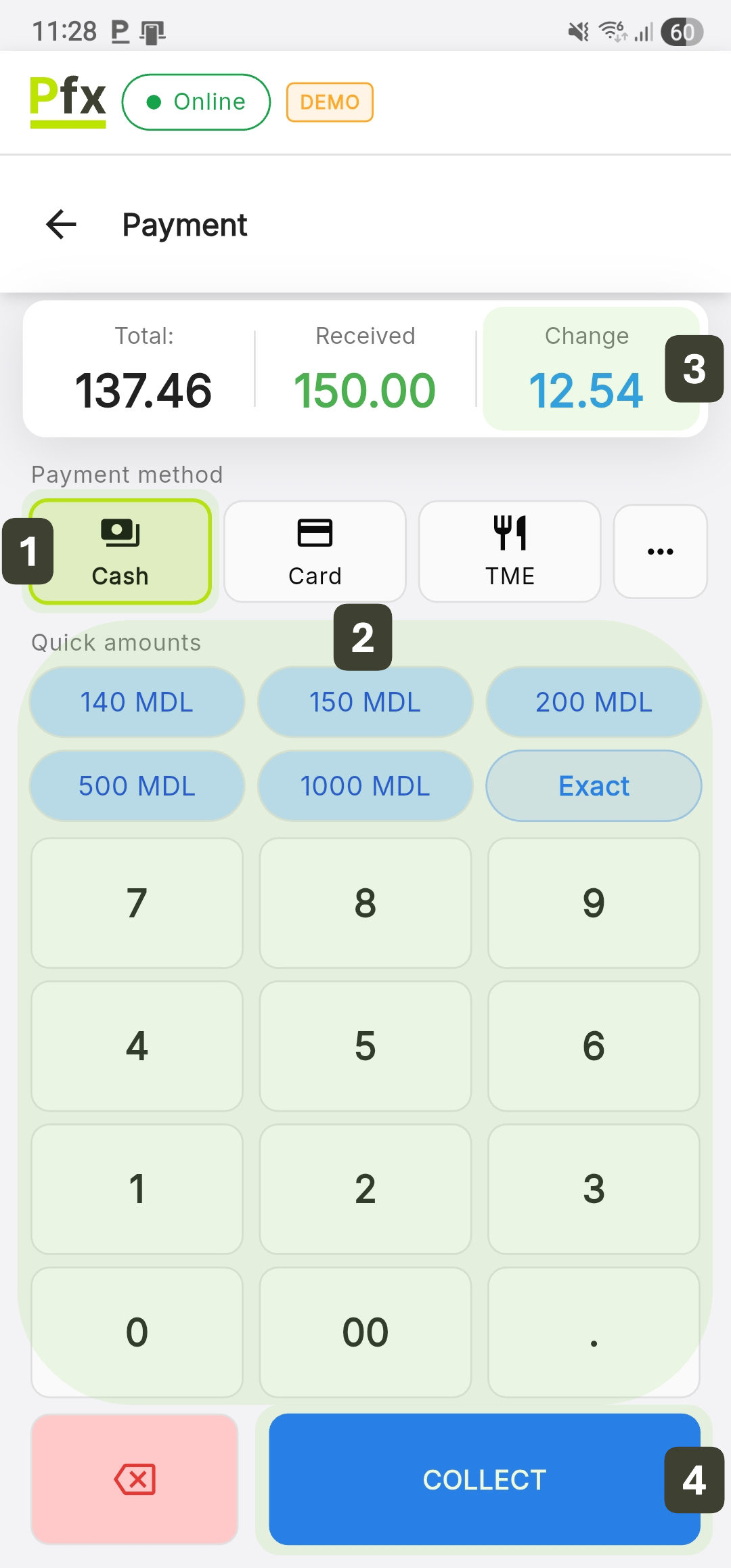
If the customer offers the exact amount (no change needed), press the Exact button directly (the amount fills in automatically).
- Total to pay: 25.00 lei
- Amount received: 30.00 lei
- Change to give: 5.00 lei
Quick Buttons
The Quick amounts buttons change dynamically to offer the closest values above the total to pay:
- Short Press (Tap): Enters the exact value of the selected button into the "Received" field.
- Long Press: Automatically doubles the value of that button (e.g.: a long press on the 100 MDL button will enter 200 MDL).
Quick Correction (Delete Button X)
The control for the entered amount is done via the pink button located below the numeric keypad:
- Short Press (Tap): Deletes the last digit entered.
- Long Press: Instantly clears the entire amount from the "Received" field, resetting the change calculation.
Intermediate and General Totals
The shopping cart functions as a virtual fiscal receipt, updating instantly with each added product.
Calculating Intermediate Totals
The system displays three financial indicators at the bottom of the cart:
- Subtotal - The cumulative value of the products before any adjustments
- Total VAT - Value Added Tax calculated automatically
- TOTAL - Final amount the customer needs to pay
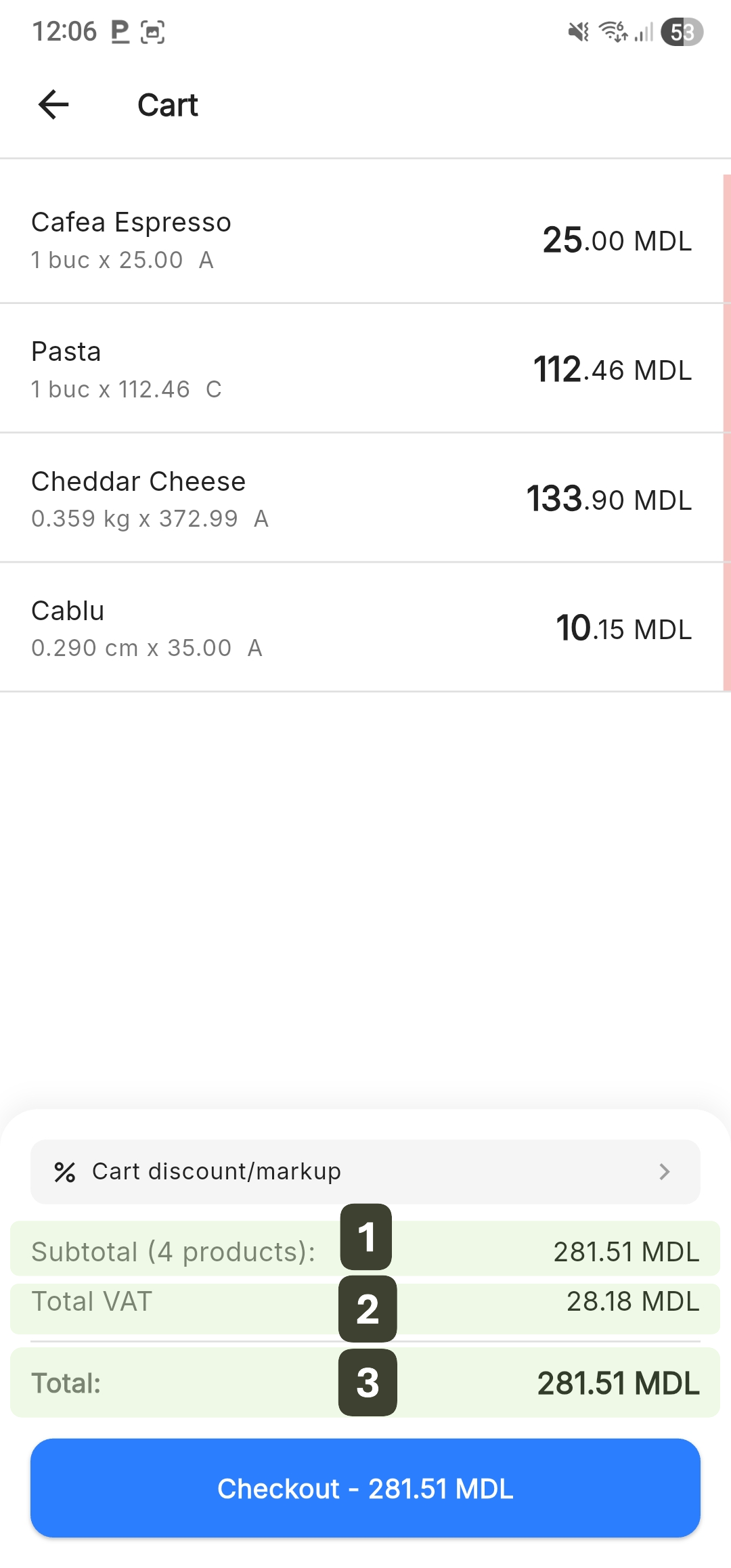
Verbally communicate the TOTAL amount to the customer before proceeding to payment: "Your total is 281,51 lei".
Calculating General Totals
Upon finalizing the order, the system performs the final arithmetic verification:
Formula:
Grand Total = Subtotal - Discounts + Markup
Components:
- Subtotal: Sum of all products
- Discounts: Applied discounts (reduce the value)
- Markup: Additional costs (increase the value)
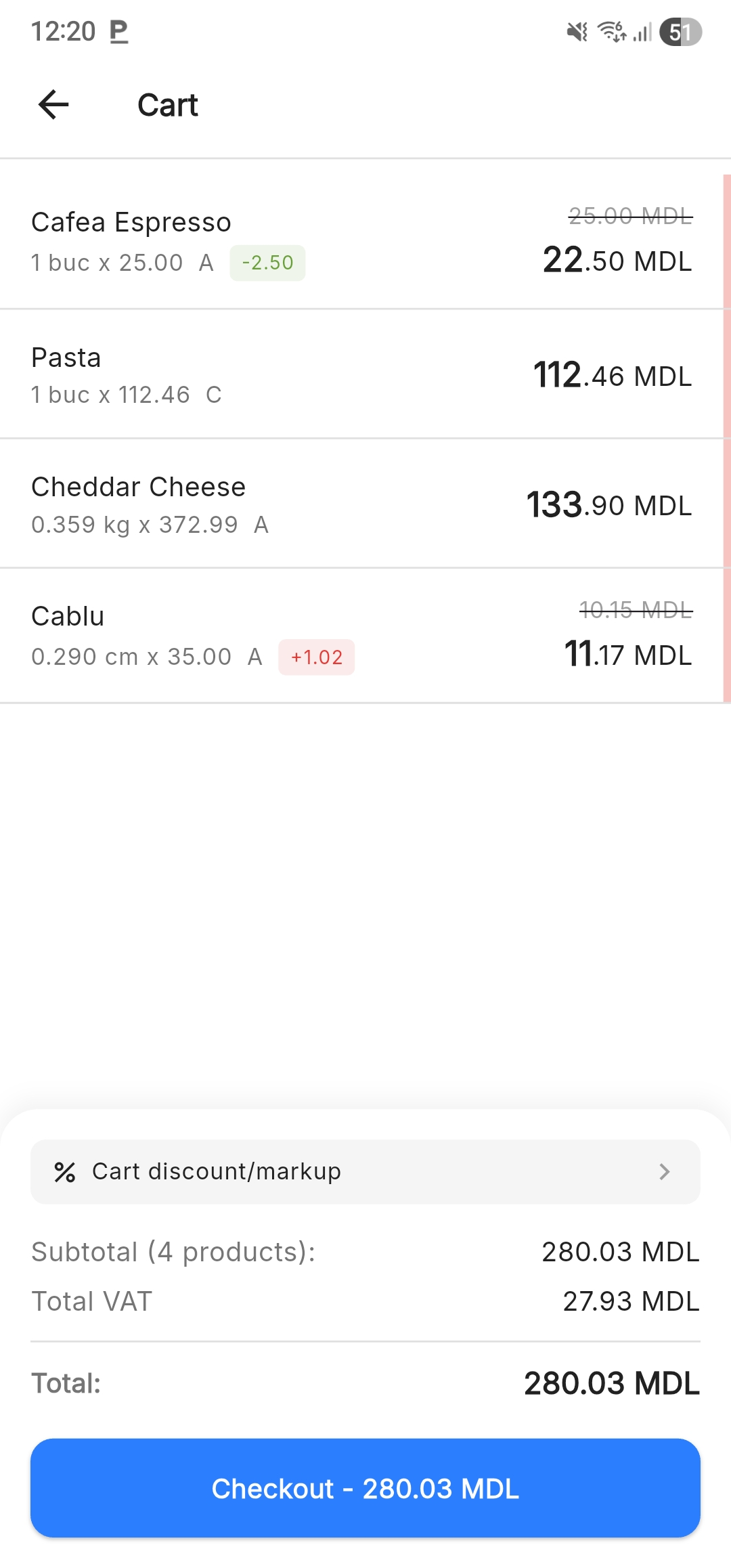
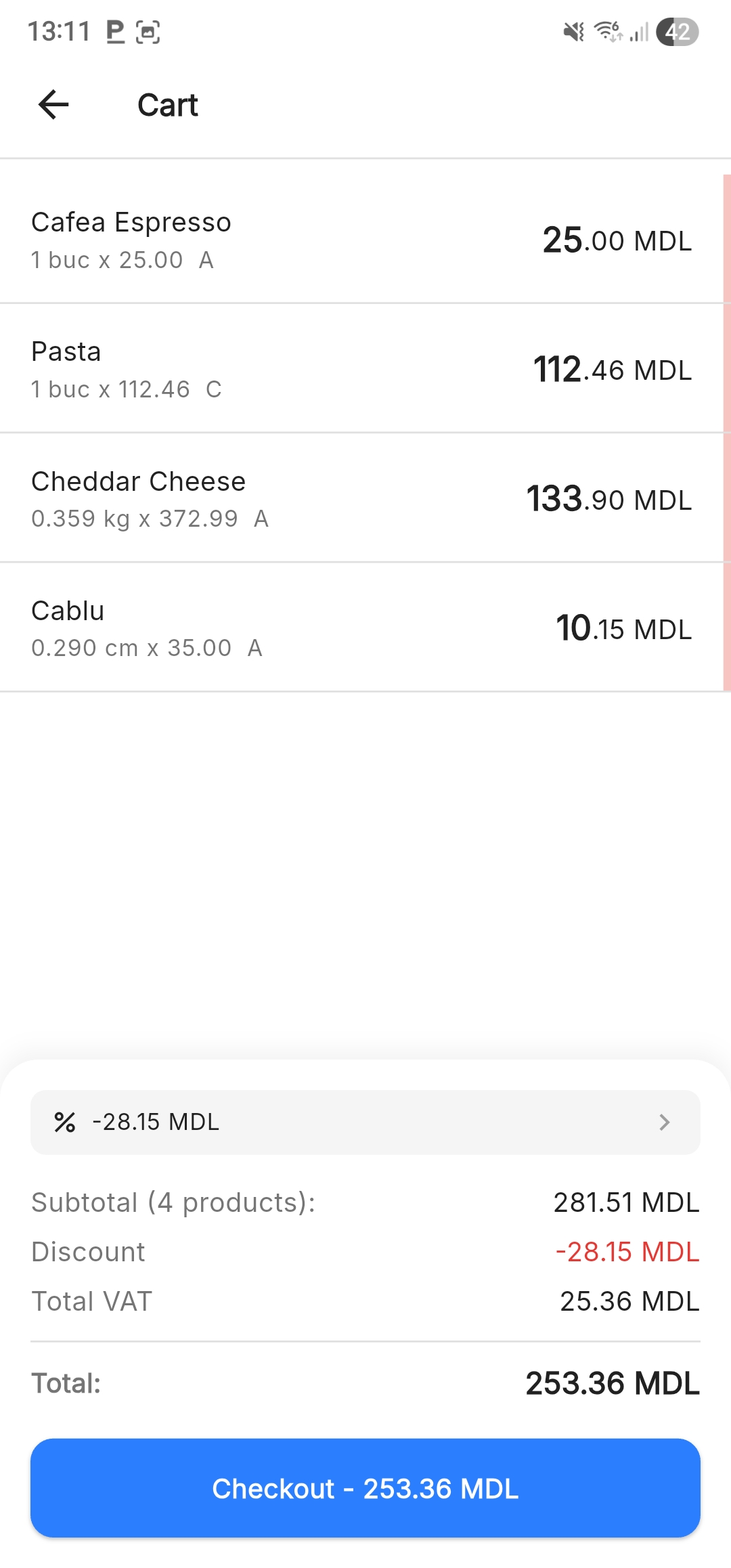
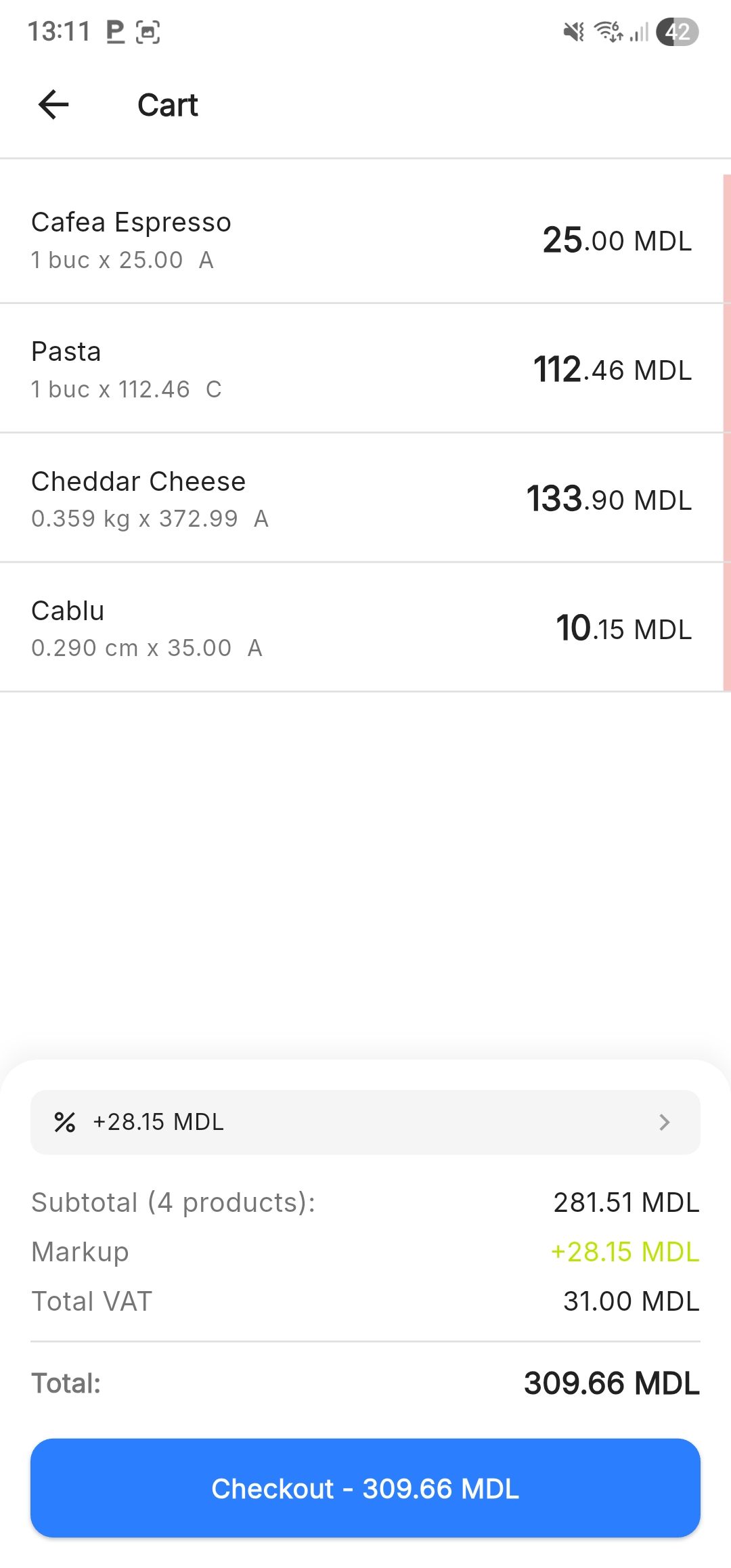
When you apply changes to the entire shopping cart, they are clearly detailed in the cart footer for total transparency.
Formulas:
Grand Total = Subtotal - Cart discount
Grand Total = Subtotal + Cart Markup
In the presence of these adjustments, the Subtotal remains constant as the gross sum of the products (without modifications), while the Total becomes the final calculated amount, including the cart discount/markup.