Activation and Licensing
Obtaining the Activation Code
- Contact the supplier for purchase (M373 SRL +373 60 100 698)
- Provide your company details or create an account at posfix.md
- Receive the activation code by email
Code format: An alphanumeric code (8 characters, e.g.: N2QT-8Z69)
You will receive the activation code by email. Keep this code handy for the next step.
Activation Process
At the first launch of the application, make sure you have an internet connection. Activation cannot be done offline.
Activation Screen
When opening the application for the first time, you will see the activation screen which contains:
- Activation Code Field: The space where you need to enter the code received from the supplier
- Legal Links: Access to the Terms and Conditions and the Privacy Policy
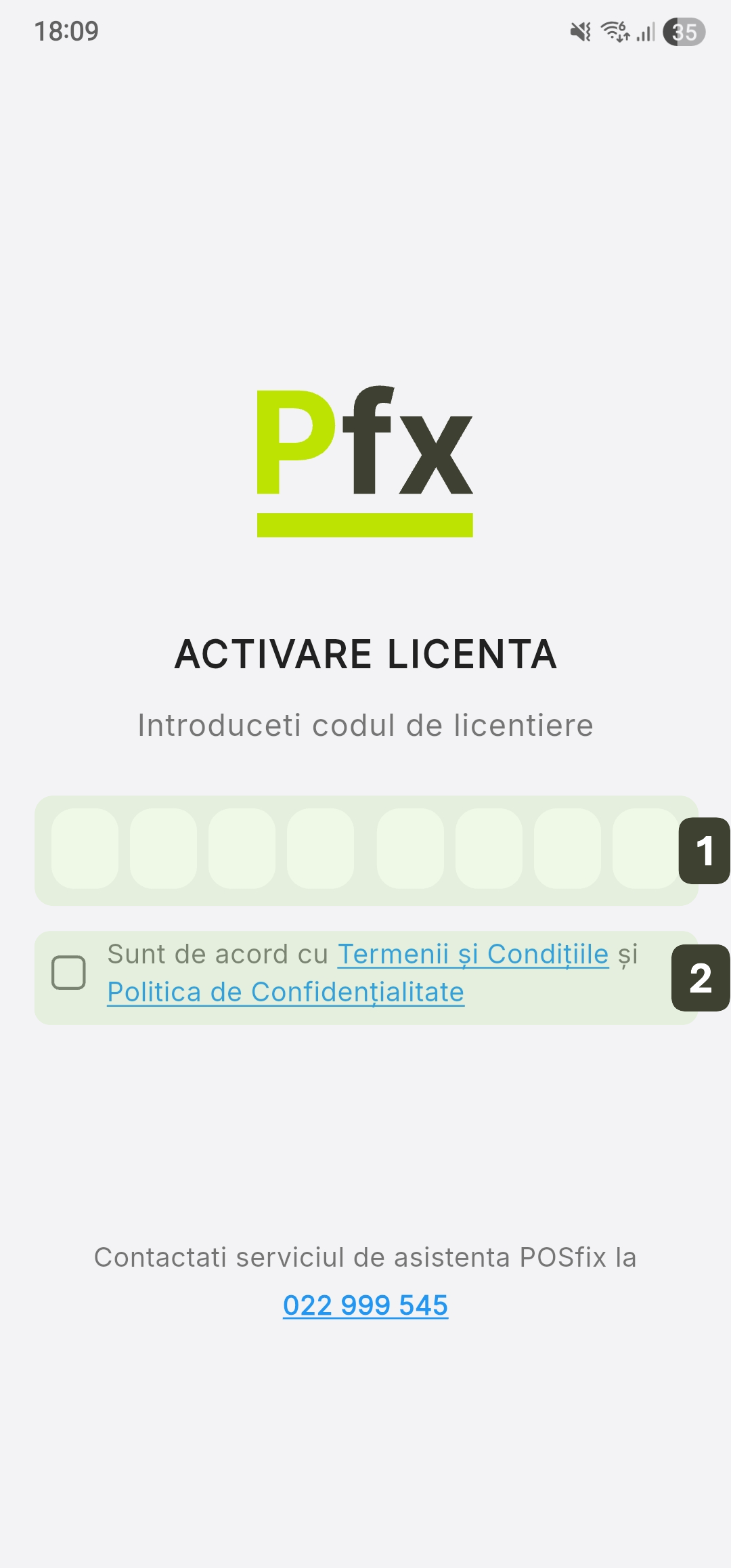
Activation Steps
Follow the order below to avoid sequence errors:
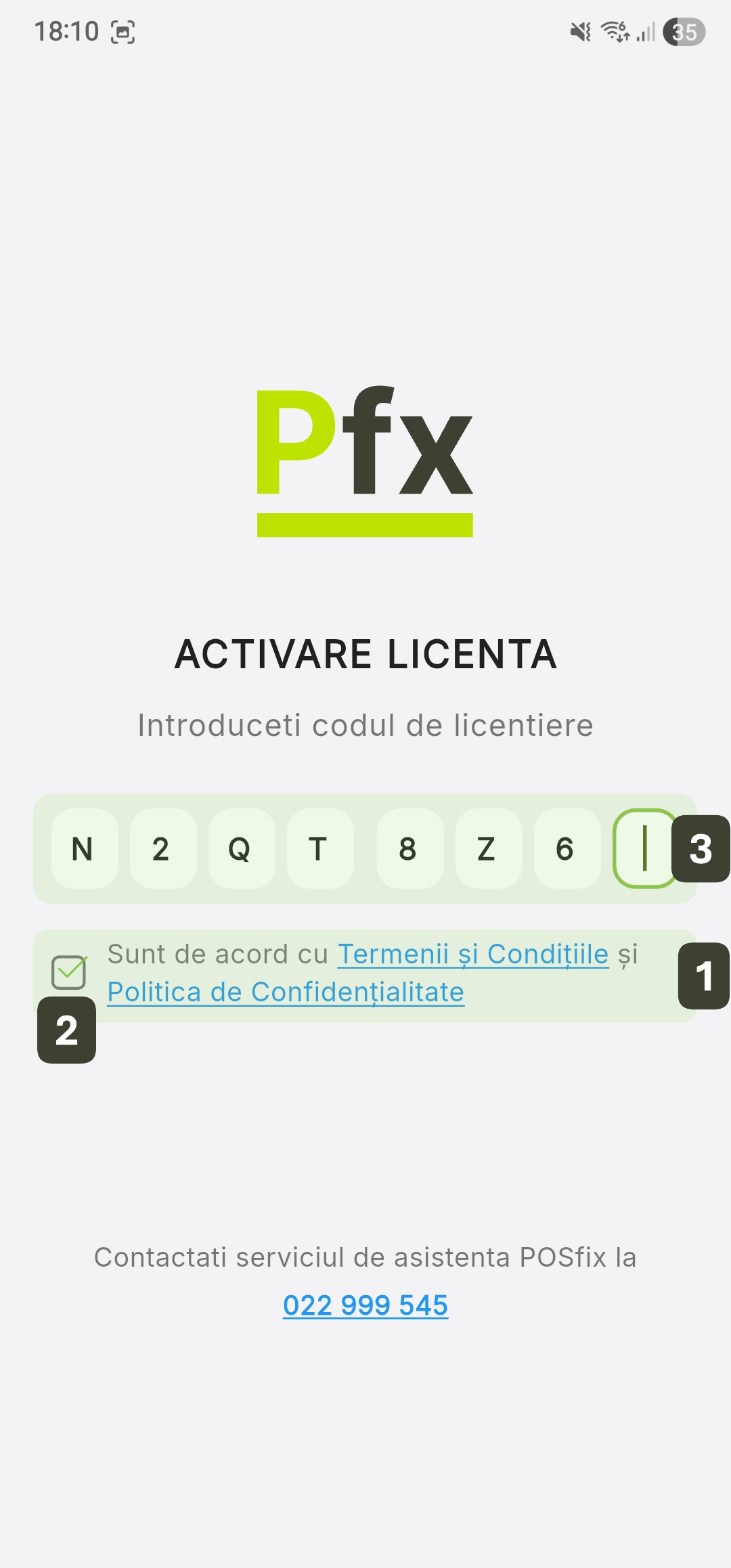
- Accepting the Terms: Access and read the Terms and Conditions and the Privacy Policy using the links on the screen
- Legal Validation: Check the box to accept the terms and the privacy policy.
- Entering the Code: Enter the Activation Code (alphanumeric) in the dedicated field
Once the code is fully entered, the application processes the license and activates the terminal without the need to press any additional buttons.
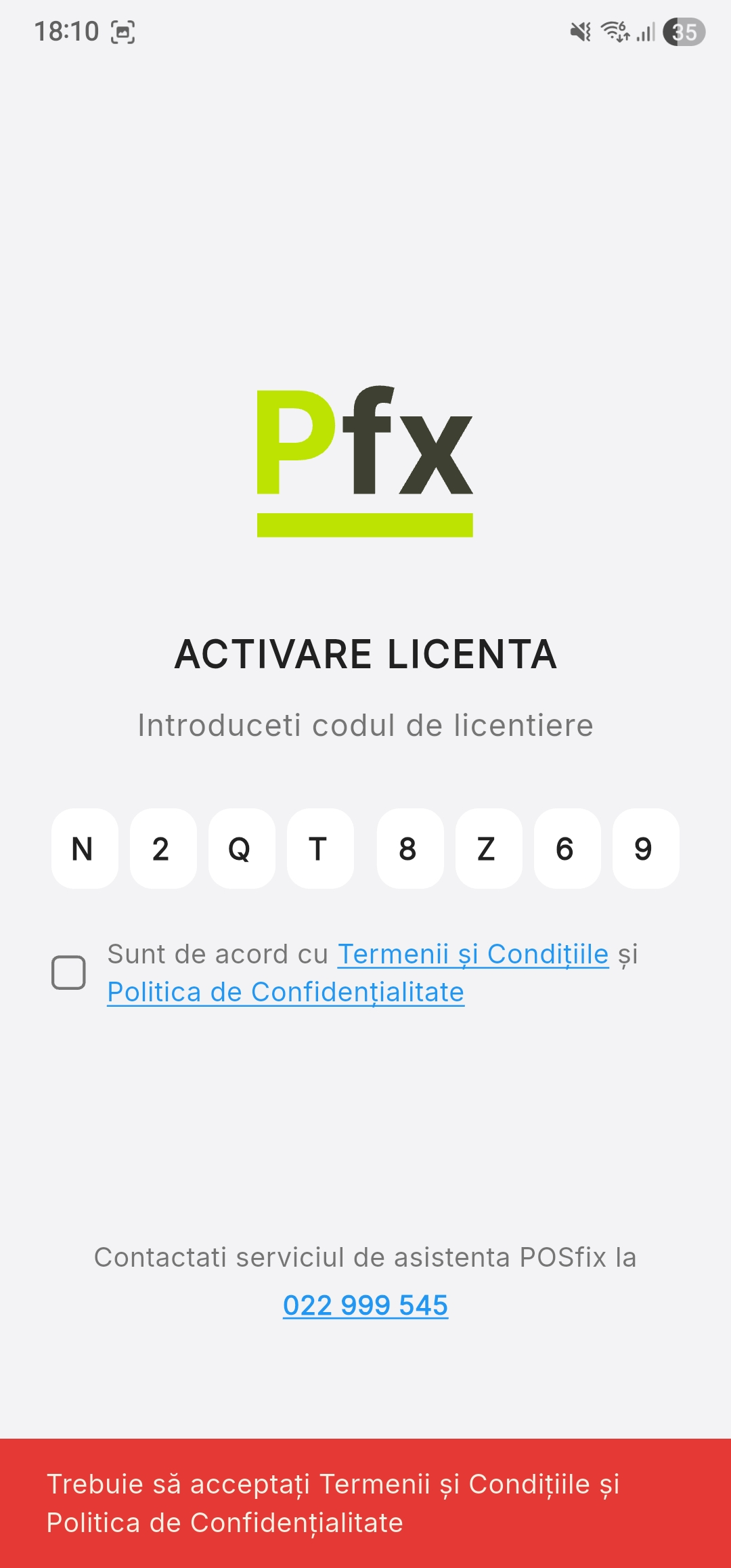
If you enter the activation code without first checking the legal terms acceptance box, the system will display a warning asking you to check the box before the license can be processed.
Activation Confirmation and Synchronization
After successful activation, the system will display the identification details:
| Information | Description |
|---|---|
| Status | Terminal activated |
| Merchant Name | Licensed company name |
| Terminal ID | Unique terminal identifier |
Press the Continue button to initiate automatic database synchronization (products, categories, VAT rates, and users) from the server.
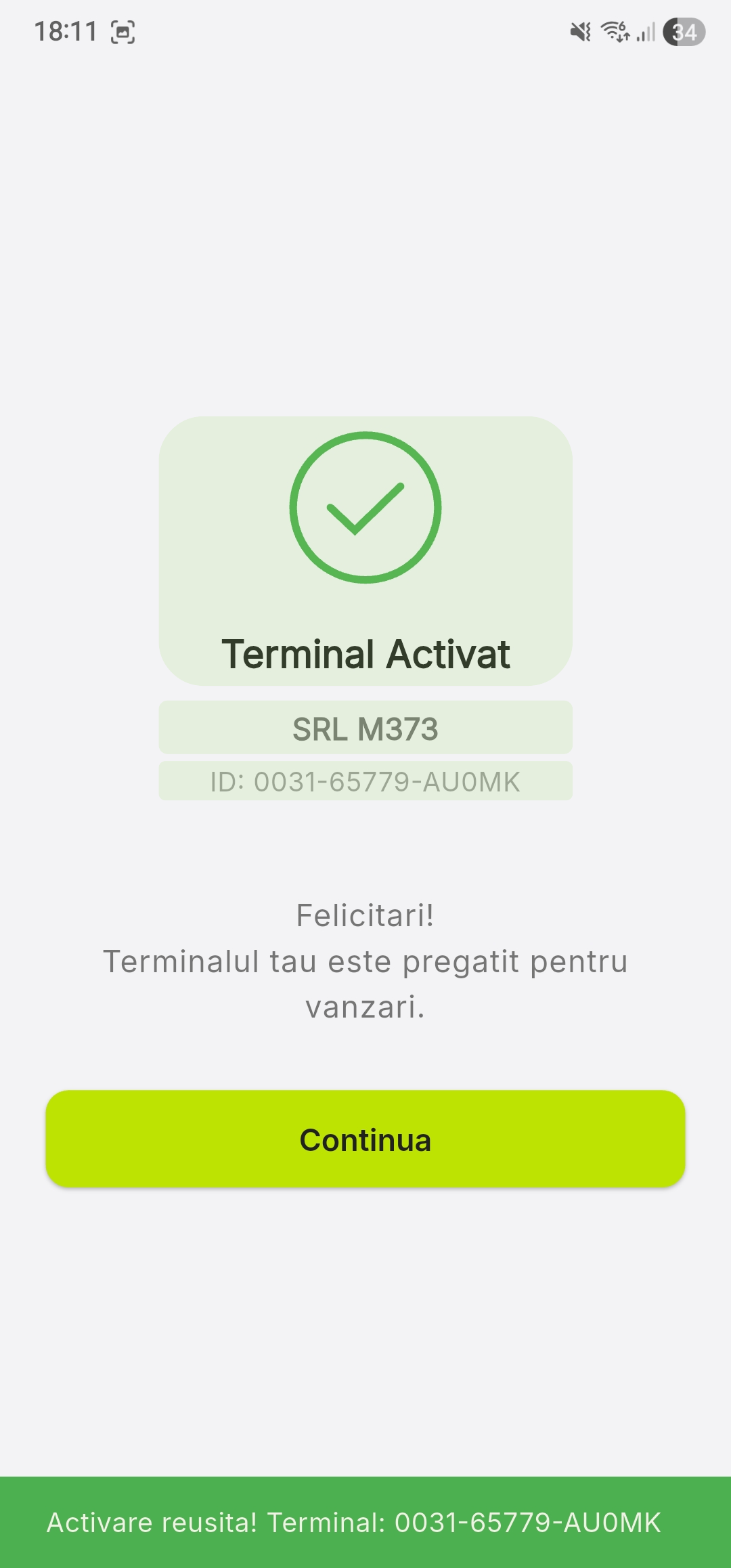
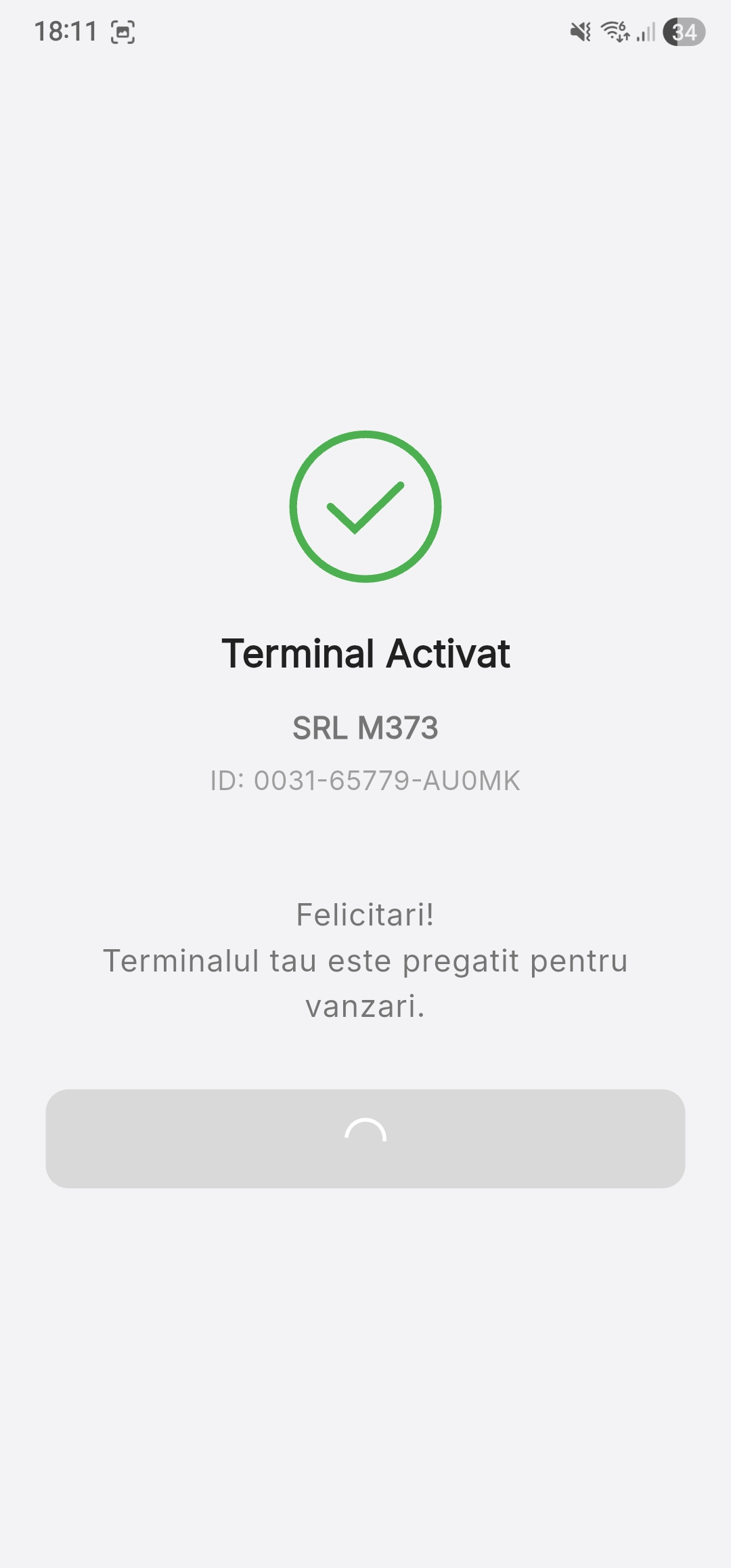
Make sure you have a stable internet connection during activation. The initial data synchronization may take a few minutes depending on the number of products in the catalog.
License Restrictions
- One license = One physical terminal
- The license is tied to the specific device
- License transfer requires contacting the supplier
If the device is factory reset or the terminal is replaced, contact Technical Support for reactivation.
Common Issues
| Issue | Cause | Solution |
|---|---|---|
| "Invalid code" | Code entered incorrectly | Verify and re-enter |
| "Code already used" | License activated on another device | Contact the supplier |
| "Connection error" | No internet | Check WiFi connection |
| "Activation failed" | Server issues | Try again after a few minutes |
Activation Support Contact
For activation issues:
- Phone: +373 22 999 545
- Email: suport@posfix.md