Stock by warehouse
The list of everything in stock, product by product, with the quantity in each warehouse. You use it when you want to see at a glance what's running out, without checking products one by one. The screen only shows the stock: you can't correct it from here; for differences found when counting, use Stocktake.
Where to find it: More → Stock. Only the manager sees this screen, and only if the company keeps stock records.
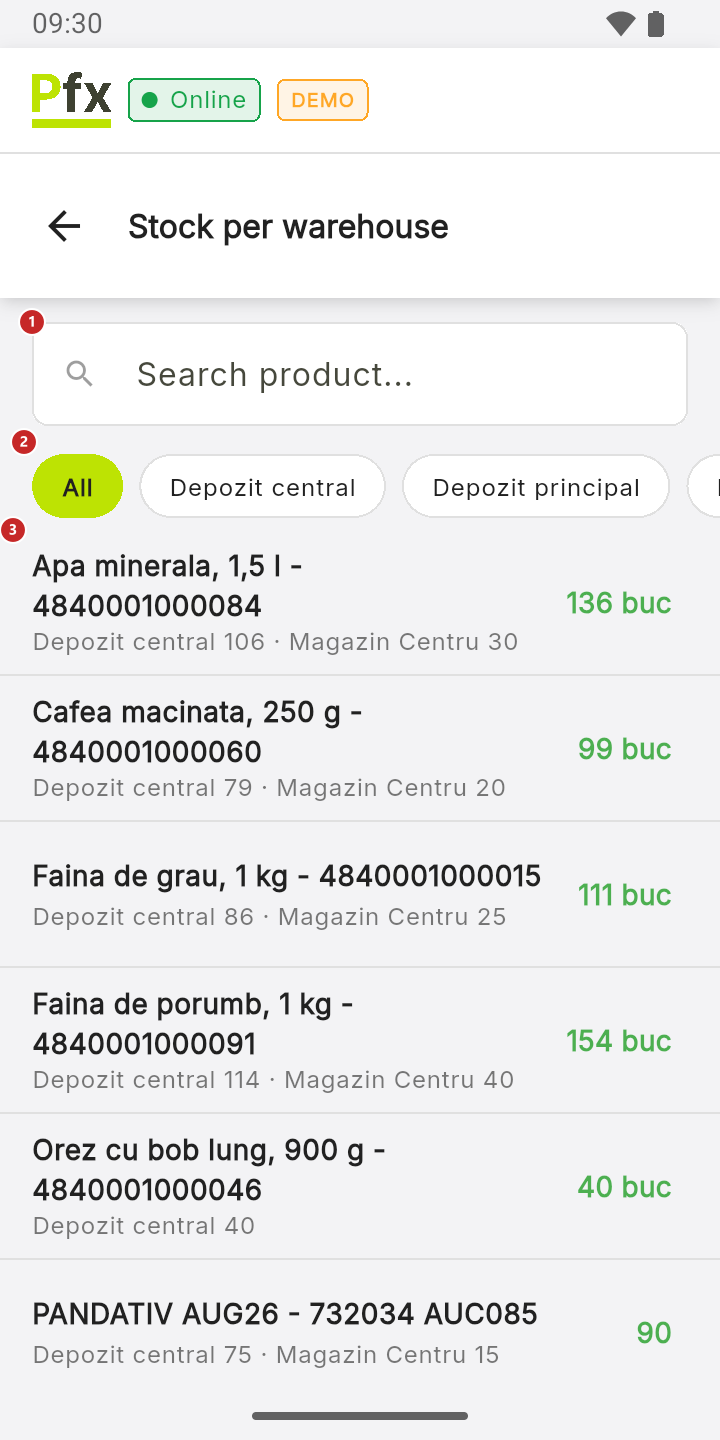
1 search for a product by name · 2 all warehouses, or just one — tap its name; swipe left for the other warehouses · 3 a product, with the quantity in each warehouse
With a warehouse chosen, each row shows only the quantity there. The colour of the number tells you how much is left: green, yellow when 5 or fewer are left, red with Out of stock at zero or below. The quantity can also be negative: it means more was sold than was received.
To see a product's stock
Tap the product. The breakdown by warehouse opens:
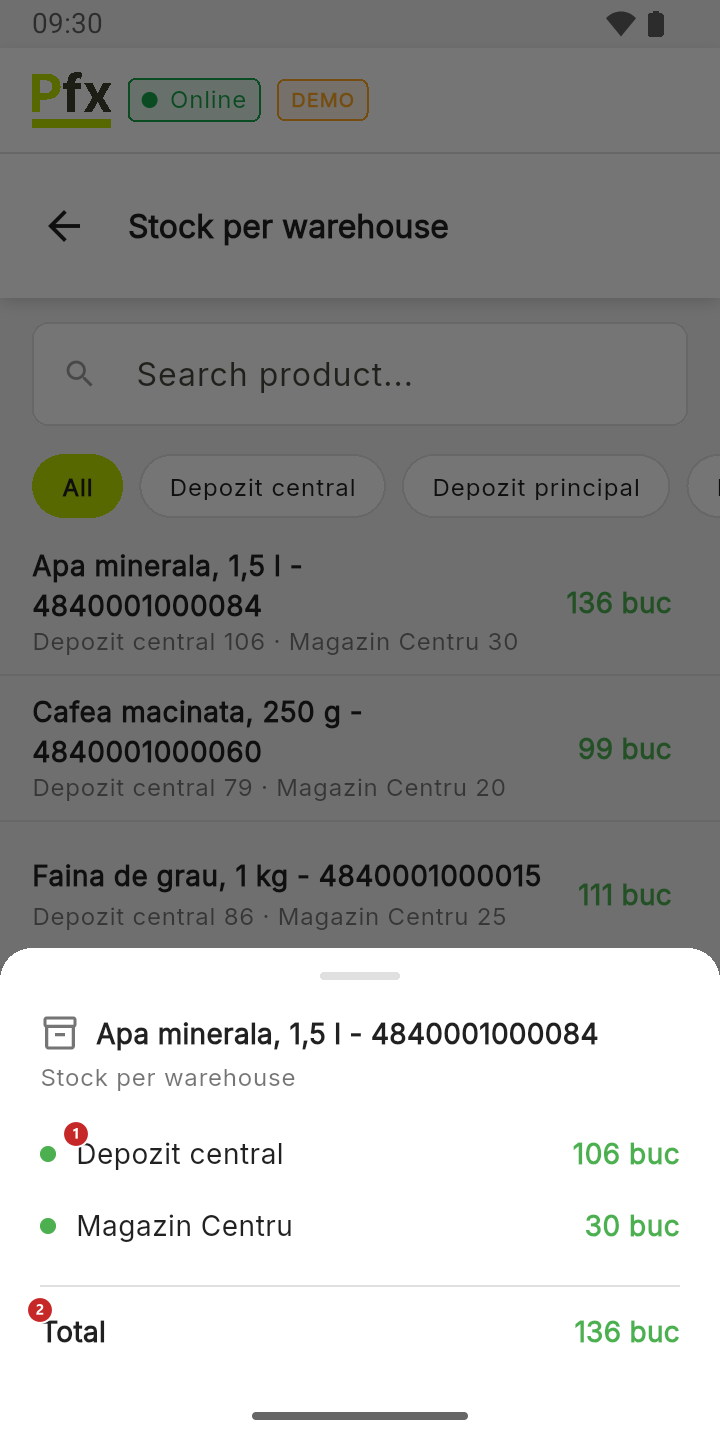
1 the quantity in each warehouse · 2 the total
The figures update by themselves after sales and at sync. After a goods receipt you've only just made, pull the list down to bring them in right away.
Related pages
- Price check — the price and stock of a single product, by barcode.
- The cart — the “Only … in stock” warning in the cart.