Cash Management
This function allows official recording of cash movements in the cash drawer that are not the result of direct sales. It is an essential function of any fiscal cash register, ensuring the accuracy of the cash register, used for adding change (float) or for cash withdrawals during or at the end of the day, facilitating a correct balance at end-of-day closing.
Accessing Cash Management
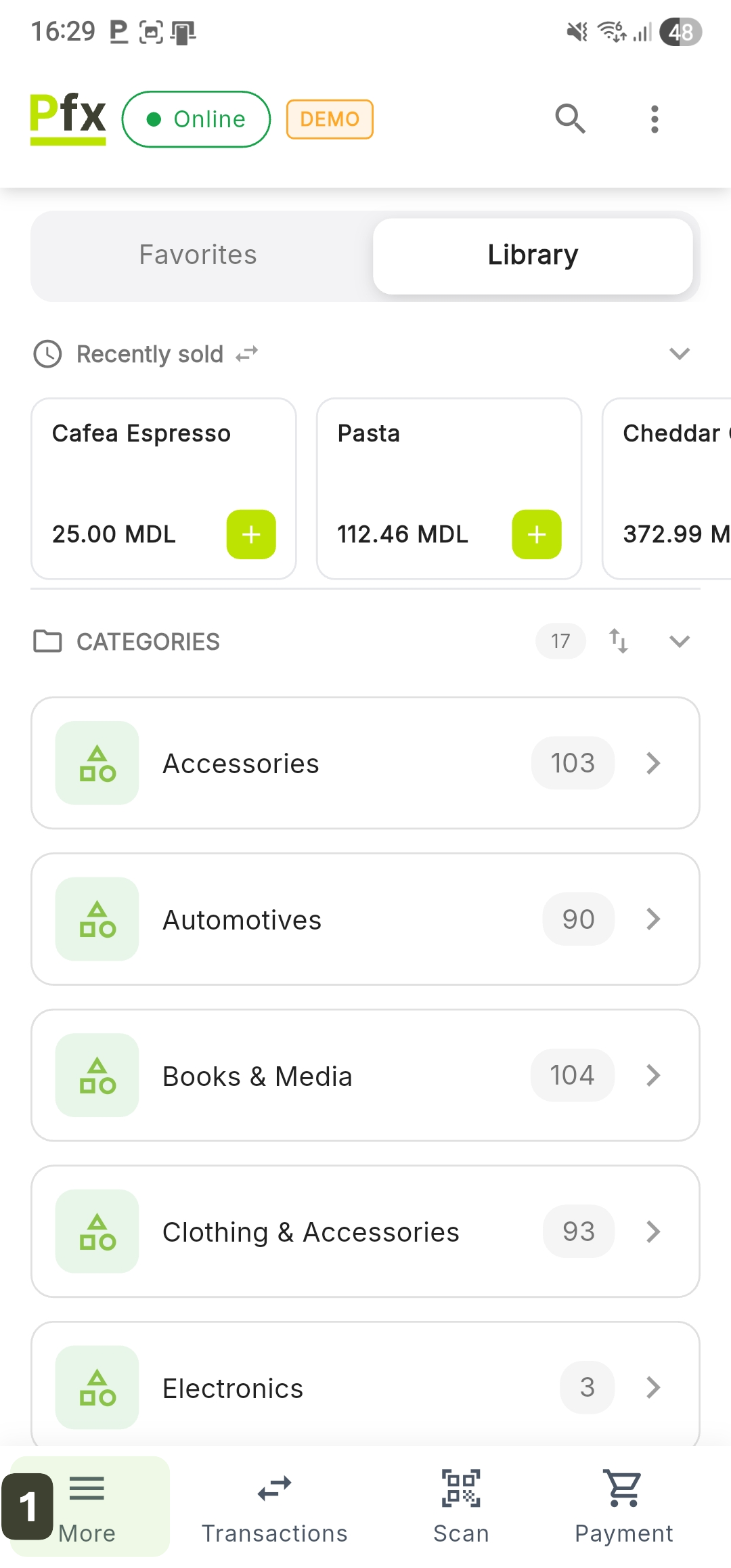
- Press the More button in the bottom navigation bar
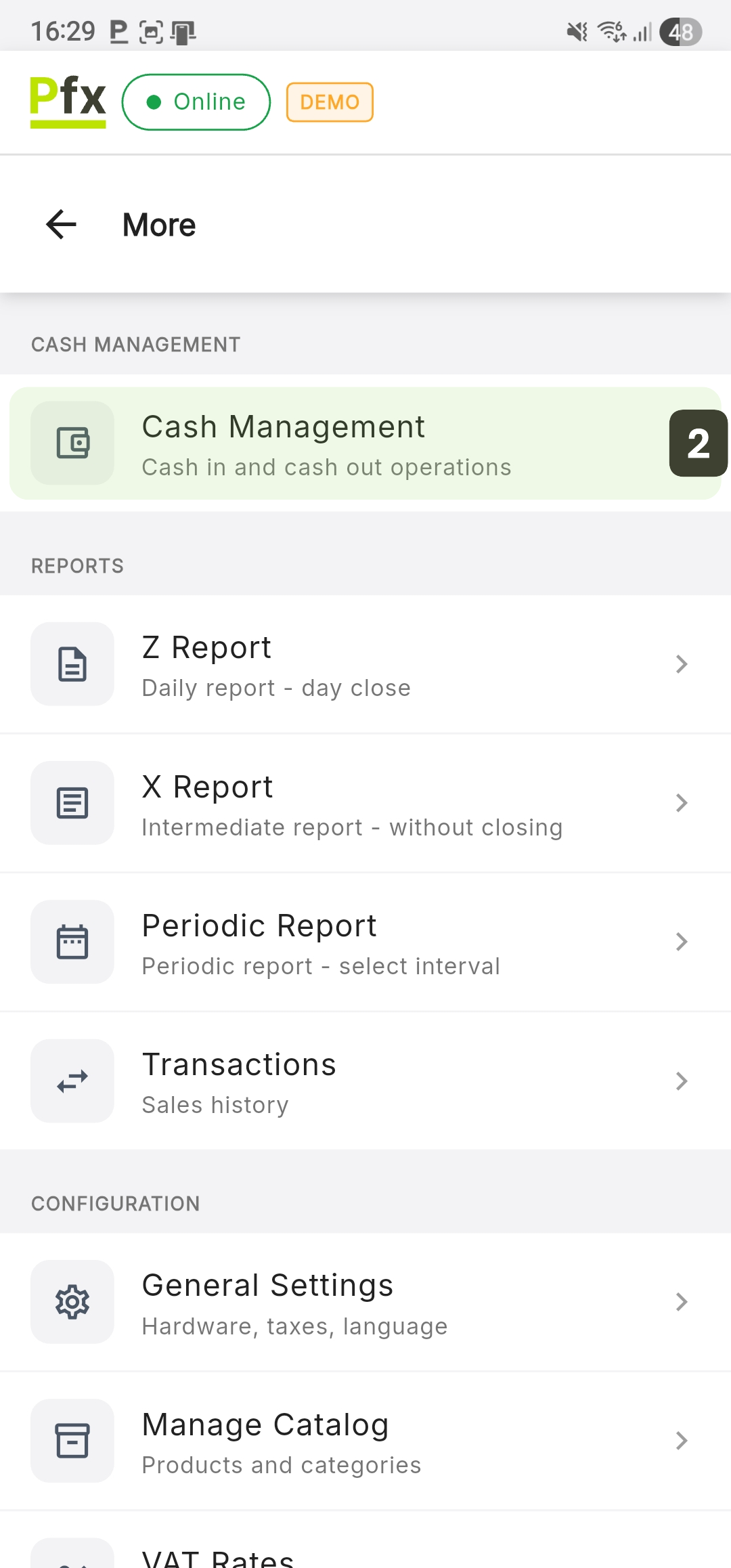
- Select Cash Management
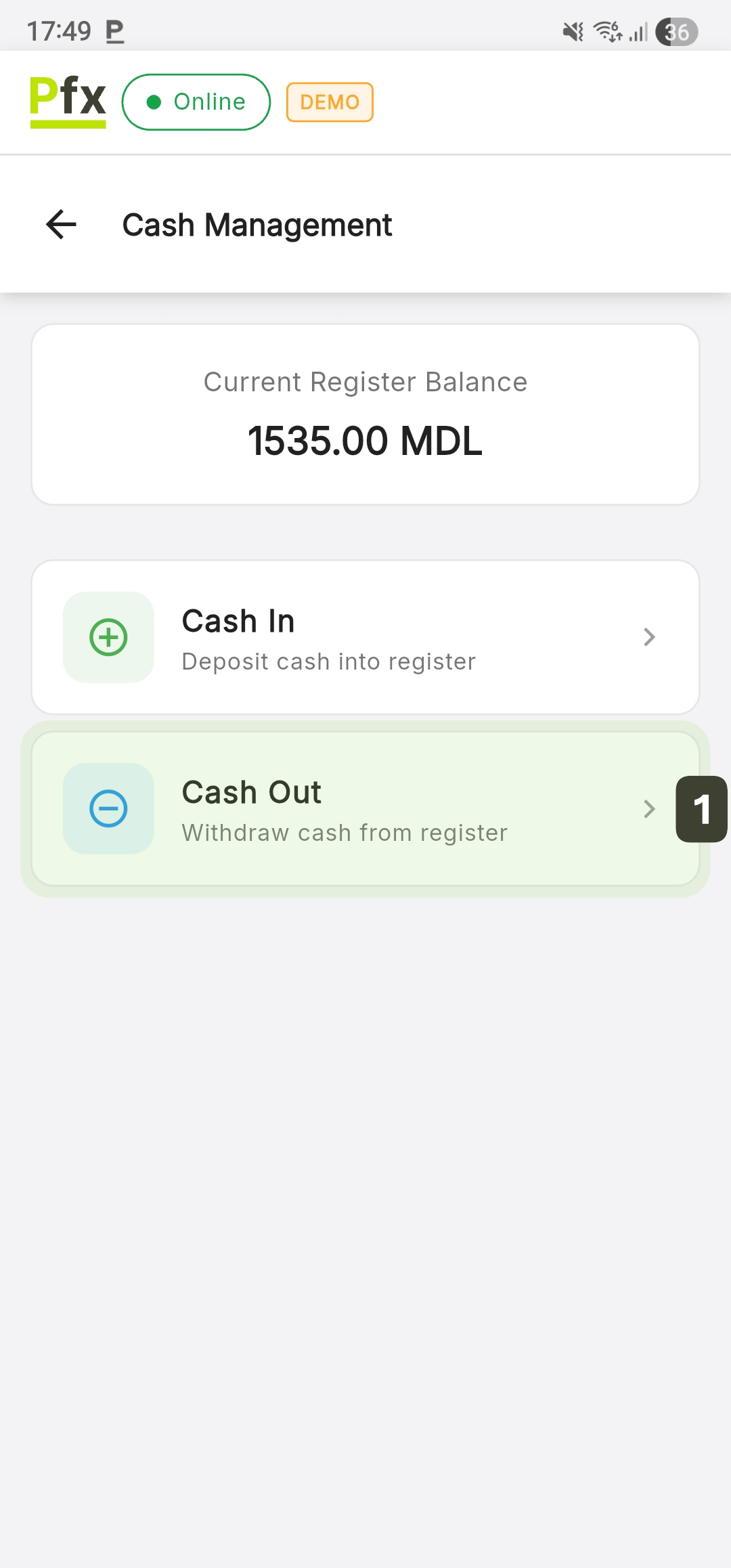
Current Balance and Operating Options
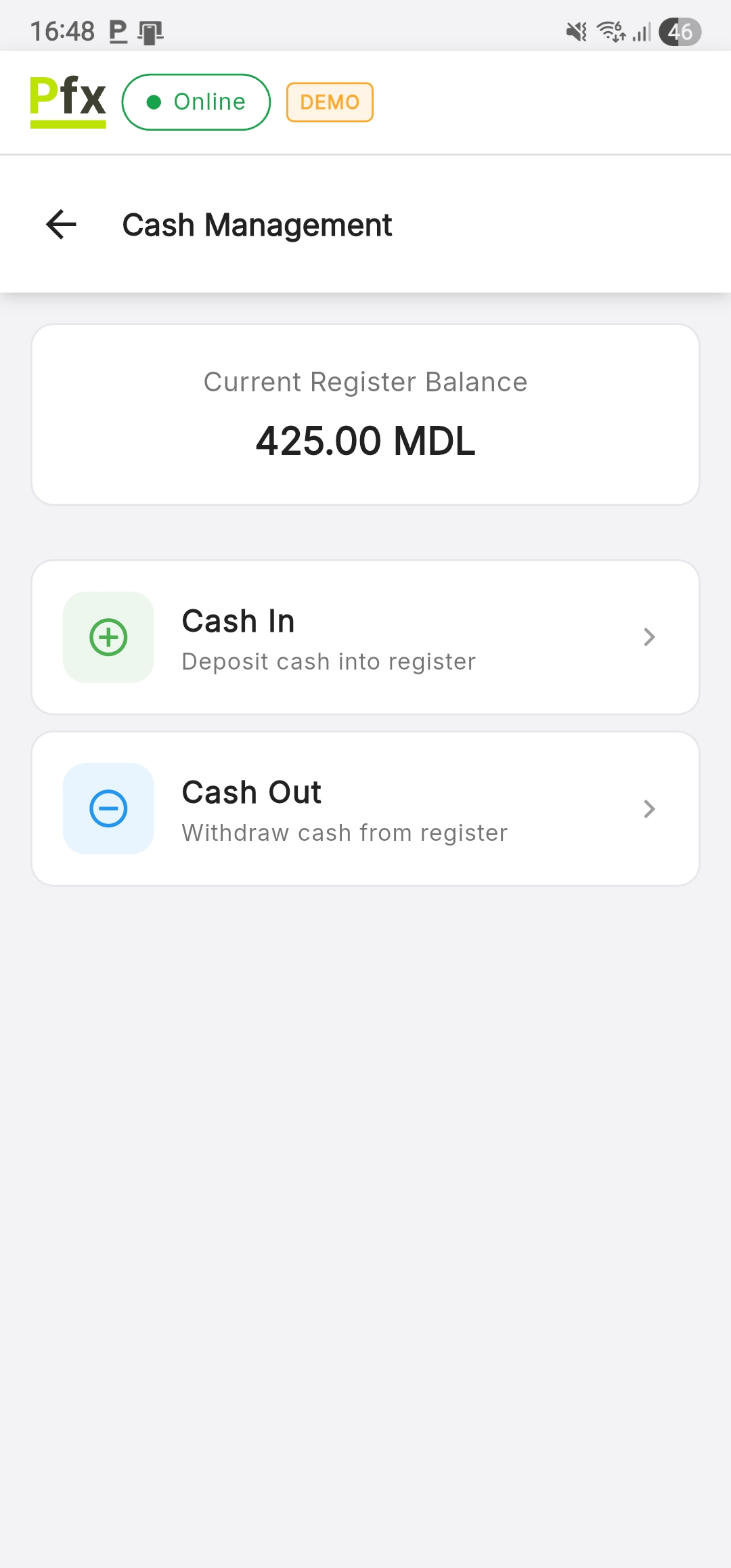
When accessing the Cash Management section, the system presents a centralized financial summary and action buttons for fund movements:
| Indicator | Description |
|---|---|
| Current Register Balance | Total cash amount available in the register |
| Cash In | Option used for depositing cash into the register |
| Cash Out | Option used for withdrawing cash from the register |
Cash In (Deposit)
This procedure is used to officially record cash entry into the register in situations that do not represent a direct sale to a customer:
- Initial balance - Adding the float (change money) at the start of the day
- Top-up - Adding cash during working hours
- Non-fiscal deposits - Recording any amounts received into the register that do not require issuing a sales fiscal receipt
Steps for Making a Deposit
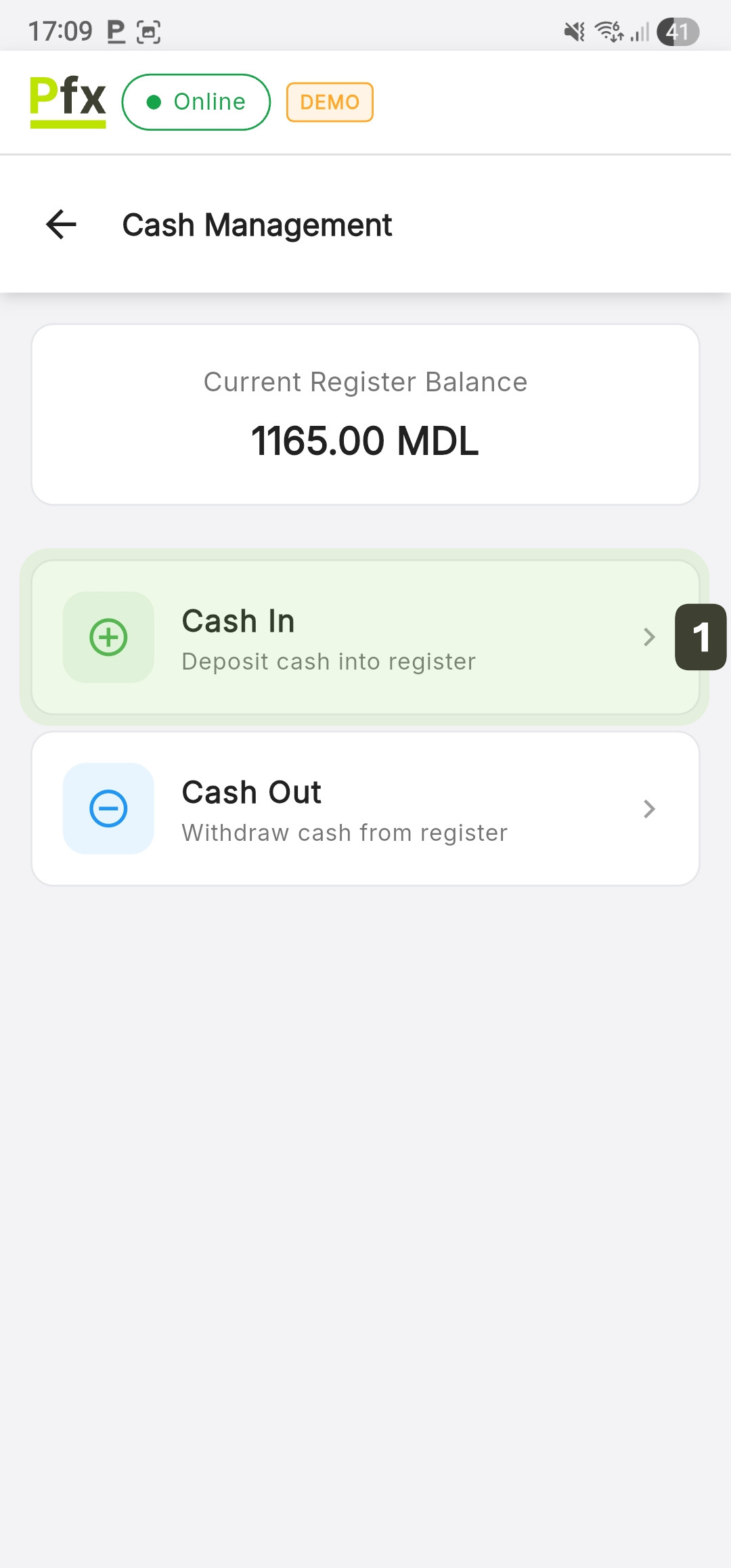
- Press the Cash In button
- Enter the exact amount you are placing in the register
- Optional: add an explanatory note in the Reason field
- Press the Continue button
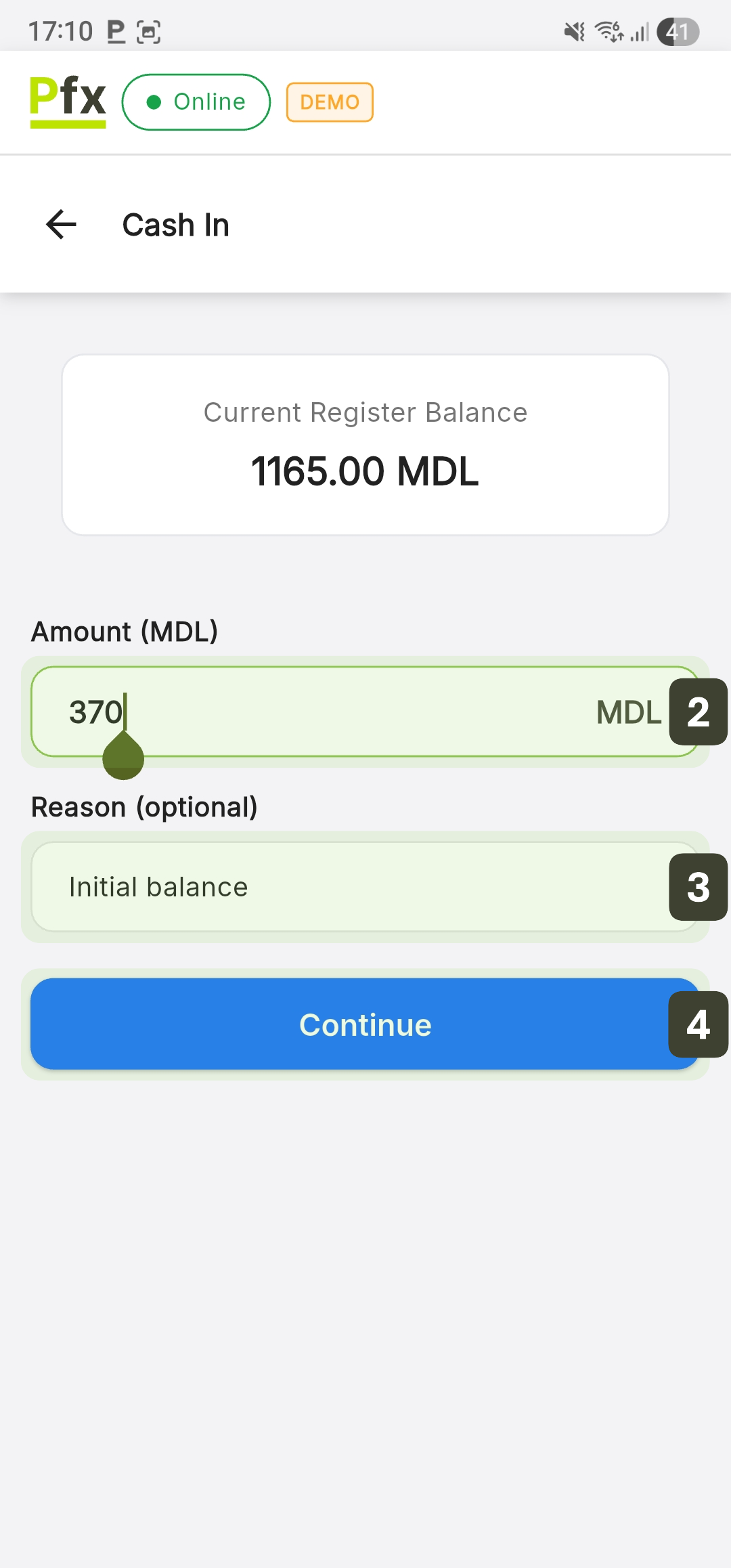
- On the Operation Confirmation screen, review the "Balance Modification" and press the Confirm Operation button
- The screen will display the Operation Completed message. Press the Close button to return to the management panel
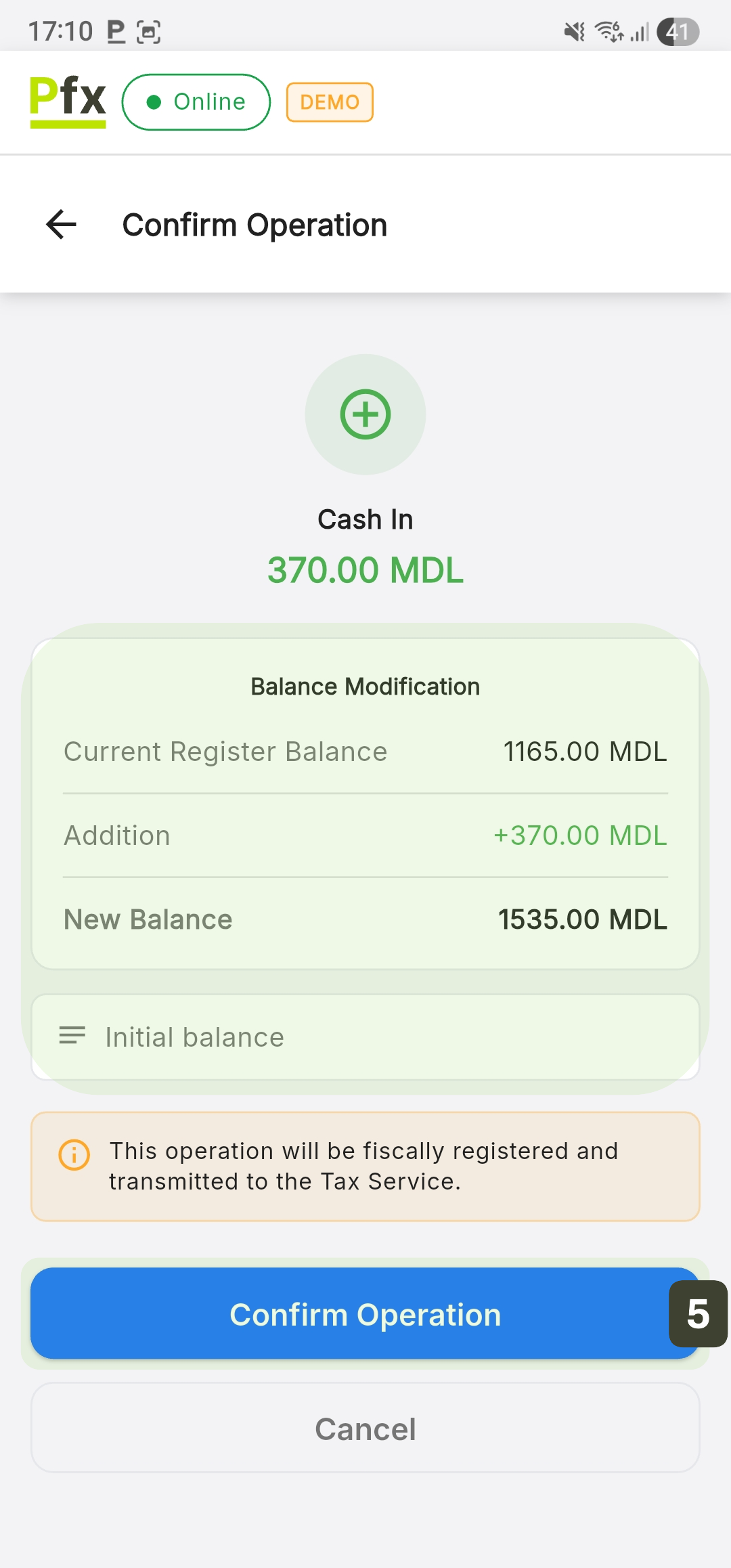
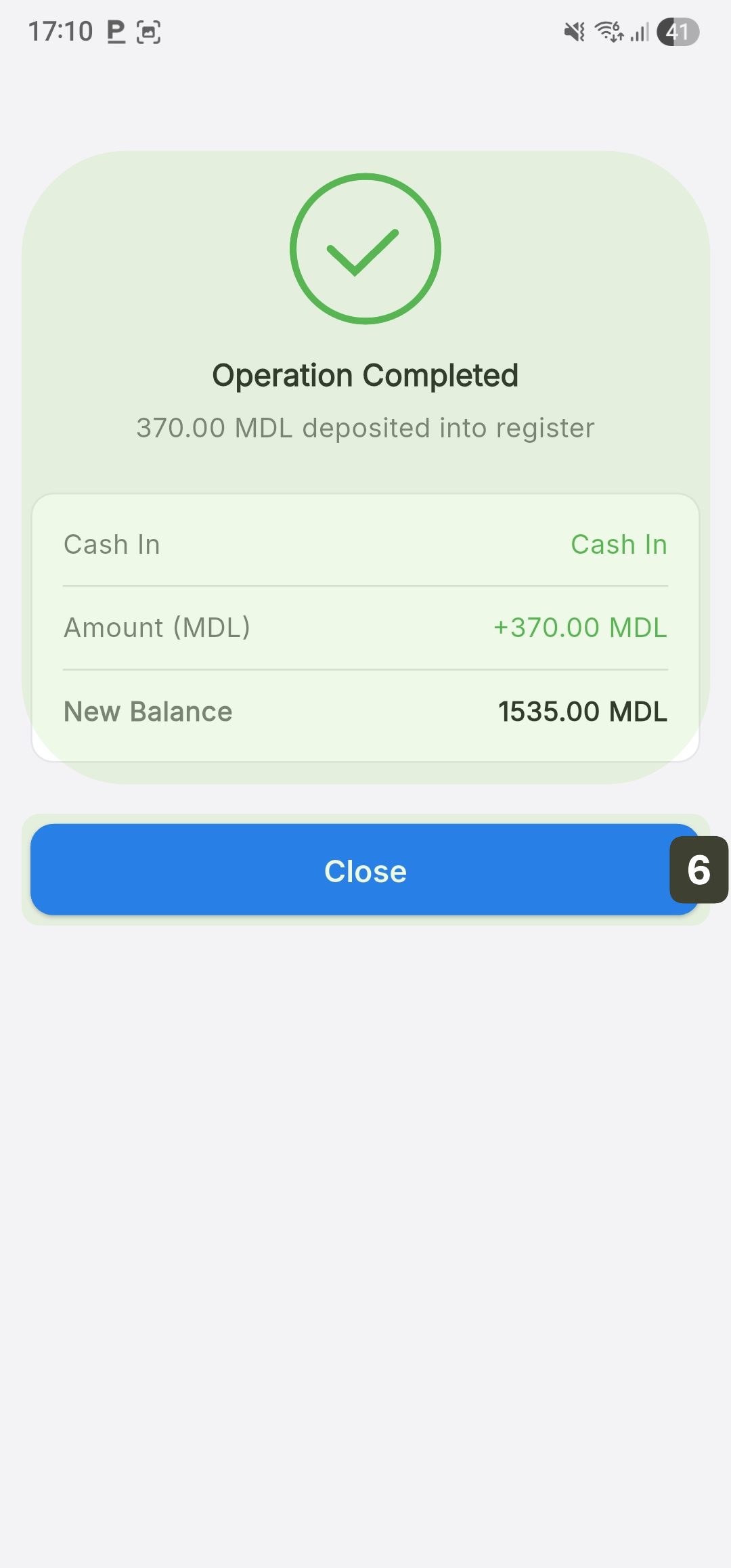
Ensure an initial balance at the start of the day. Use the Cash In function to record the money prepared for change before starting sales.
Suggested amounts for initial balance:
| Banknote/Coin | Quantity | Total |
|---|---|---|
| 1 leu | 20 pcs | 20 lei |
| 5 lei | 10 pcs | 50 lei |
| 10 lei | 10 pcs | 100 lei |
| 20 lei | 5 pcs | 100 lei |
| 50 lei | 2 pcs | 100 lei |
| Total | 370 lei |
Cash Out (Withdrawal)
The withdrawal operation is used to officially record the exit of money from the cash drawer, ensuring correspondence between the physical cash and the terminal's electronic records.
Withdrawal is used for:
- Cash pickup - Transferring amounts that exceed the cash limit
- Supplier payments - Paying invoices or services directly from the day's collections
- Shift end - Withdrawing cash at the end of the day for handover
Steps for Withdrawal
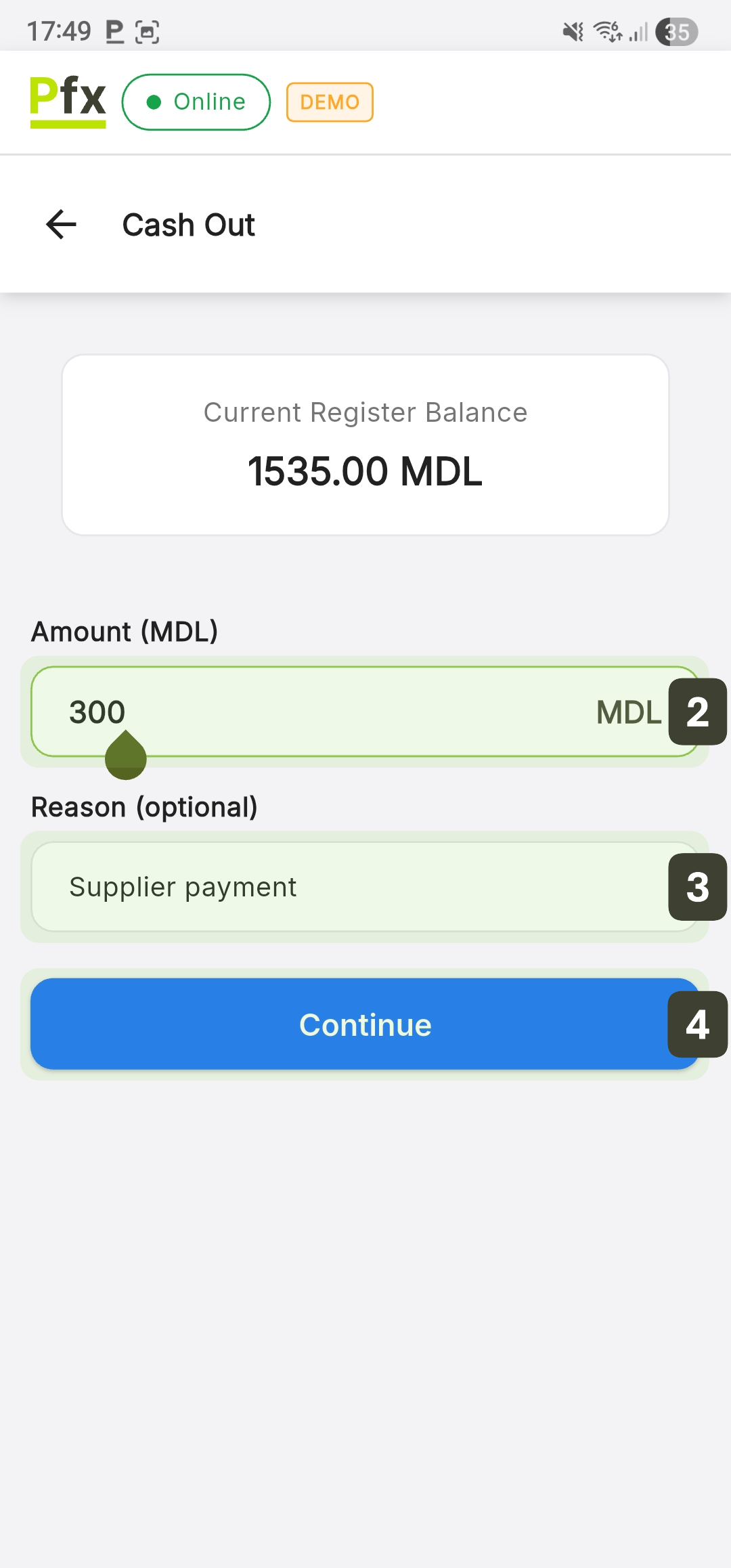
- Press the Cash Out button
- Enter the exact amount you are taking out of the register
- Optional: add an explanatory note in the Reason field
- Press the Continue button
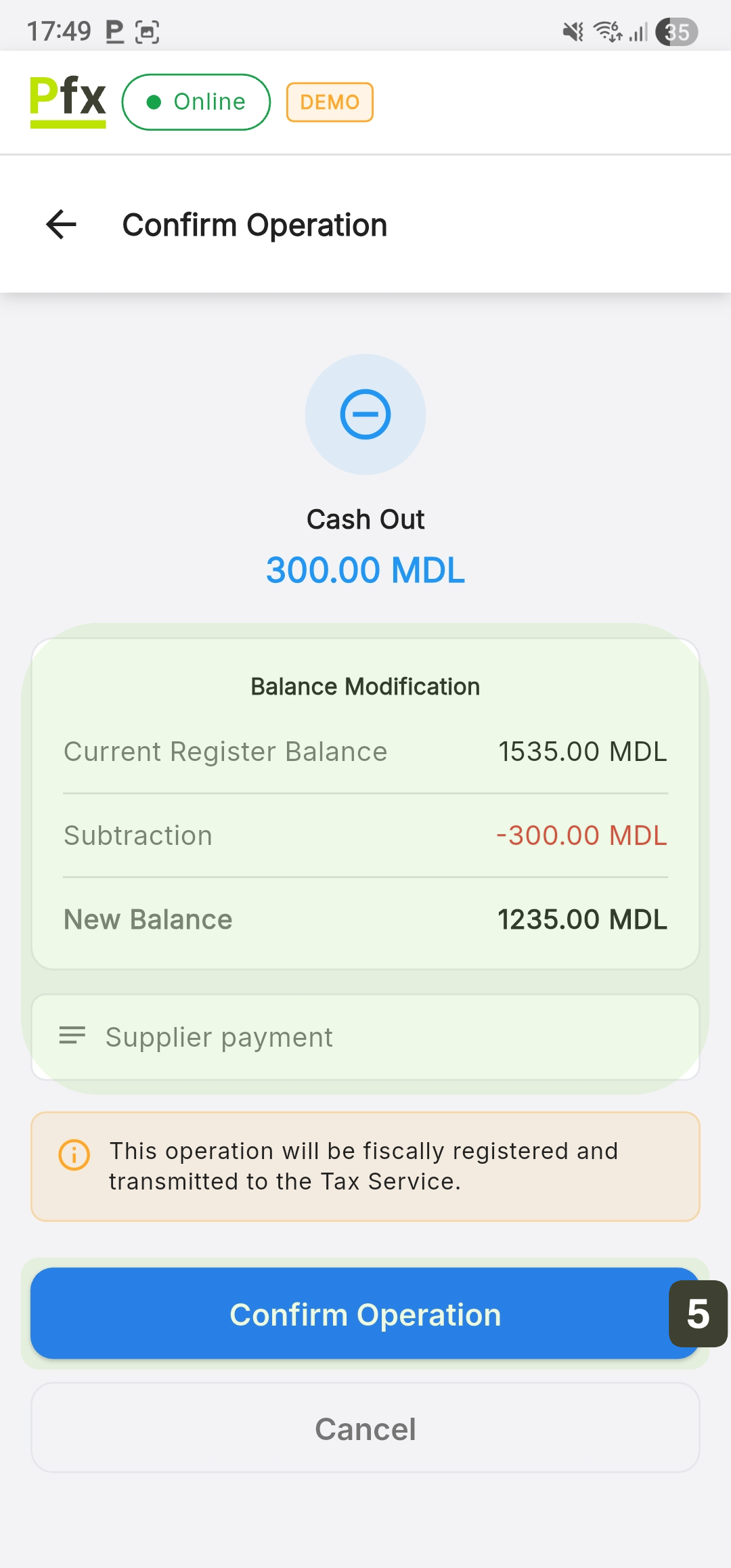
- On the Operation Confirmation screen, review the "Balance Modification" and press the Confirm Operation button
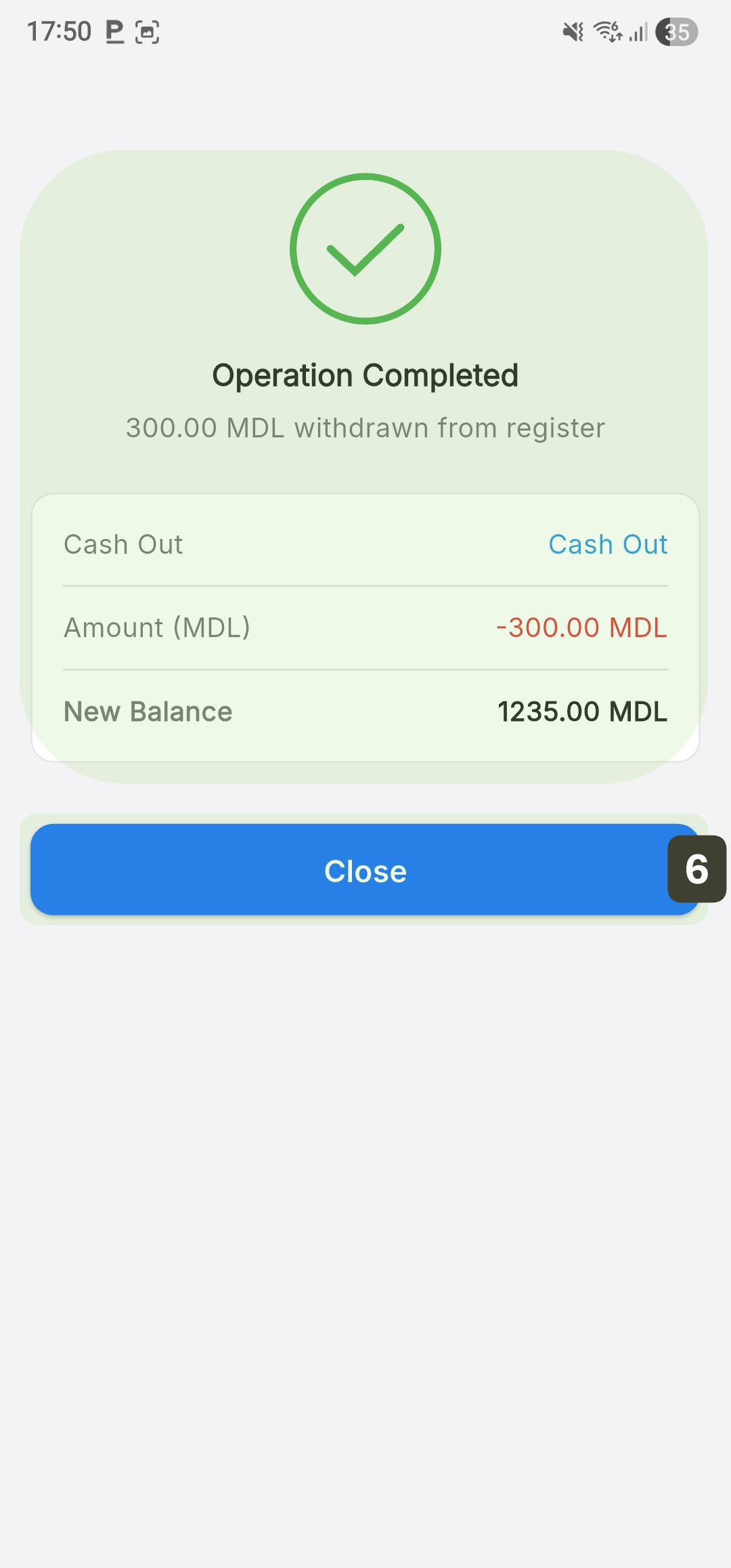
- The screen will display the Operation Completed message. Press the Close button to return to the management panel
Do not use this feature to give change to customers during a normal sale! This is strictly for internal cash management.
You cannot withdraw more than the available balance in the register. The system will display an error if you try.
Security and Audit
All cash operations are:
- Recorded with exact date and time
- Synchronized with the central server
- Included in X, Z, and periodic reports
- Available for audit