Advance and open orders
The customer picks the goods, leaves part of the money now and comes for them later. The register opens an order in their name, reserves the goods in the warehouse and issues the receipt for the advance. When the customer comes back, you find the order, take the rest and hand over the goods.
Where to find it: in the cart, More → Advance (with products in the cart) and More → Open orders. The entries appear only if the company works with advances, only with internet, and only for someone with the advance right.
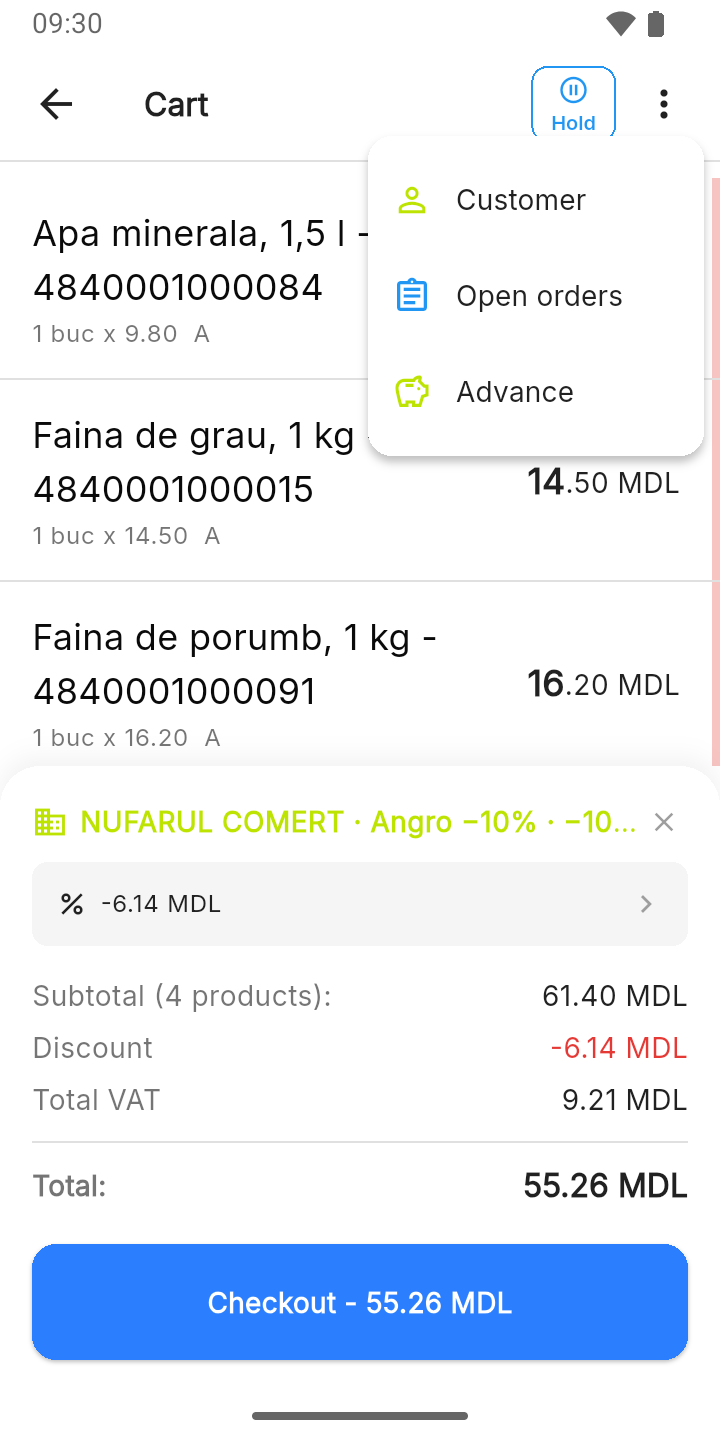
To take an advance
- Put the goods in the cart, as for an ordinary sale.
- More → Advance.
- Choose the customer and type how much they leave now.
- Tap Open the order.
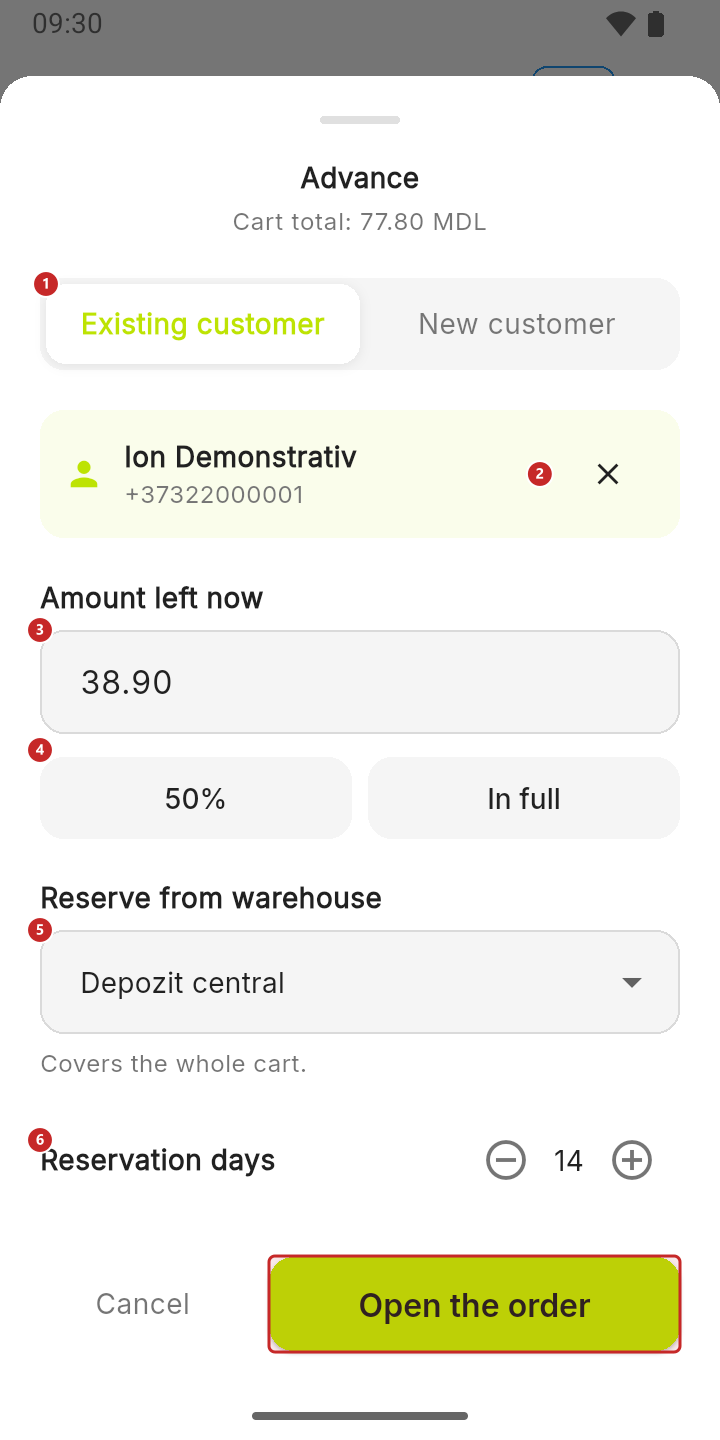
1 the customer: an existing one, or New customer with name and phone · 2 change the chosen customer · 3 the amount left now · 4 half the value (or In full) · 5 the warehouse the goods are reserved from · 6 how many days the reservation holds; pressing − all the way down gets you to no limit, and the reservation no longer expires
The phone is required for a new customer: that's how you find them when they come for the goods. Under the warehouse, the register tells you whether it covers the whole cart or how many items don't have enough stock there. The warning doesn't stop you: you can take an advance for goods that are still to arrive.
The register opens the order and turns the cart into advance lines: the same products, with the amount left now split across them.
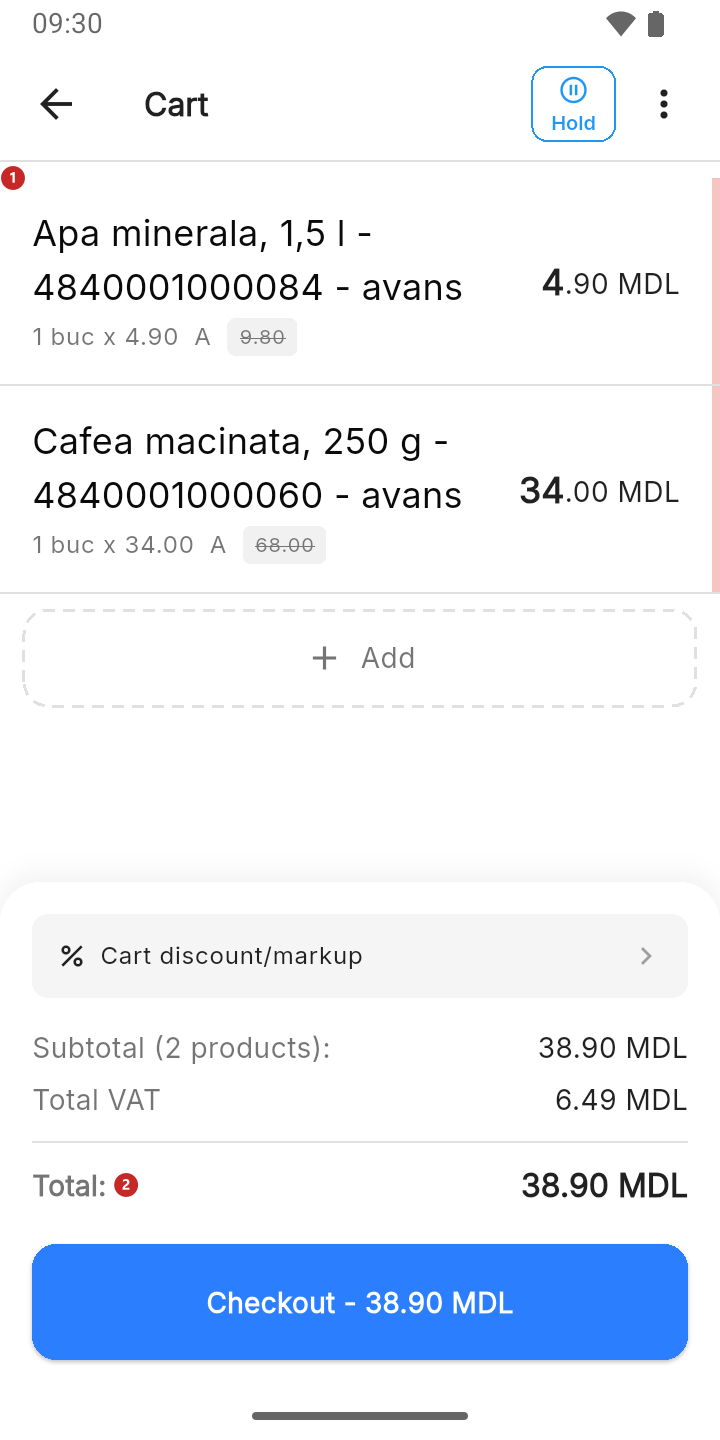
1 the product, with the note avans (advance) and its share of the advance · 2 the amount to take now
Tap Checkout and take the advance like any receipt — see Payment and receipt. The goods don't leave the warehouse now: they stay reserved for the customer. After the fiscal receipt, the register prints the order slip in two copies: the one marked CLIENT you give to the customer — it's the proof they have goods to collect, with how much they left and how much they still owe —, and the other stays at the register.
To hand over the goods
When the customer comes back:
- In the cart, More → Open orders. The list works with an empty cart too.
- Search for the order by phone, name or number.
- Tap Collect the rest. If the advance was paid in full, the button is Release the goods: then you take nothing and no receipt comes out; the register hands over the goods on the spot and confirms with “Order …: the goods were handed to the customer.”
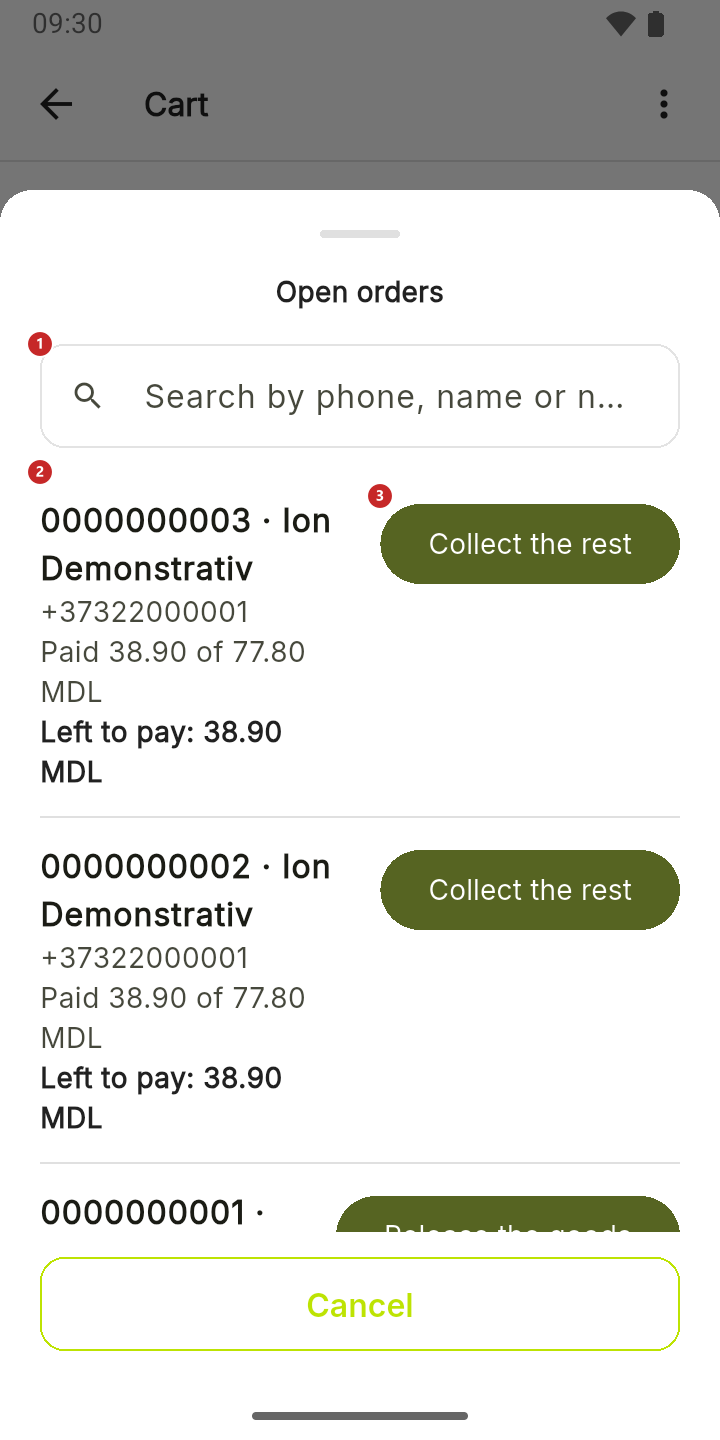
1 the search · 2 the order: the number, the customer, how much they paid and how much they still owe · 3 collect the rest
With Collect the rest, the cart fills with the order's products and the balance due:
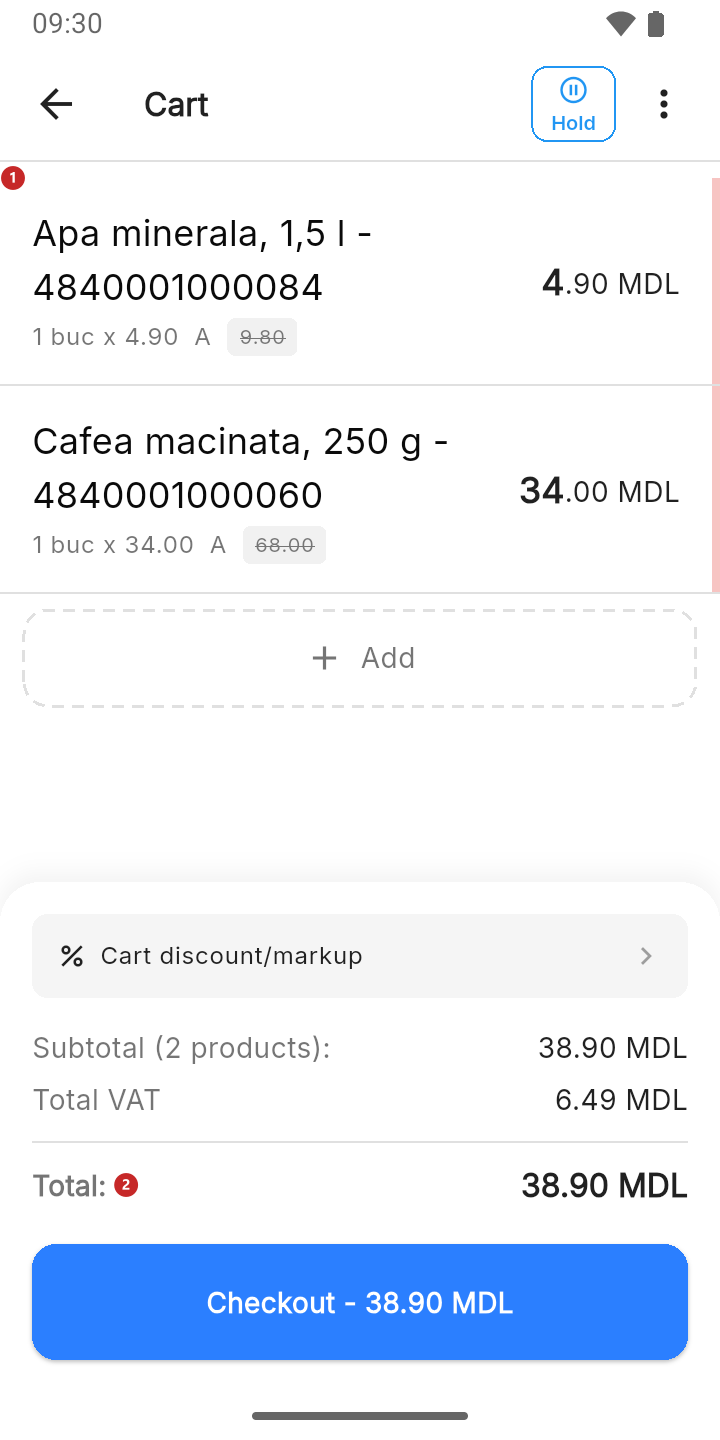
1 the product, with the full price struck through and the balance due · 2 how much the customer still has to pay
Take the rest like any receipt. The goods now leave the warehouse, and the order closes.
What can trip you up
I don't see Advance in More. The cart is empty, the register has no internet, the company doesn't have the advances module, or your role doesn't have the advance right. The company's administrator grants the right, from the panel.
Open the order can't be tapped. The customer is missing (for a new customer: the name and the phone), or the amount, or the warehouse.
“The advance cannot exceed the cart total.” You typed more than the goods cost. For the whole amount, tap In full.
“The reservation expired” on an order. The reservation days have passed: the goods are no longer held for the customer. Check that the goods are still in the warehouse before you tell the customer they can collect them.
“The order slip did not print. The fiscal receipt did.” The payment is recorded; only the paper for the customer was missing. Check the printer.
“Product “…” is no longer in the catalogue.” A product from the order has been removed in the meantime. The cart stays untouched; let the administrator know.
Related pages
- The cart — the More menu in the cart.
- Payment and receipt — taking the advance and the rest.
- Clients — the company's clients.