Customer and supplier debts
Two paired screens answer the same question, from the two sides: Customer debts shows how much you have to collect, Supplier debts how much you have to pay. Each gathers the documents not paid yet, grouped by partner.
The screen moves no money and makes no entries. You record receipts and payments in Money; here you see what is still open and you start from here the document that closes it.
Where to find it: Sidebar → Sales → Customer debts tab · Sidebar → Purchases → Supplier debts tab
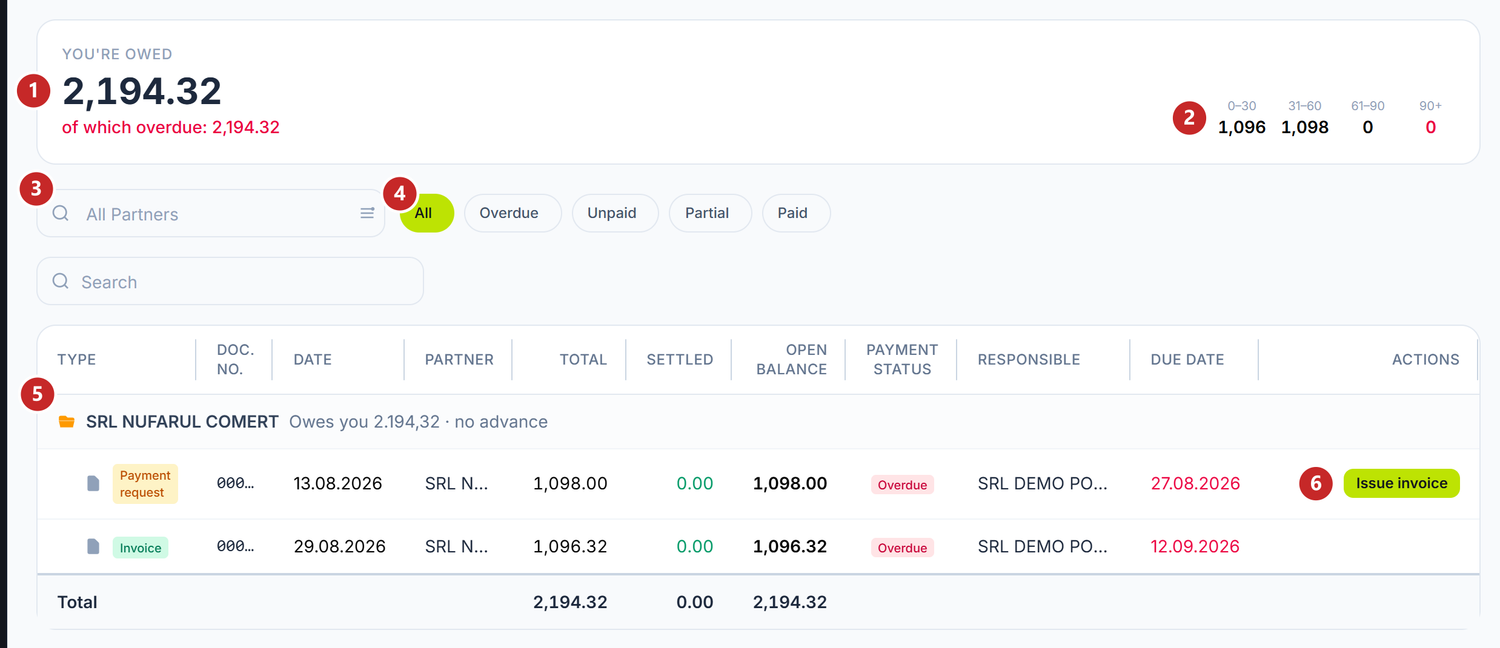
1 how much you have to collect · 2 the age of the debt, in days · 3 the partner filter · 4 the payment status filter · 5 the partner header · 6 the action on the document
What the big figure shows
You're owed (or You owe, on the supplier side) is the balance of all open documents. Under it, in red, the part of which overdue: the documents past their payment term.
If a customer paid an advance, the figure is already reduced by it: money received earlier is not collected a second time. The small line under the figure shows the sum — "gross … − advances …". On the supplier side, the advance paid shows only in the partner header, not in the big figure.
The four columns on the right split the overdue part by how many days have passed since the term: 0–30, 31–60, 61–90 and 90+. Debt still within its term is not in them, which is why they can show zero next to a large amount.
Partners and their documents
The table is grouped by partner, with those who owe the most at the top. Each header says how much the partner owes and whether there is an advance: "Owes you 2,194.32 · no advance" or "… · advance available … · to collect …". Under it are the open documents, overdue ones first.
Each document has Total, Settled, Open balance, the payment status and Due Date. A missed term is written in red. Clicking a row opens the document.
The filters at the top narrow the list: All Partners picks a single partner, and the buttons All, Overdue, Unpaid, Partial, Paid pick the payment status. Under the table, the Total row adds up what you see.
The actions on the row
On Customer debts:
- Issue invoice — on a payment request. Creates the fiscal sales invoice from the request, after a confirmation. While the invoice is a draft, the link can be undone; after posting, it cannot. The panel takes you straight into the invoice, so you can check and post it.
- Settle from advance — on the header of a customer who has an advance. A window opens with Advance sources on the left and Open documents on the right. Write how much of the advance clears each document and press Settle from advance.
On Supplier debts, unpaid documents have Record Payment. The button opens an outgoing bank operation, filled in with the supplier and the invoice, so that the payment is linked to it.
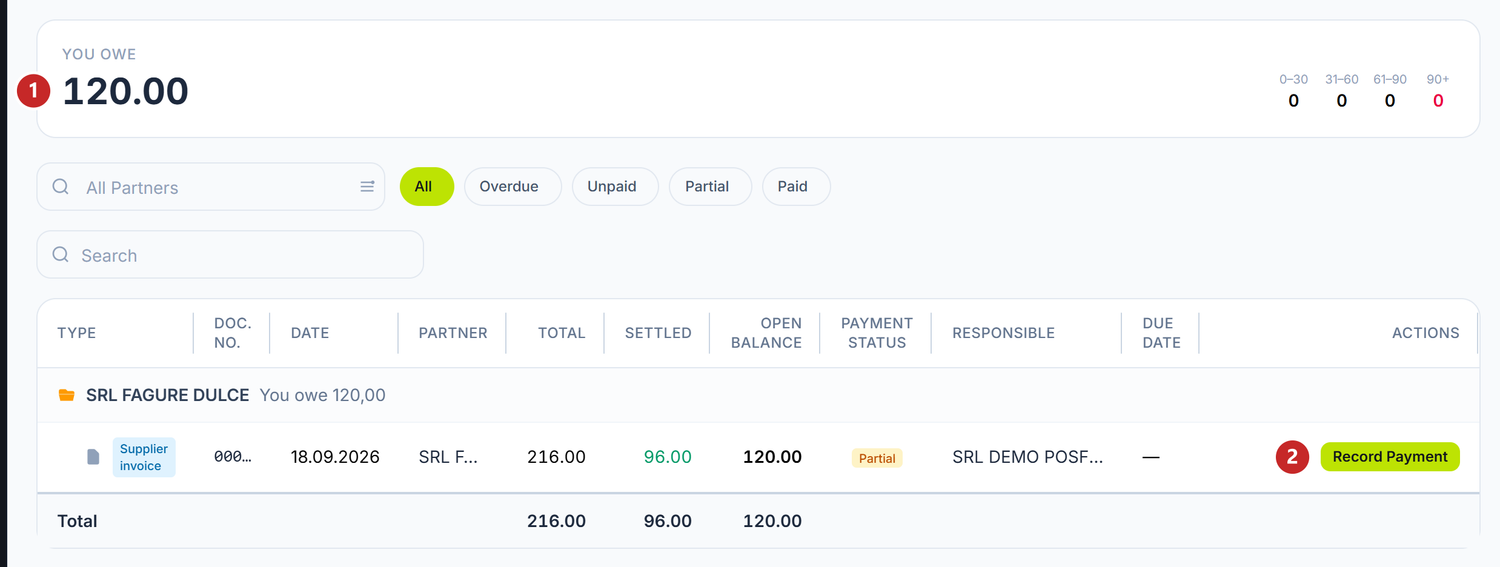
1 how much you have to pay · 2 you record the invoice payment
What can confuse you
"Partner has no open documents" — everything the partner had is paid. Remove the partner filter to see the full list.
The advance window says "Foreign-currency allocation is applied at invoice posting" — the document is in foreign currency. The window clears from the advance only documents in lei; on the foreign-currency one the advance is cleared when you post the invoice.
Related pages
- Customer advances — where the advances in the partner header come from
- Bank operations — the receipt and the payment that close the documents
- Partner statement — the whole settlement history with a partner
- Overview — the sales the customer debts come from